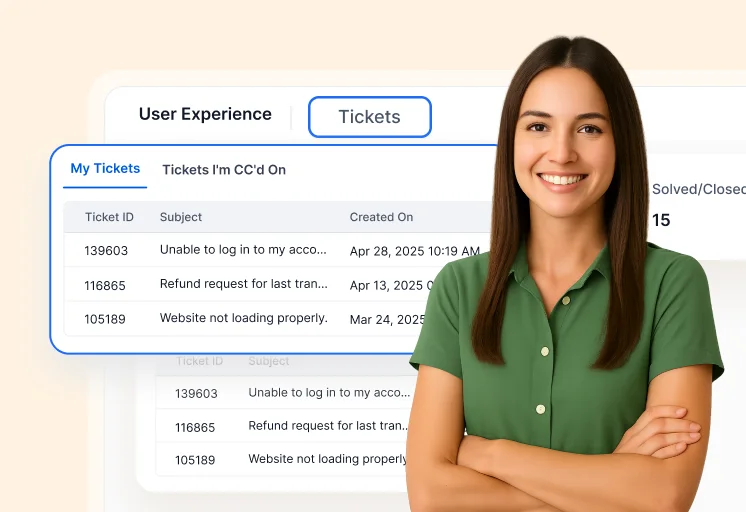
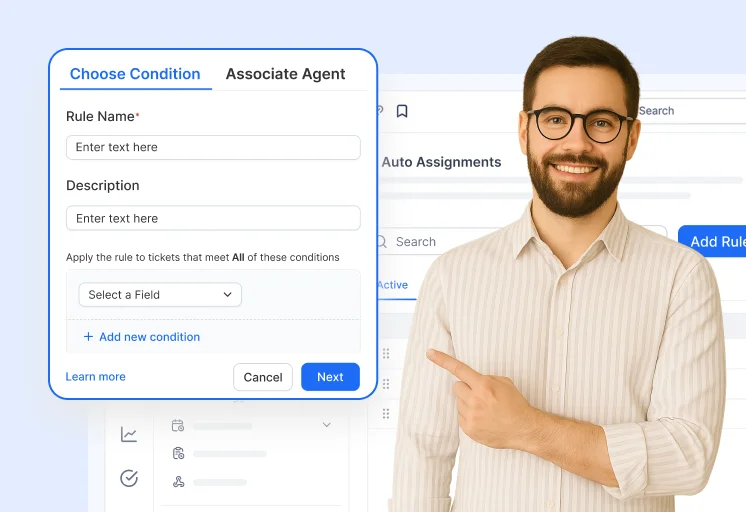
Help Desk Ticketing System

Tired of Slow Ticket Responses? Try Our Seamless Ticketing System Today

With powerful AI-driven automations and intuitive admin tools, this ticketing system helps teams resolve issues faster, reduce support costs, and scale effortlessly. No technical expertise is required, just streamlined support for modern businesses.

  • No credit card required
  • Cancel anytime
  • No credit card required
  • Cancel anytime

Trusted by companies of all sizes

Why Choose Our Ticketing Platform For Seamless Customer Service?

Enhance, Simplify and Scale Your Support

A help desk ticketing system is a customer support tool that helps businesses track, manage, and resolve customer issues efficiently.
It converts customer queries from multiple channels (email, chat, social media) into support tickets, ensuring no request is lost.

AI-Driven Automation

Automatically route and prioritize tickets using AI—reducing response times and increasing efficiency.

Multilingual Capabilities

Offer localized support with built-in language options and translation features, improving communication for global customers.

Enhanced Security & Compliance

Safeguard customer data with enterprise-grade security features and ensure compliance with industry standards.

Customizable Workflows

Adapt ticket routing and escalation processes to match your unique business needs without additional development.

Not sure how it works?

Struggling To Keep Support Organized? Here’s How A Smart Ticketing System Fixes It

Help Desk Ticketing System Features That Streamline Workflows and Boost Efficiency

Deliver efficient, organized customer support with a help desk ticketing system that automates workflows, centralizes communication, and enhances productivity.

Admin Portal for Managing Ticketing Tools

Edit Content

Workflow Automation

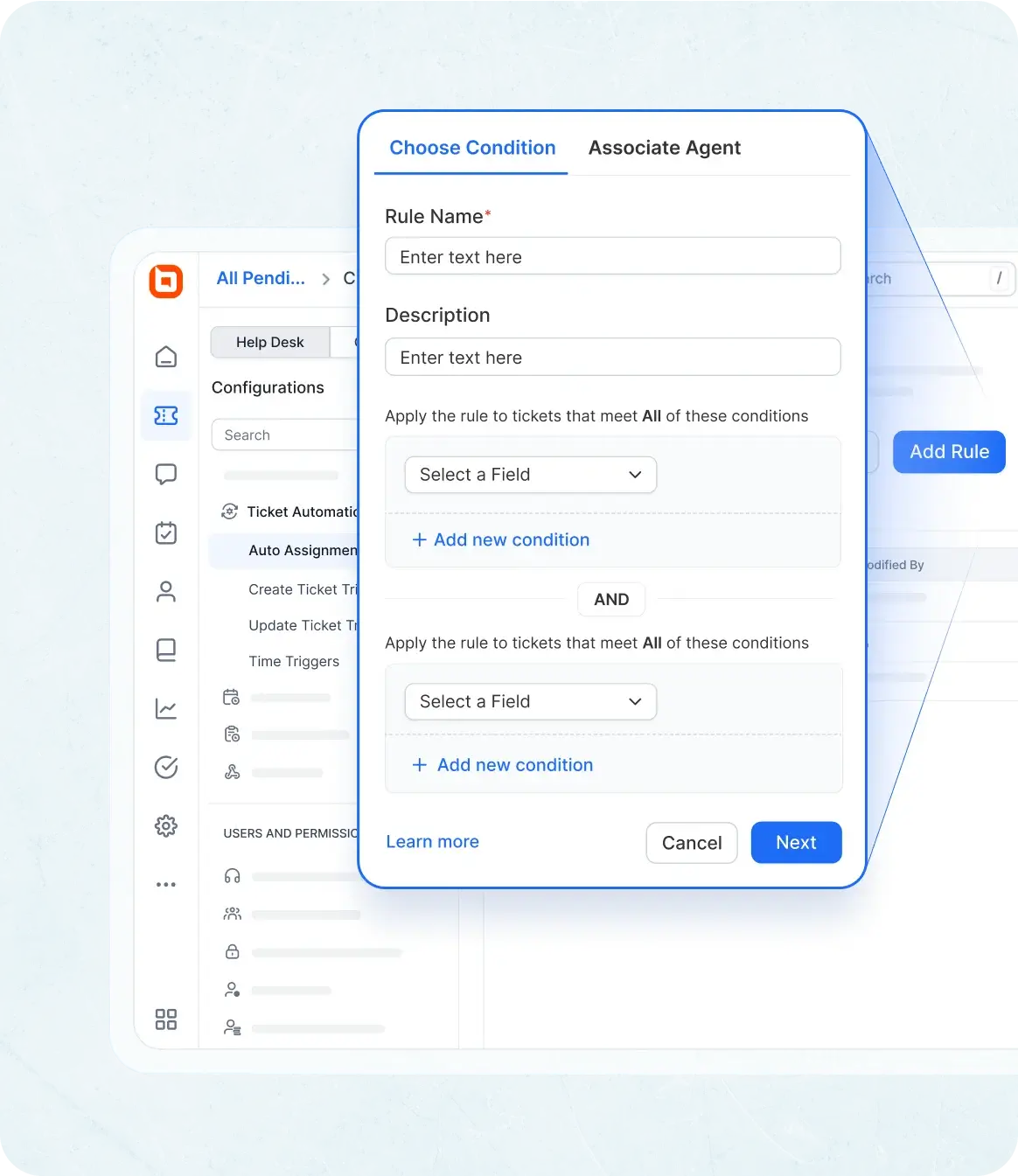
Automate tasks, enforce SLAs, and streamline support with intelligent rules. Our help desk ticketing system improves efficiency and simplifies workflow management for complex processes.

  • Automation Rules: Streamline repetitive tasks by automatically assigning, prioritizing, or escalating tickets based on custom triggers and conditions.
  • Automation Logs: Keep records of all changes brought about by automation for transparency and auditing.
  • Canned Responses: Save time with pre-defined replies for common customer queries.
  • Custom Workflows: Design multi-step automation flows to match your unique business processes.
  • Auto-Assignment: Use round-robin assignment to route tickets to appropriate agents automatically.
  • Auto-Merge Tickets: Automatically merge duplicate tickets from the same customer within a particular period of time.
Help desk ticketing system with enhanced security and compliance for data protection.
Edit Content

SLA Management

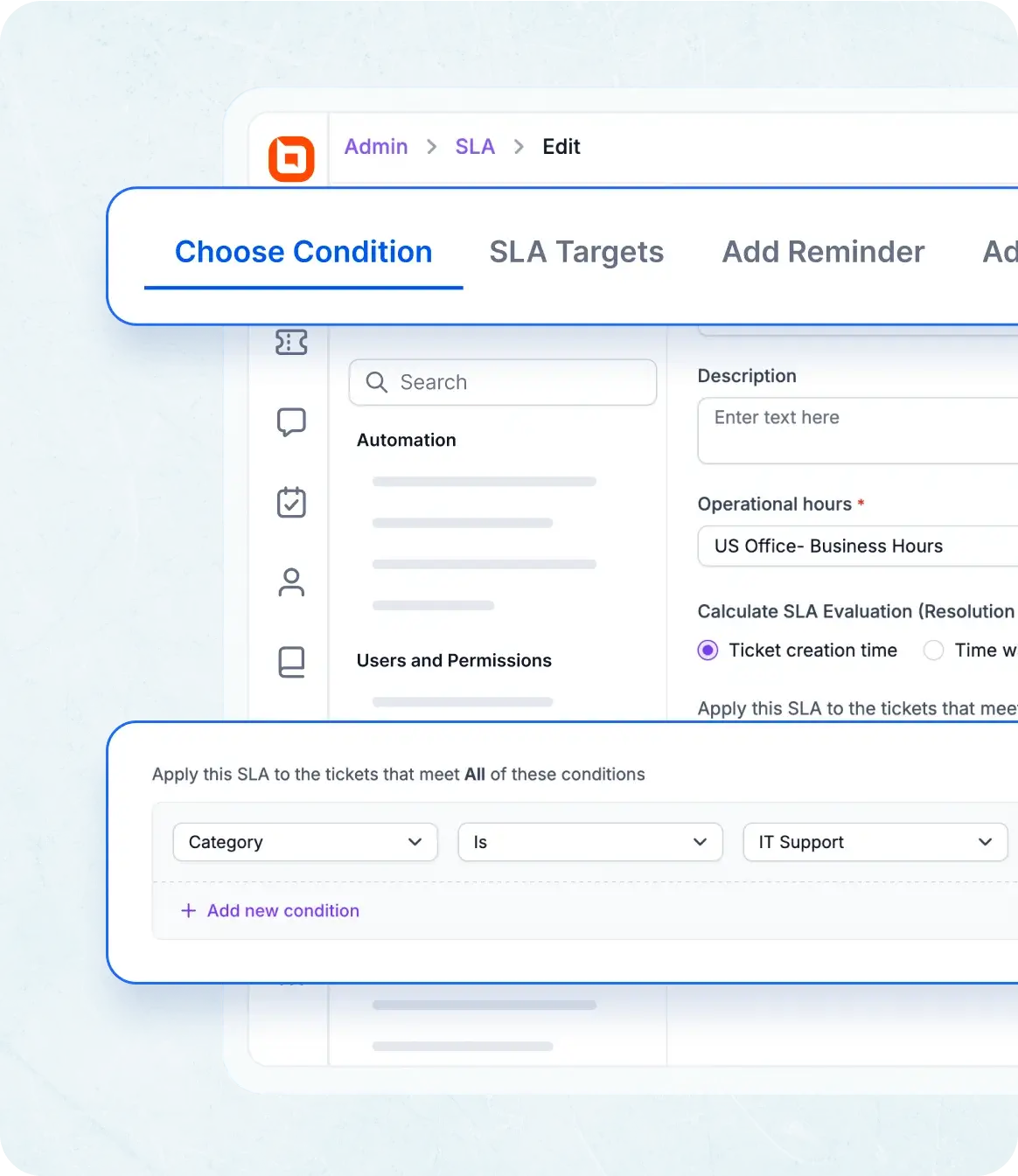
Define service-level agreements, escalation paths, and automation rules.

  • Service-Level Agreements (SLA): Set response and resolution due dates automatically based on business hours and ticket priority.
  • SLA Breach Notifications: Instantly alert agents and managers when SLAs are at risk of being breached.
  • SLA Logs: Keep records of alterations in response and resolution due dates and SLA breach logs.
Ticketing system software with SLA management, breach alerts, and resolution tracking.
Edit Content

Analytics & Reporting

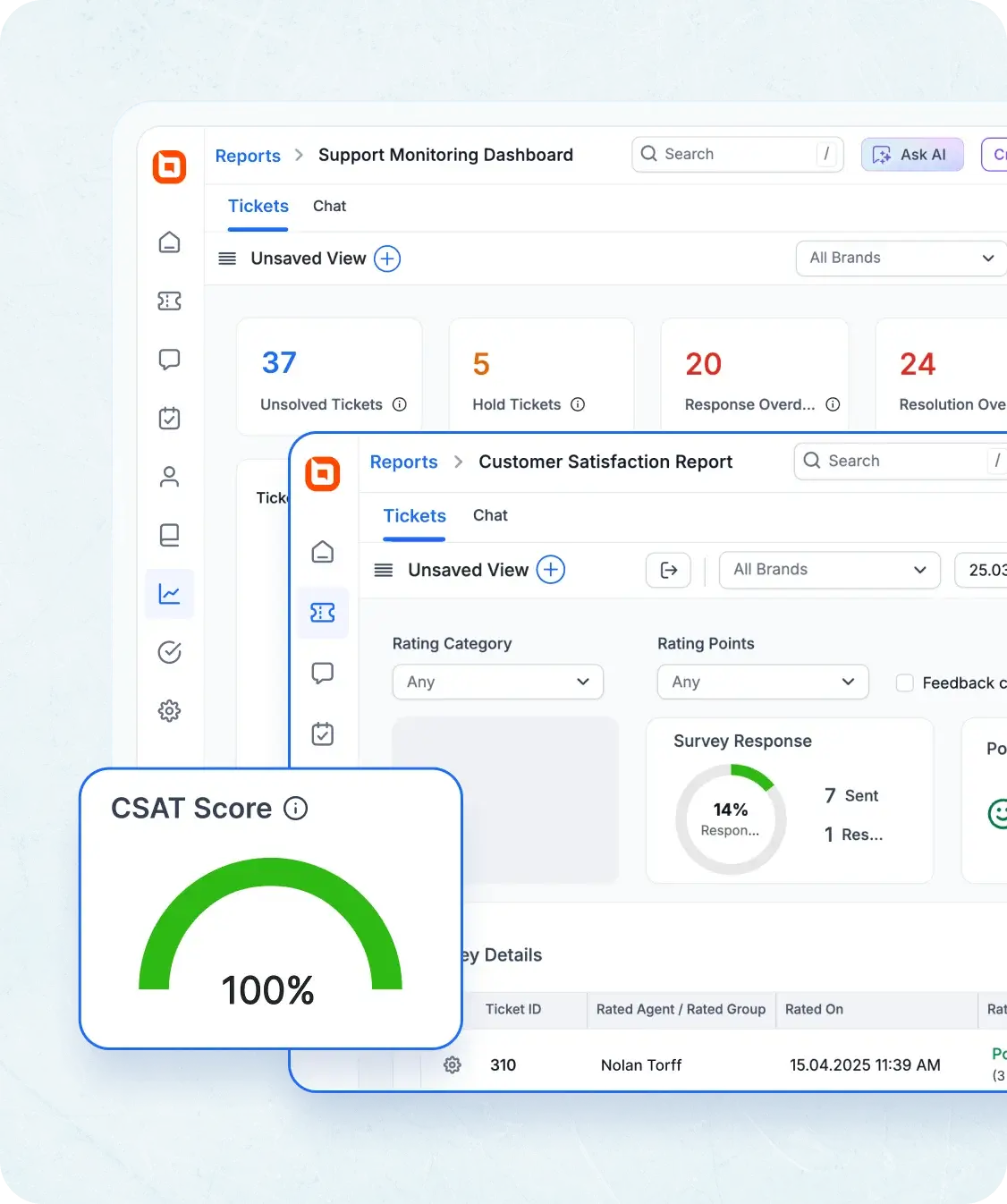
Monitor performance metrics and generate reports on ticket volumes and resolution times.

  • Custom Dashboard: Build tailored dashboards to visualize the metrics that matter most to your team.
  • CSAT Report: Use CSAT reports to keep track of your CSAT scores over time.
  • Create & Manage Dashboard: Track incoming support requests, the current support status, and adherence to SLA terms.
  • Ticket Metrics Report: Track ticket conversations, agent worklogs, and key metrics to measure support performance and efficiency.
icketing system software with analytics, CSAT reports, and ticket performance metrics
Edit Content

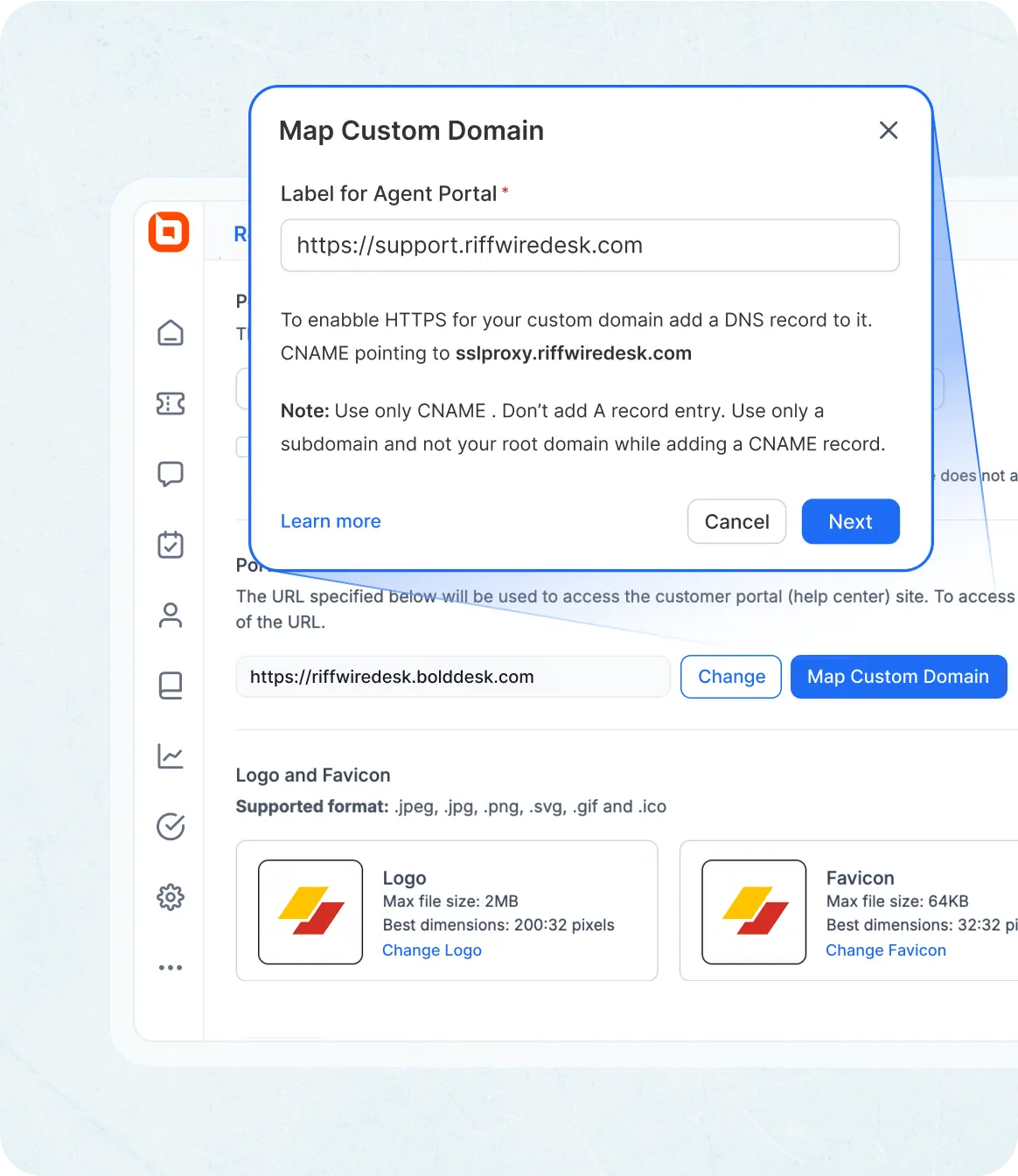
Branding & Customization

Customize the portal’s look and feel, email templates, and notifications.

Ticketing system software with branding, custom forms, and domain mapping options
Edit Content

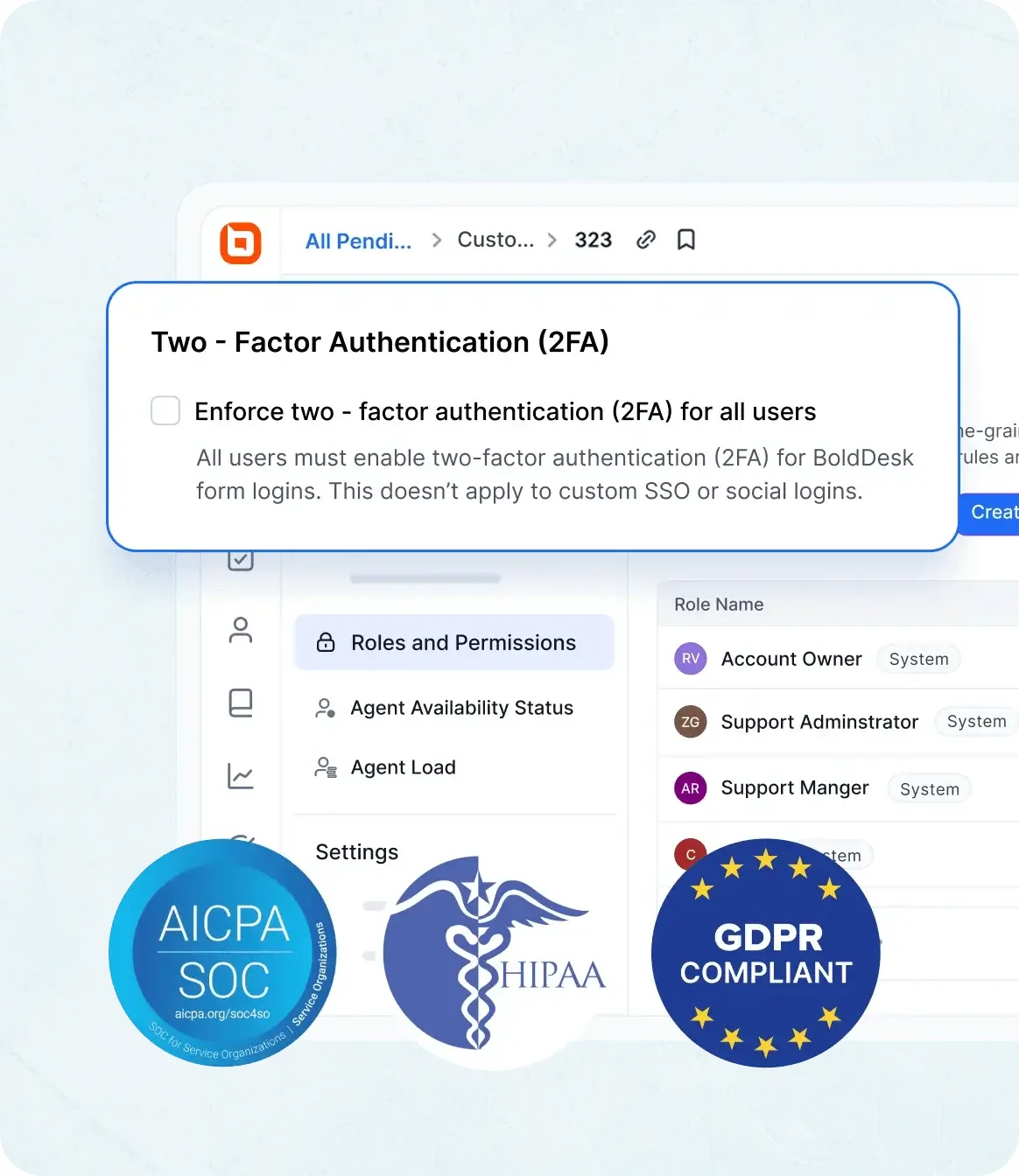
Security & Compliance

Safeguard customer data, ensure platform security, and maintain compliance with industry standards.

  • Two-Factor Authentication: Enhance agent account security with multi-factor authentication.
  • Data Retention Policies: Ensure that you store only the required data to comply with regulations.
  • IP Restrictions: Restrict access to agents from approved IP addresses only.
  • Data Encryption: Encrypt sensitive customer data both in transit and at rest.
  • Compliance Monitoring: Regular checks to maintain adherence to industry regulations.
Ticketing system software with security, encryption, and compliance certifications.
Edit Content

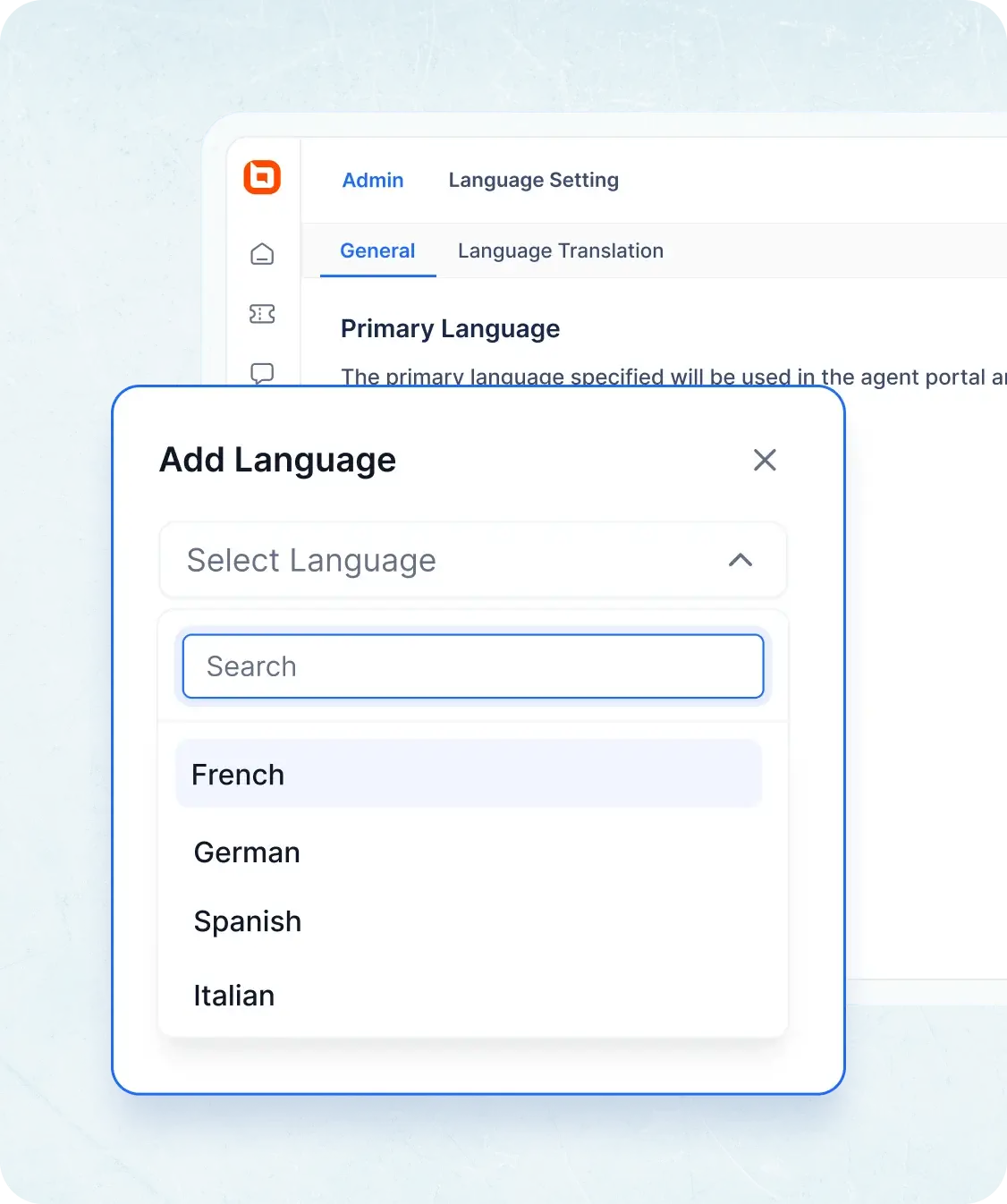
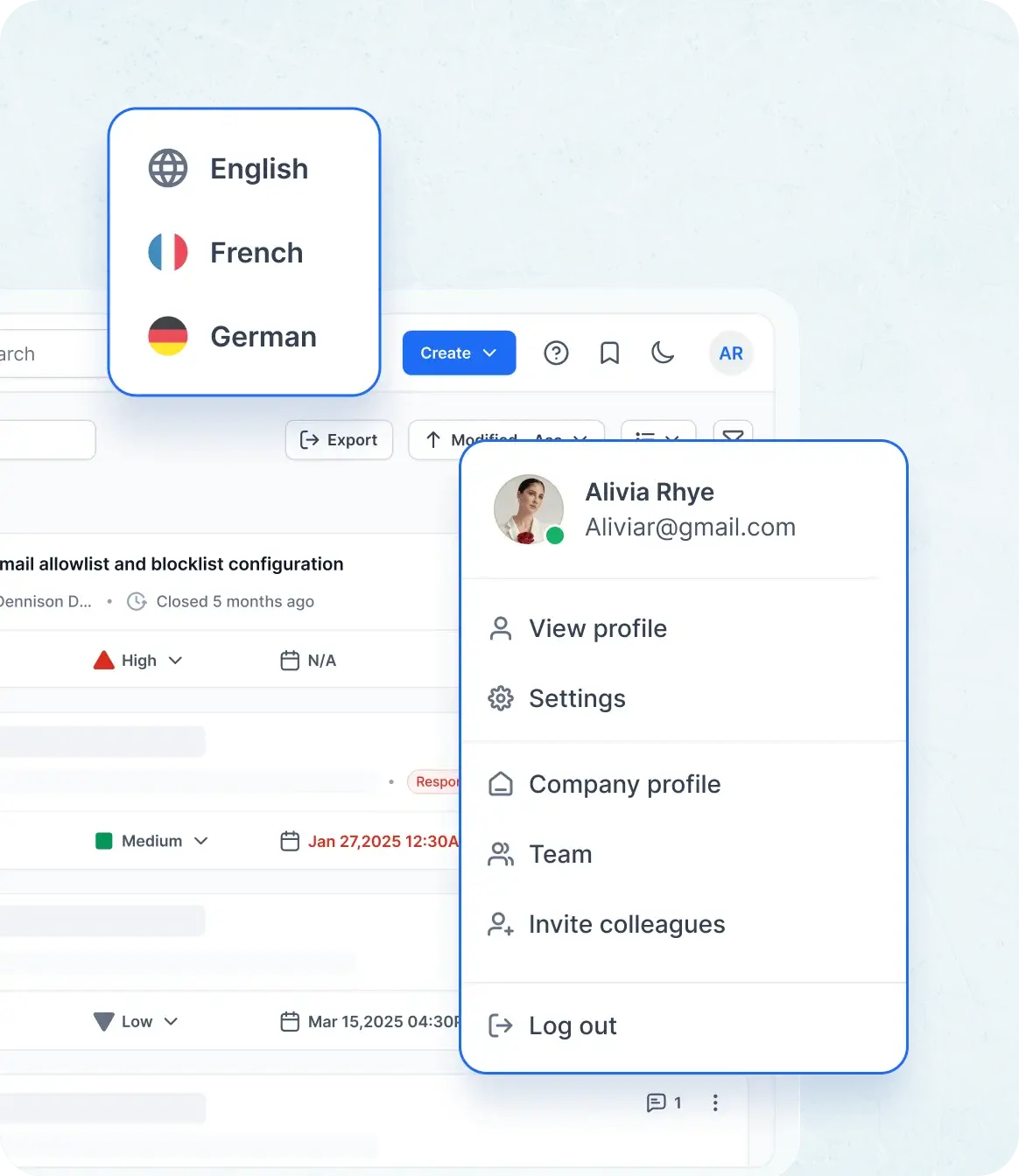
Multilingual Settings

Set up translations for customer support and ensure your team can work in multiple languages.

Ticketing system software with multilingual settings and localized email templates.

Agent Portal for Seamless Ticketing Experience

Edit Content
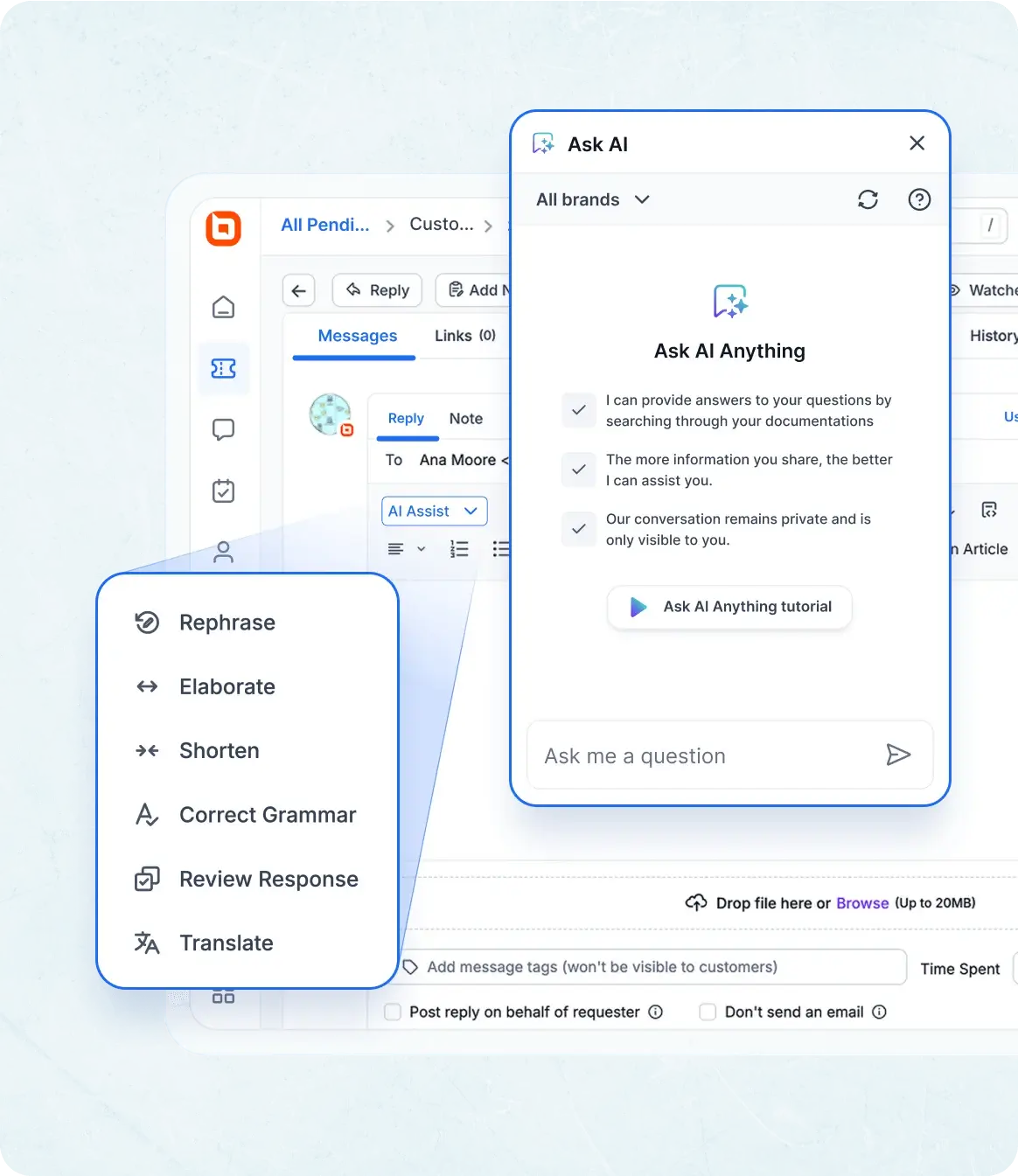
AI-powered ticketing system software with summarization, suggestions, and instant answers.

AI Copilot

Empower your team with BoldDesk AI Copilot - intelligent tools that automate tasks and optimize customer interactions.

  • Copilot for Agents: Agents get instant answers from the knowledge base, while AI handles tasks like order cancellations and data lookups via internal and external APIs.
  • AI Ticket Summarization: Generate concise ticket overviews for quick understanding.
  • AI Assist: AI-powered suggestions and actions to help agents respond, categorize, or resolve tickets.
Edit Content
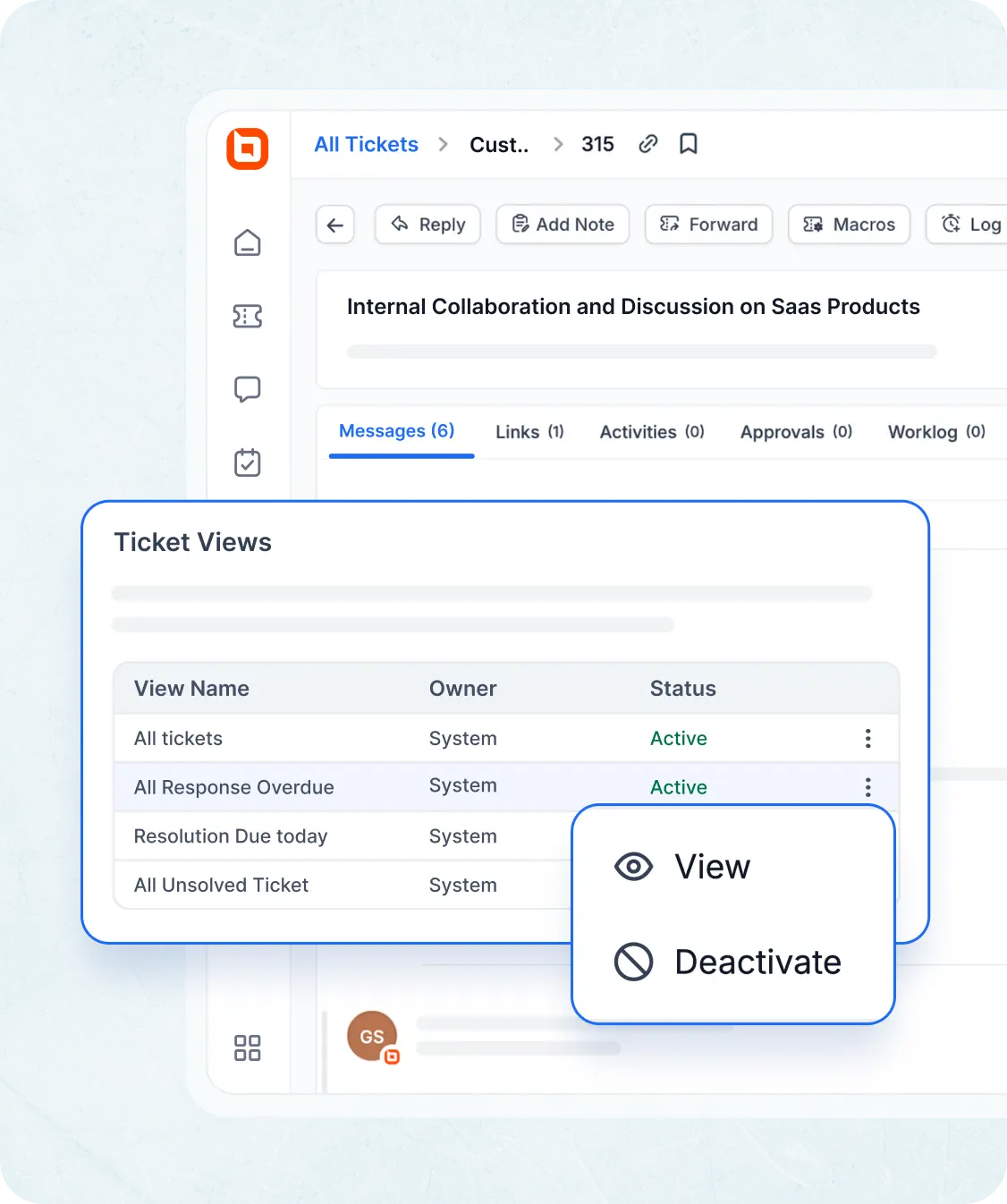
Ticketing system software with email ticketing, filters, views, and queue management tools.

Ticket Queue & Management

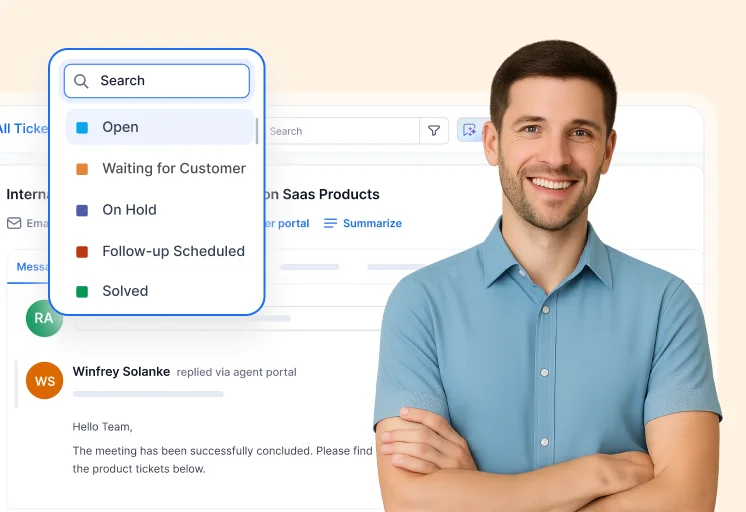
View, sort, and prioritize tickets based on status, urgency, or an SLA.

Edit Content

Collaboration Tools

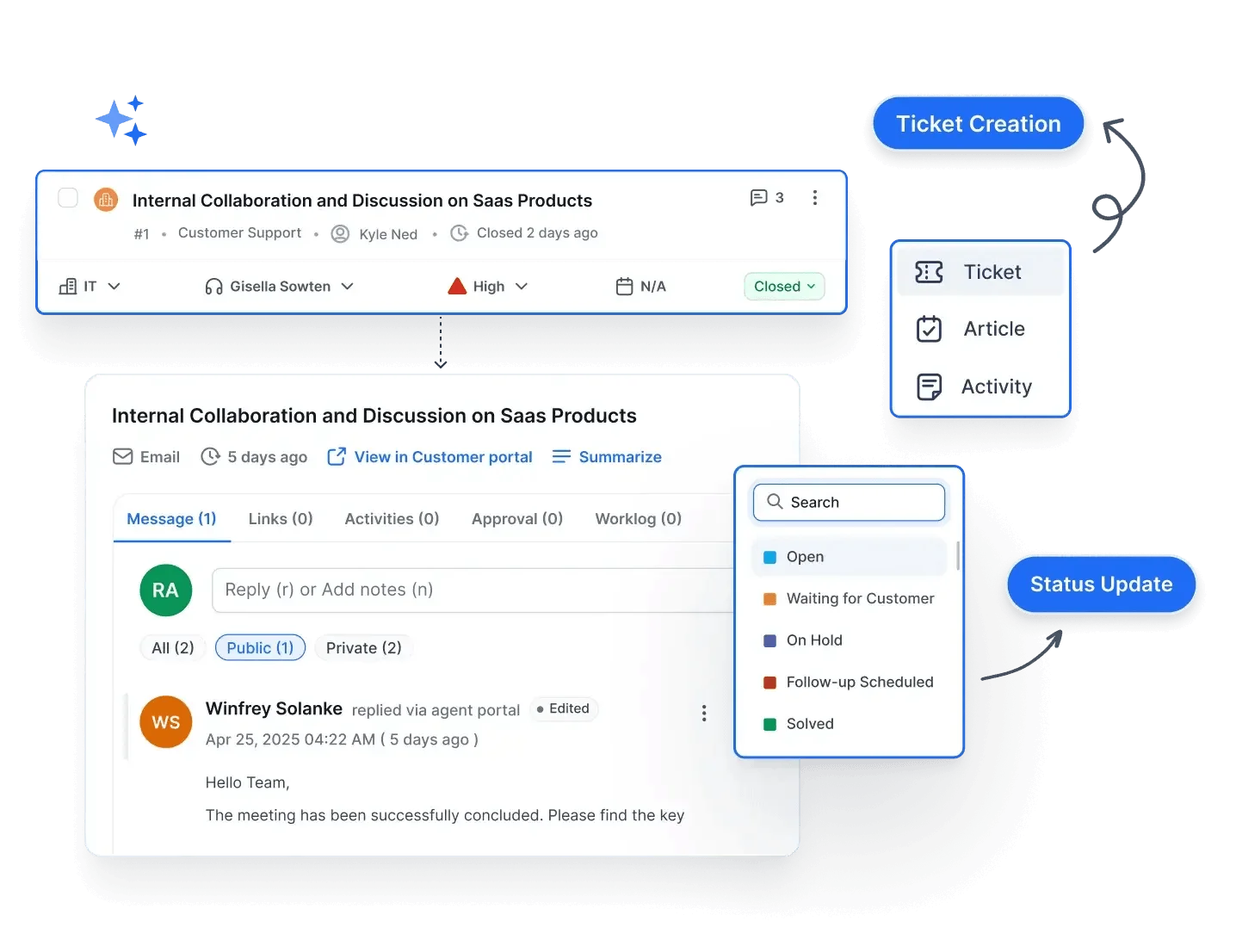
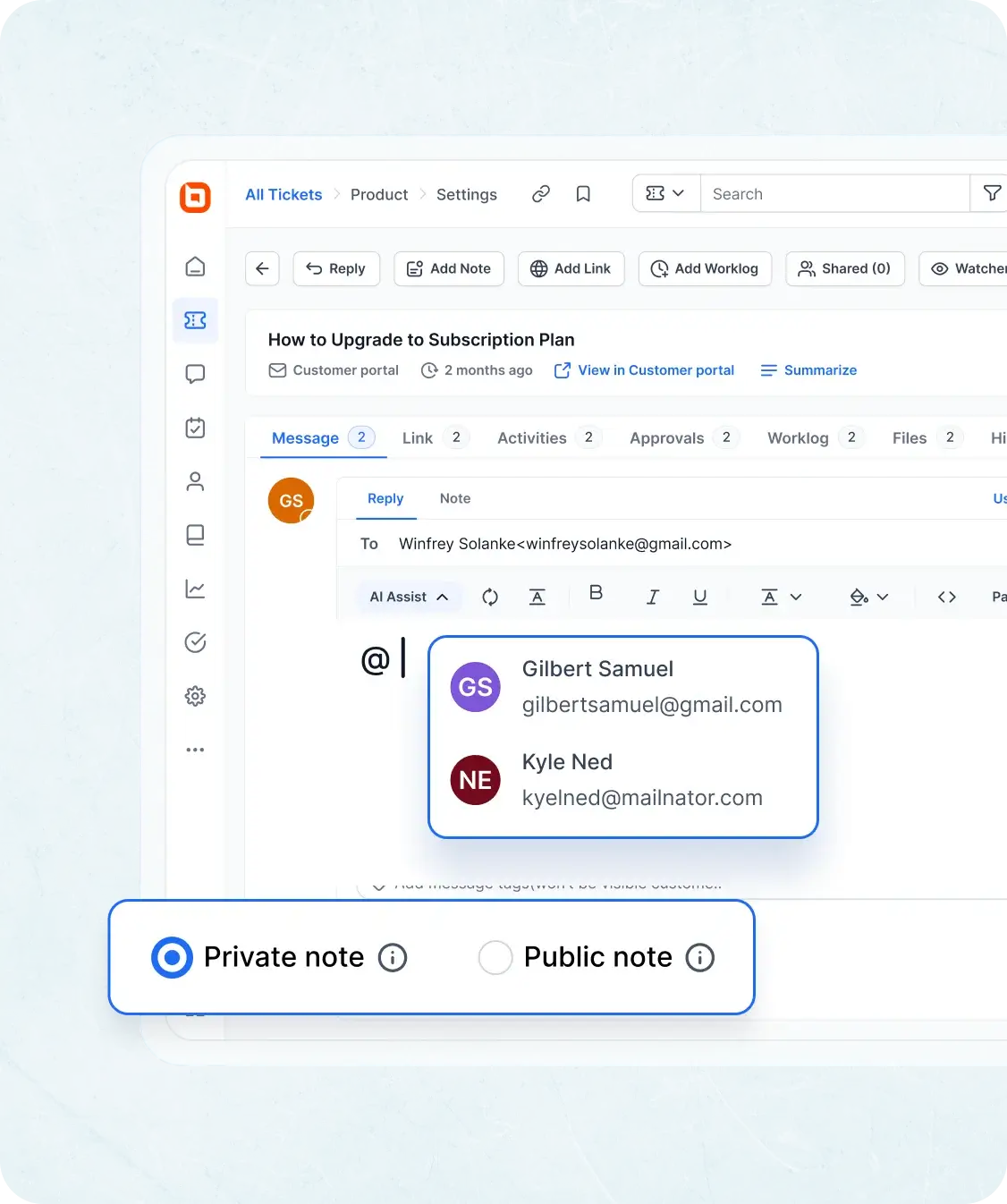
Assign tickets, add internal notes, and collaborate in real time with teammates.

  • @Mention: Mention agents in replies or private notes to send them alerts.
  • Watchers: Notify more agents without showing them to customers.
  • Private Note: Collaborate via private notes, hidden from customers.
  • Share Ticket: Collaborate with teams in other departments.
  • Private Ticket: Record internal-only tickets like call logs or meeting notes.
  • Related Ticket: Connect tickets that are related.
  • Parent-child ticketing: Manage dependent ticket flows.
  • Activity Module: Automatically generate task-type activities for tracking.
  • Approval for the Agents: Submit requests for approvals with custom workflows.
Ticketing system software with collaboration tools like notes, mentions, and ticket sharing
Edit Content
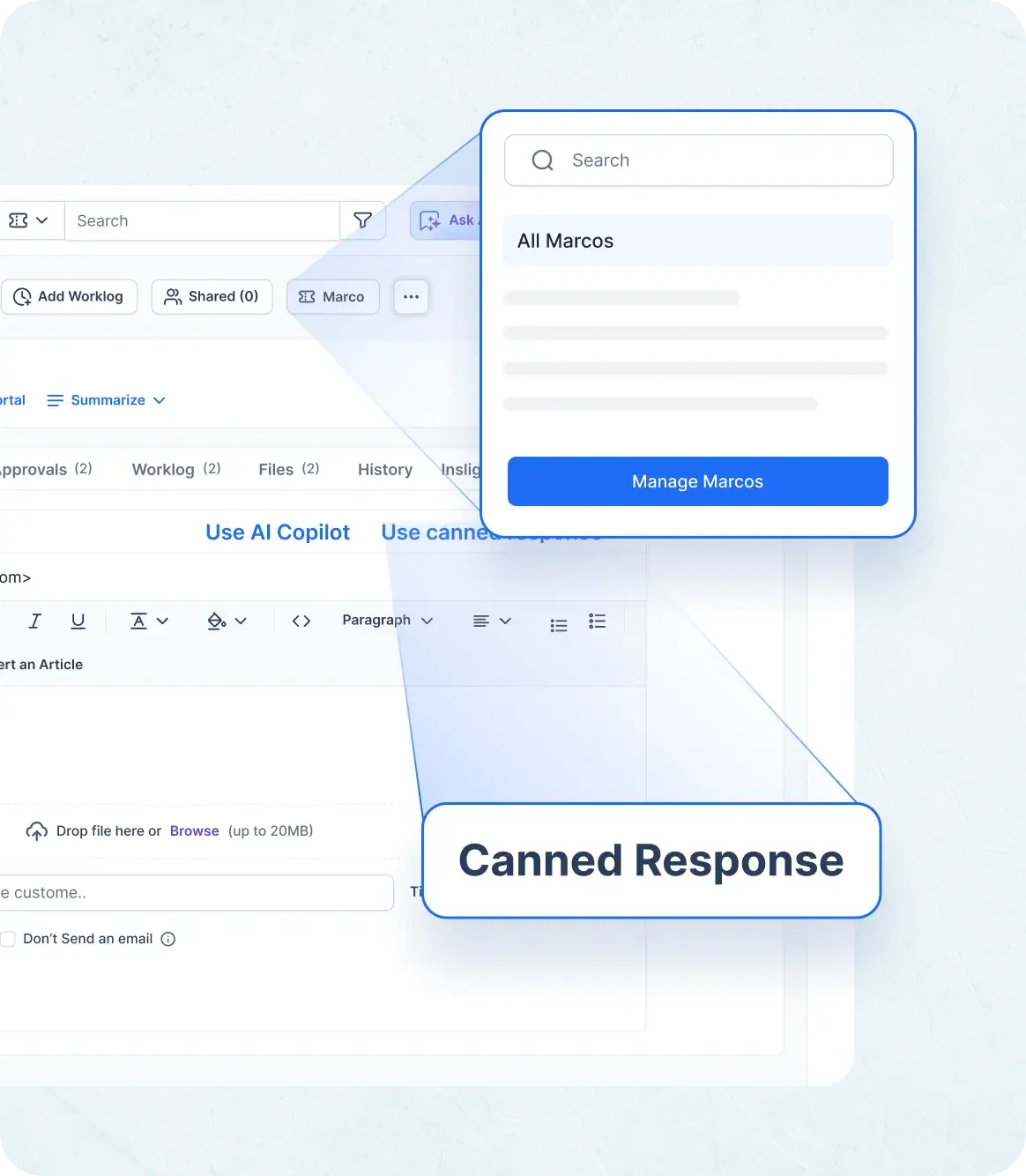
Ticketing system software with enhanced ticket handling, macros, and canned responses.

Enhanced Ticket Handling

Streamline responses to common issues for faster resolution.

  • Ticket Macros: Automate repetitive actions with predefined command sequences for faster ticket handling.
  • Canned Responses: Respond to tickets quickly with frequently used, saved response templates.
  • Quick Actions: Change a ticket’s category, status, and assignee; add tags and private notes; and log work without opening the ticket.
  • Keyboard Shortcuts: Perform ticket actions with several keyboard shortcuts.
  • Quick Preview: Quickly navigate and review tickets.
Edit Content
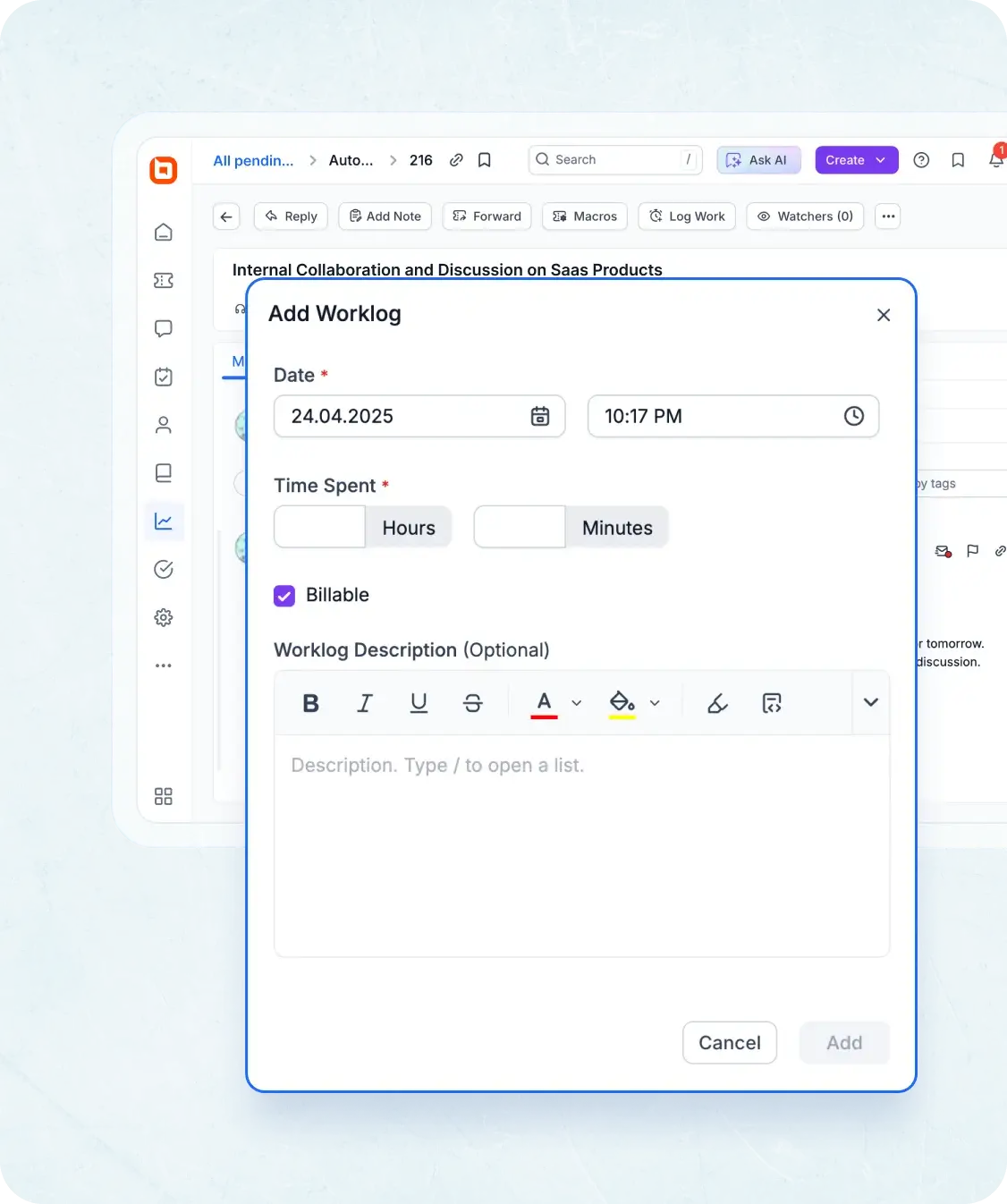
Ticketing system software with time tracking, work logs, and billable hours reporting

Time Tracking & Work Logs

Log time spent on each ticket for productivity insights and billing.

  • Time Tracking: Agents can record the amount of time they spend on each ticket.
  • Work Logs: Maintain detailed logs of all work done on tickets, ensuring accountability and transparency in support activities.
  • Worklog Reports: View and export detailed worklog reports to analyze agent activity, billable hours, and team productivity with advanced filtering options.
Edit Content
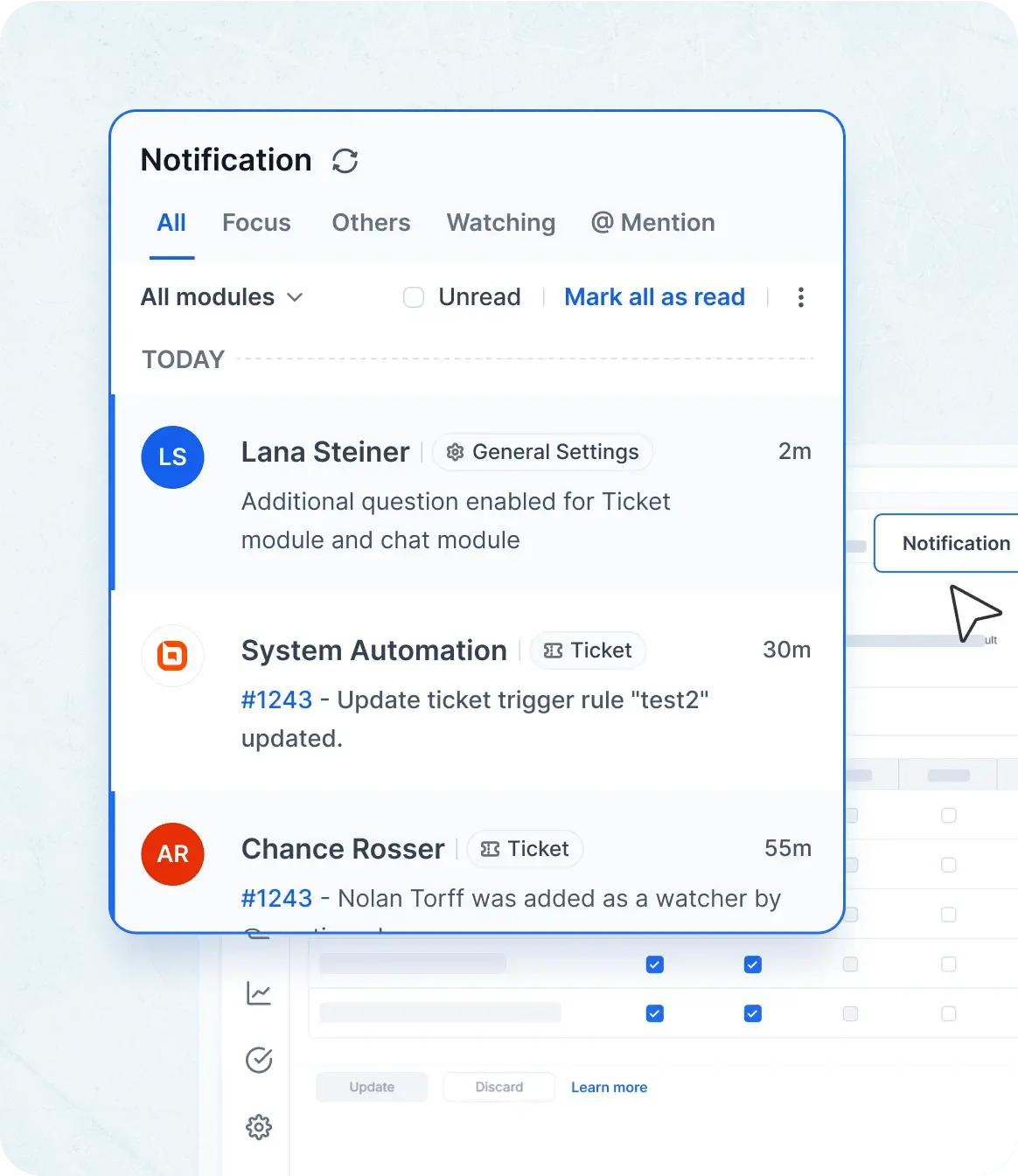
Internal Notifications in ticketing system software with real-time alerts and email updates

Internal Notifications

Receive real-time alerts for ticket updates and SLA breaches.

  • In-App Notifications: Get real-time updates on ticket activity directly within the platform.
  • Email Notifications: Stay informed with automated email alerts for ticket updates and actions.
Edit Content

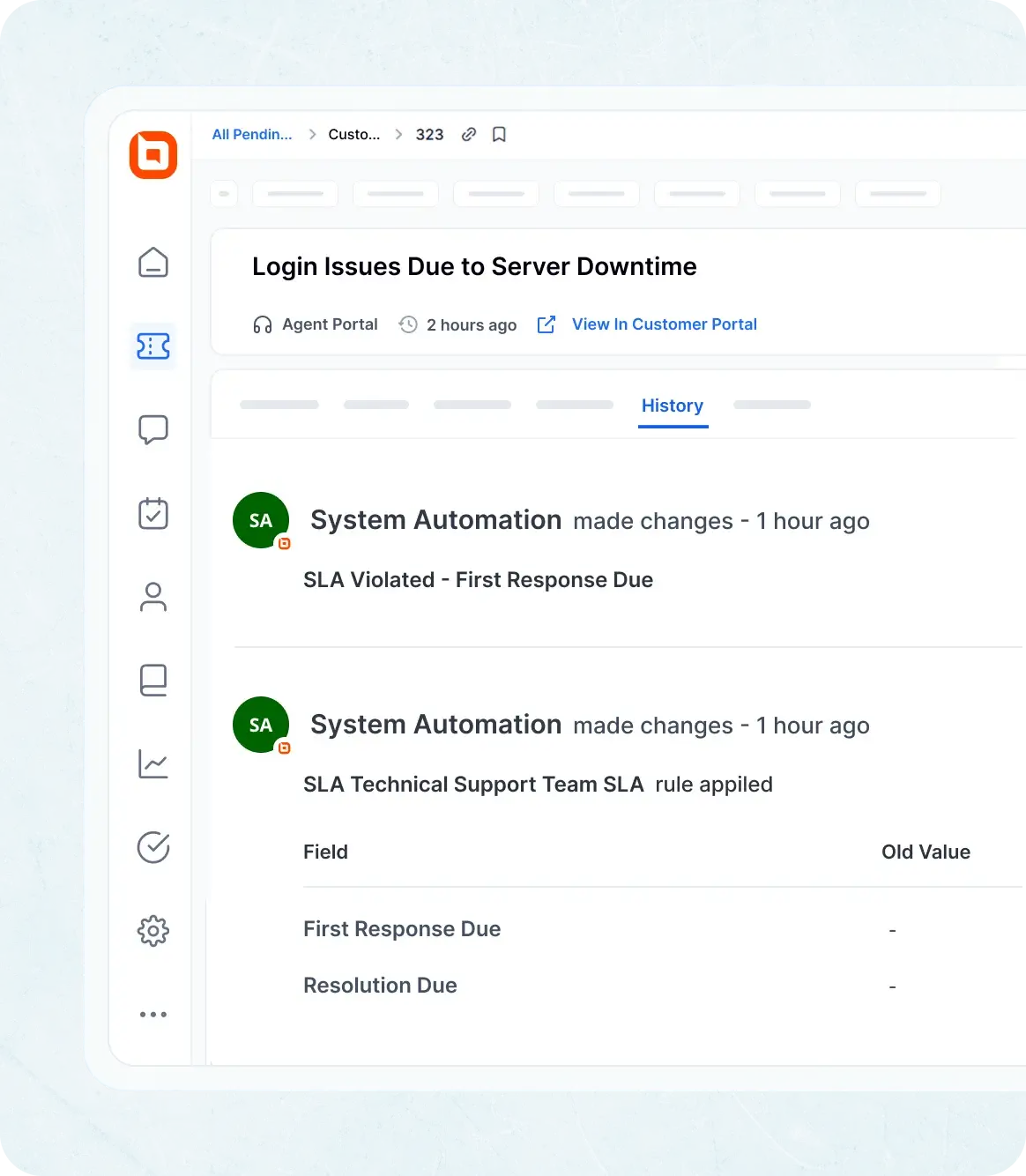
Ticket History

Record any changes made in ticket activity. Using the Ticket History tab, you can view change logs for auditing.

  • Field Logs: Field value changes are recorded.
  • Automation Logs: Changes brought about by automation.
  • SLA Logs: Alterations in response and resolution due dates and SLA breach logs.
Ticket history in ticketing system software showing SLA, input fields, and automation change logs.

Customer Portal for Better Engagement with Ticketing Tools

Edit Content

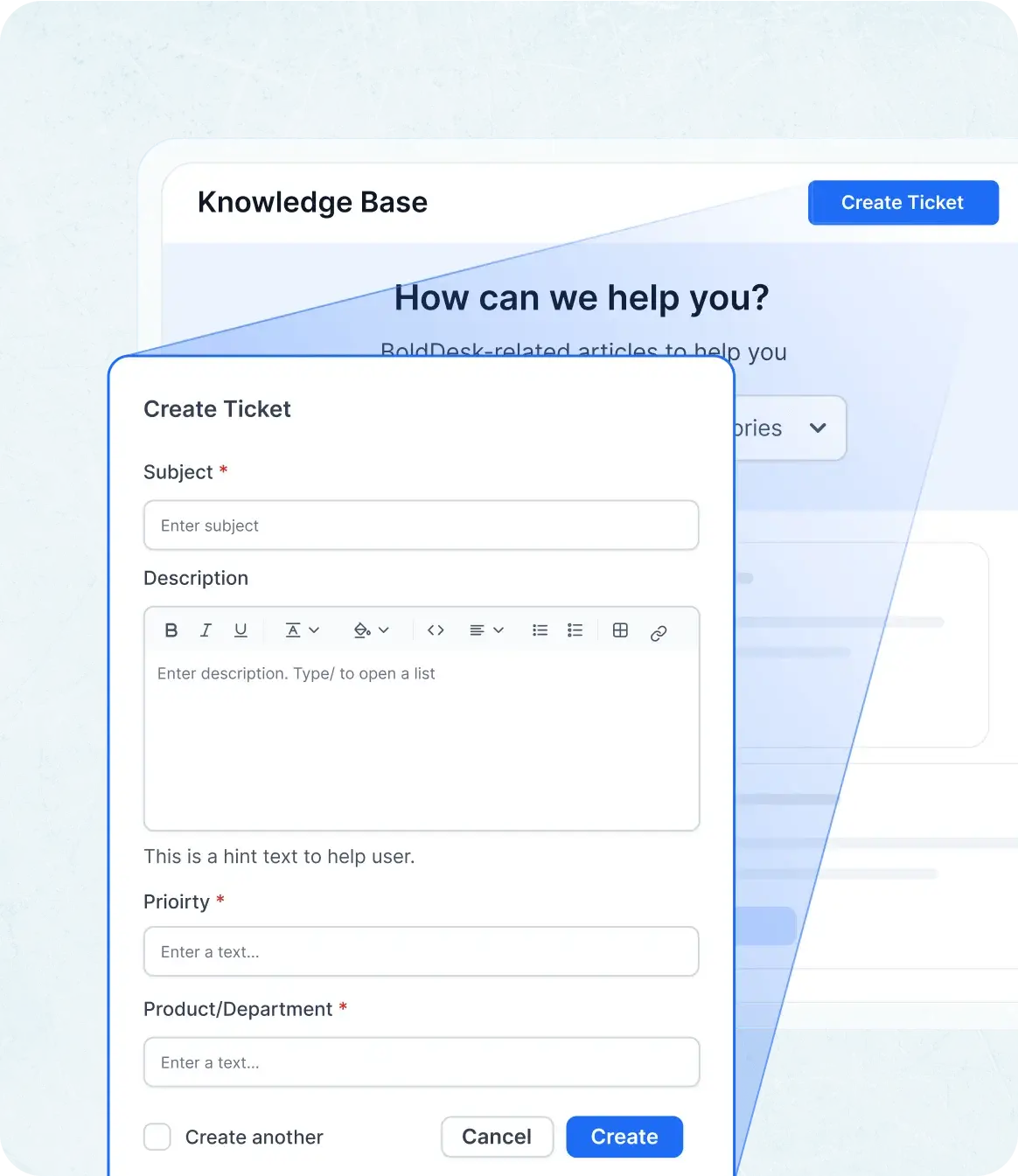
Ticket Submission & Tracking

Allow customers to create new tickets and monitor their progress.

  • Email Ticketing: Submit support requests directly via email. Deliver instant, AI-generated replies in email notifications to boost response speed without manual effort.
  • Web Ticket Forms: Easily create tickets using intuitive, custom forms.
  • Real-Time Status: Track your ticket’s progress from submission to resolution.
  • Attachment Preview Support: View and preview file attachments directly within tickets without downloading.
Ticket submission and tracking in service desk ticketing system with email, forms, and status view.
Edit Content

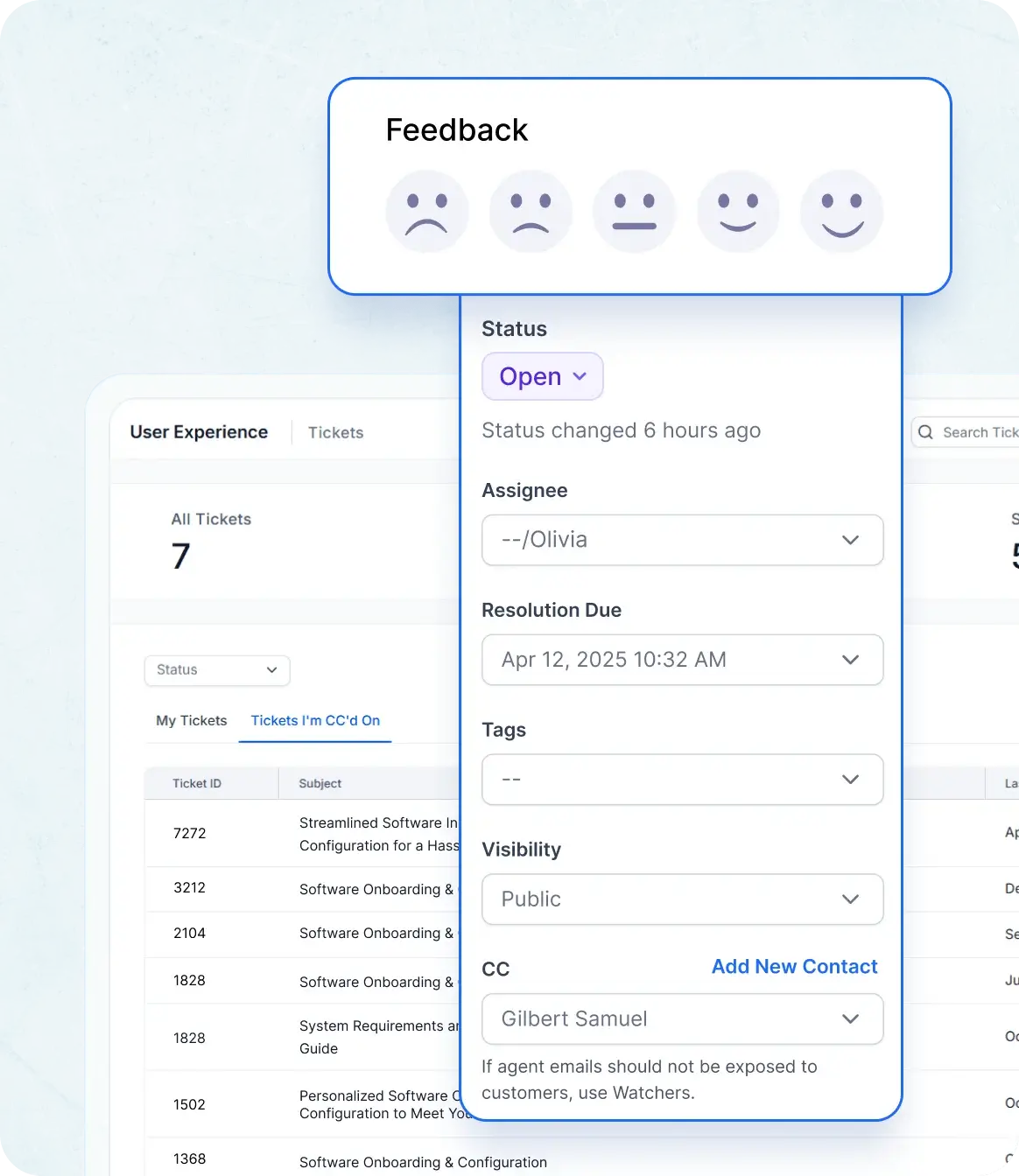
Customer Ticket Updates

 Enable customers to update ticket details and view statuses without needing live support.

  • Update Tickets: Add information or update tickets without waiting on live support.
  • Instant Feedback: Automatically trigger satisfaction surveys when a ticket is closed to gather valuable customer insights.
Ticket submission and tracking in service desk ticketing system with email, forms, and status view.
Edit Content

Interface Flexibility

Seamless, multilingual, responsive support with easy profile management.

  • Multilingual Interface: Users can choose their preferred language for a more comfortable experience.
  • Responsive Design: Enjoy seamless access to ticket details on any device.
  • User Profile Management: Let customers manage their contact information and support history.
Interface flexibility in service desk ticketing system with multilingual UI and profile settings.
Not sure how it works?
Quick and Easy Setup

Get Your Help Desk Running Instantly

Implementing the BoldDesk ticketing system is straightforward. Just sign up and configure your support settings,and you can start resolving customer inquiries in no time!

  • No credit card required
Still have questions about getting started? Book a Demo right-arrow

Integrations

Integrate BoldDesk Across Your Tech Stack

Effortlessly connect BoldDesk with your favorite third-party applications to enhance workflow efficiency and customer support operations.

Messaging app on two phones showing recent conversations and a chat about resolving email delivery problems

Stay Connected Wherever You Are With Our Mobile App

Download our iOS or Android app to manage your conversations on the move. Easily receive and respond to messages across all channels using the app.

Think Switching is Hard? We Will Handle the Migration for Free!

Switching ticketing systems shouldn’t feel like a nightmare. We make it easy, fast, and cost-free to move from your current provider to BoldDesk.

  • Easy Onboarding
  • Safe & Secure
  • No credit card required
  • Safe & Secure
Free migration to BoldDesk help desk ticketing system with secure, easy onboarding.
BoldDesk’s always-on support in help desk ticketing system with 24/5 expert assistance

Your Success Never Sleeps: BoldDesk’s Always-On Support Partner

  • 24/5 expert support to help you onboard and thrive.
  • Extensive documentation, tutorials, and resources.
  • Dedicated assistance for resolving issues proactively.

Click. Explore. Decide

Your Guided Tour of Bolddesk Starts Here

Bolddesk simplifes support with interactive tour—no setup or signup needed.
Just explore and see how it could fit your workflow.

Configuring Your Support Email in BoldDesk

Ticketing System

Turn every customer interaction into a trackable, actionable ticket with the streamlined BoldDesk system.

Take a tour right-arrow
banner-image

Customer Portal

Learn how to customize your support portal and empower customers to submit, track, and manage tickets.

Take a tour right-arrow
Adding Agents and Organizing Them by Teams/Departments

Auto Assignment Workflow

Route tickets intelligently with automation—use rules and round-robin distribution to balance agent workloads.

Take a tour right-arrow

Frequently Asked Questions

A help desk ticketing system is software that helps businesses manage customer inquiries, service requests, and technical issues efficiently by organizing them into tickets. It’s a key component of modern customer support software, helping teams deliver timely and structured service.

BoldDesk captures customer queries from multiple channels (email, live chat, social media, etc.) and converts them into tickets. It assigns, tracks, and helps agents resolve tickets using automation, collaboration tools, and AI-driven workflows. As an online help desk software, BoldDesk centralizes support operations for better efficiency.

BoldDesk offers flexible pricing plans suitable for businesses of all sizes. Visit our pricing page for detailed information. You can explore our pricing page to find the right plan, including options for a free ticketing system ideal for startups.

Yes! BoldDesk offers free help desk software for startups, enabling them to streamline customer support without upfront costs. This makes it an ideal entry-level support ticketing system for growing businesses.

  • BoldDesk AI combines AI Agent, AI Copilot, and AI Action to transform traditional ticketing systems into intelligent, automated support platforms.
  • AI Agent serves as a virtual assistant that resolves up to 70% of repetitive queries with multilingual responses and smart API triggers, minimizing manual effort.
  • AI Action automates backend tasks, reducing errors and speeding up resolutions.
  • AI Copilot empowers agents with instant summaries, contextual suggestions, and tone-optimized replies, enabling them to provide faster, more accurate, and consistent support.

Yes, BoldDesk integrations allow seamless connectivity with CRM systems, project management tools, and communication apps like Slack, Microsoft Teams, Zapier, Salesforce, and your own custom apps.

Yes! BoldDesk automates repetitive tasks like ticket assignment, SLA tracking, canned responses, and escalation workflows for faster response times and increased efficiency. These features make it a smart choice for teams seeking automated ticketing system capabilities.

Organizations in IT support, healthcare, e-commerce, SaaS, education, and finance use BoldDesk to improve customer support, manage internal IT requests, and streamline operations. Its flexibility allows it to function as scalable ticket management software across various sectors.

Yes! We offer free migration assistance to help businesses smoothly transition from their existing help desk software to BoldDesk. Whether you're switching from another help desk ticketing system or upgrading your current setup, our team ensures a seamless migration.

AI-First Customer Support. Simple, Transparent Pricing

  • Free trial
  • No card required
  • No lock-ins
  • No hidden costs
  • Free trial
  • No card required
  • No lock-ins
  • No hidden costs
Edit Content
Edit Content

No of Agents

Pricing

AI Credits

Info

5

$99 /month $1,188 billed yearly
500 credits /month

10

$199 /month $2,388 billed yearly
1000 credits /month

25

$349 /month $4,188 billed yearly
1500 credits /month

50

$499 /month $5,988 billed yearly
2000 credits /month

75

$749 /month $8,988 billed yearly
2500 credits /month

100

$999 /month $11,988 billed yearly
3000 credits /month

* All prices are shown in USD($).

Edit Content

No of Agents

Pricing

AI Credits

Info

5

$124 per month
500 credits /month

10

$249 per month
1000 credits /month

25

$436 per month
1500 credits /month

50

$624 per month
2000 credits /month

75

$936 per month
2500 credits /month

100

$1249 per month
3000 credits /month

* All prices are shown in USD($).

Edit Content
Edit Content

No of Agents

Pricing

AI Credits

Info

200

$1998 /month $23,976 billed yearly
4000 credits /month

300

$2999 /month $35,988 billed yearly
5000 credits /month

400

$3999 /month $47,988 billed yearly
6000 credits /month

500

$4999 /month $59,988 billed yearly
7000 credits /month

* All prices are shown in USD($).

Edit Content

No of Agents

Pricing

AI Credits

Info

200

$2498 per month
4000 credits /month

300

$3749 per month
5000 credits /month

400

$4999 per month
6000 credits /month

500

$6249 per month
7000 credits /month

* All prices are shown in USD($).

Edit Content
Edit Content

No of Agents

Pricing

AI Credits

Info

600

$5999 /month $71,988 billed yearly
8000 credits /month

700

$6999 /month $83,988 billed yearly
9000 credits /month

800

$7999 /month $95,988 billed yearly
10000 credits /month

900

$8999 /month $1,07,988 billed yearly
11000 credits /month

1000

$9999 /month $1,19,988 billed yearly
12000 credits /month

For more than 1000 agents, you can contact our team

* All prices are shown in USD($).

Edit Content

No of Agents

Pricing

AI Credits

Info

600

$7499 per month
8000 credits /month

700

$8749 per month
9000 credits /month

800

$9999 per month
10000 credits /month

900

$11249 per month
11000 credits /month

1000

$12499 per month
12000 credits /month

For more than 1000 agents, you can contact our team

* All prices are shown in USD($).

Features and Benefits

  • Ticketing System
  • Email Ticketing
  • Workflow Automation
  • WhatsApp & SMS
  • Custom Dashboard
  • Role-Based Access Control
  • Multibrand Help Desk
  • Integration Marketplace
  • SSO / SAML Authentication
  • Free Migration
  • Live Chat
  • Omnichannel Inbox
  • Ticket Auto Assignment
  • Instagram & Facebook
  • Live Chat
  • Omnichannel Inbox
  • Ticket Auto Assignment
  • Instagram & Facebook
  • Scheduled Reports
  • Custom Email Templates
  • Multiple SLAs & Business Hours
  • API & Developer Platform
  • Audit Logs
  • Professional Onboarding
  • Scheduled Reports
  • Custom Email Templates
  • Multiple SLAs & Business Hours
  • API & Developer Platform
  • Audit Logs
  • Professional Onboarding
  • AI Agents
  • AI Copilot
  • CSAT Surveys
  • Knowledge Base
  • Recurring Tickets
  • Custom Fields
  • Ticket Approval
  • 40+ Global Languages Including RTL
  • HIPAA Compliance
  • 24×7 Support

Recent Activities in Ticketing System Tutorials and Blogs

Get the latest insights on customer service chat software with expert articles and tutorials. Explore best practices, highlighted features, and industry trends to enhance your chat support experience.

Test out all the features of BoldDesk

Start your 15-day free trial with instant access

  • No credit card required
  • Easy setup
  • 80% AI Agent Automation
  • 100+ Rich Features
  • No credit card required
  • Easy setup
  • 80% AI Agent Automation
  • 100+ Rich Features
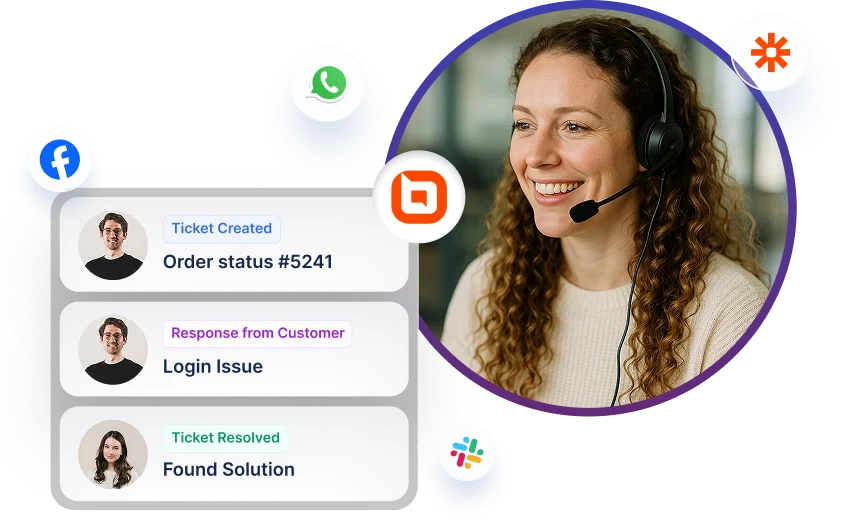
Help desk software interface showing ticket updates with multi-channel icons for Facebook, WhatsApp, and Slack.