
 In this page
  In this page

TL;DR: An AI knowledge base improves customer support by delivering fast, accurate answers, automating content creation, enabling multilingual help, and enhancing self‑service. It boosts efficiency, reduces ticket volume, and provides actionable insights, helping teams scale, streamline processes, and simplify knowledge management without relying on manual effort.
Customer service is changing fast, and it’s largely driven by customers who expect more than just responses. They want support experiences that feel personal, relevant, and effortless.
To keep up, many teams are turning to an AI knowledge base to deliver faster, smarter support at scale.
Instead of making customers and agents dig through long documents, AI can help surface the most relevant information, summarize it, and maintain content quality over time.
This article breaks down what an AI knowledge base is, how it works, how to use it effectively, and how to build one while highlighting key benefits and real-world applications.
What is an AI knowledge base?
An AI knowledge base is a centralized library of support and product information, such as FAQs, how‑to guides, and troubleshooting articles enhanced with artificial intelligence to deliver smarter, more intuitive help experiences.
Using technologies like natural language processing and machine learning, AI-powered knowledge bases help customers and agents to search in plain language, get more relevant results, and receive AI-assisted features like suggested answers, summaries, and automated content improvements.
Key features of an AI knowledge base
An AI knowledge base goes beyond storing information; it understands user intent, retrieves, and delivers the right answers at the right time.
Below are the essential features that make AI-powered knowledge bases efficient, smarter, and significantly more effective than traditional systems.
- Intelligent search and content organization: Understands natural language and user intent, instantly retrieves accurate answers, and automatically categorizes and tags content for better discoverability.
- AI‑enhanced content creation: Uses AI to summarize long articles, rewrite unclear content, expand explanations, fix grammar, and maintain consistent brand tone.
- Multilingual and accessible support: Instantly translates articles into multiple languages and delivers clear summaries, best‑match suggestions, and guided steps to improve user self‑service.
- Personalized and conversational AI assistance: Provides tailored article recommendations and uses conversational AI to answer questions naturally, guide users, and escalate complex issues, enabling 24/7 support.
- Seamless integrations across support systems: Connects smoothly with help desks, CRMs, chat tools, and ticketing systems to ensure consistent, reliable information across all channels.
- Real-time insights and analytics: Generates reports on popular queries, article performance, content gaps, and customer behavior to improve the knowledge base continuously.
- Continuous learning and improvement: Learns from user interactions to improve search accuracy, recommendations, and content relevance over time.
- Self-service portals: Help users resolve issues independently through article summaries, best-match suggestions, and step-by-step guidance.
Types of AI-powered knowledge base content
To build an effective AI knowledge base, information has to be compiled from different data sources to suit different audiences and serve different purposes:
- Structured knowledge content: This type of knowledge base content is organized in a certain hierarchy of categories and follows a specific formatting system. Some common examples include FAQs, articles, user guides, and manuals.
- Unstructured knowledge content: This information comes from unstructured data and is relayed in a variety of formats to suit a specific purpose. Examples include customer interactions via social media or emails, discussions on community forums, chat transcripts, etc.
- Modified knowledge content: Refers to AI‑generated content created by analyzing sources like conversations, tickets, or articles. AI can automatically summarize, translate, shorten, or refine this information, producing streamlined, automated content for the knowledge base.
Ways to use an AI-enabled knowledge base
Knowledge base AI can significantly improve efficiency, service quality, and overall business performance. Here are practical ways teams use an AI-enabled knowledge base.
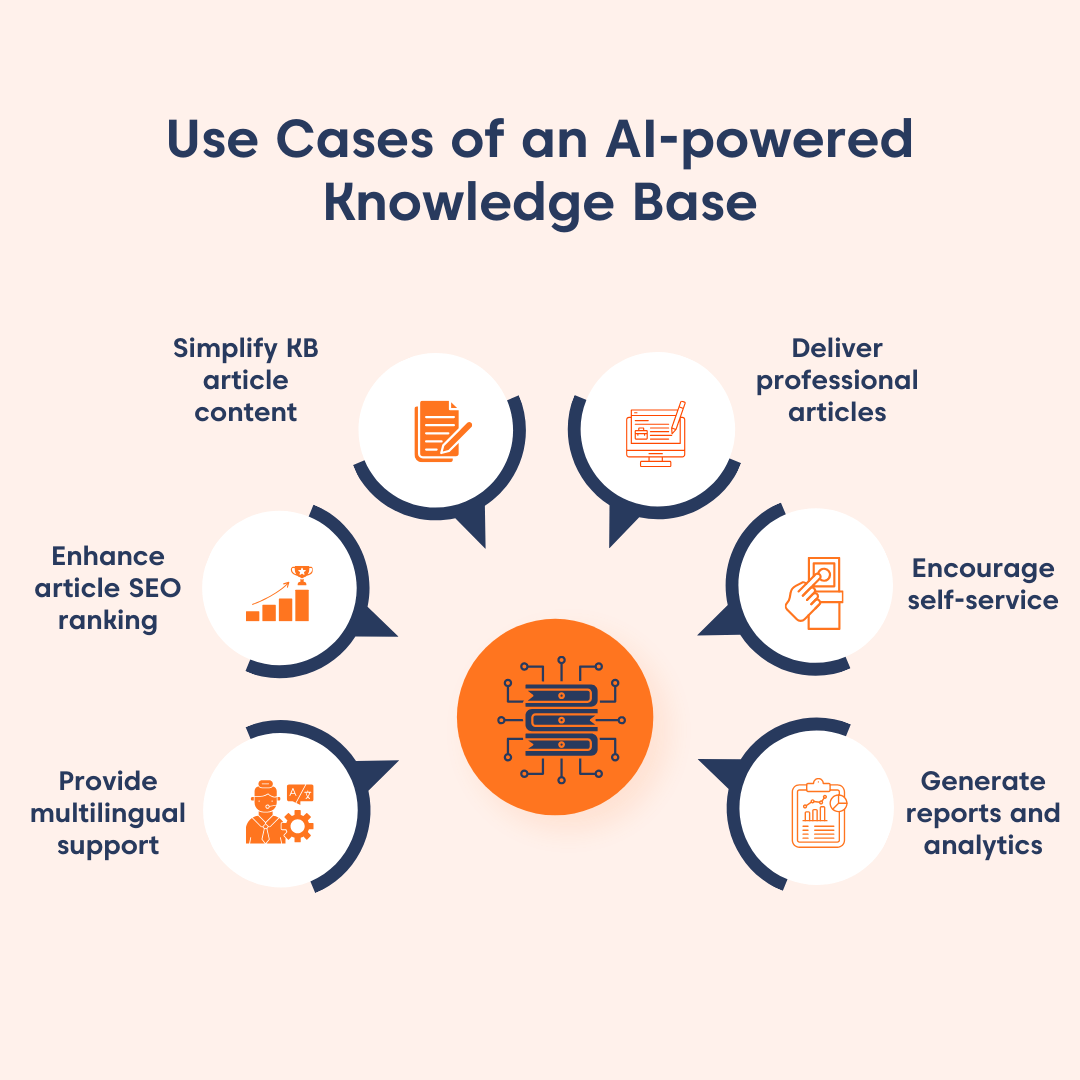
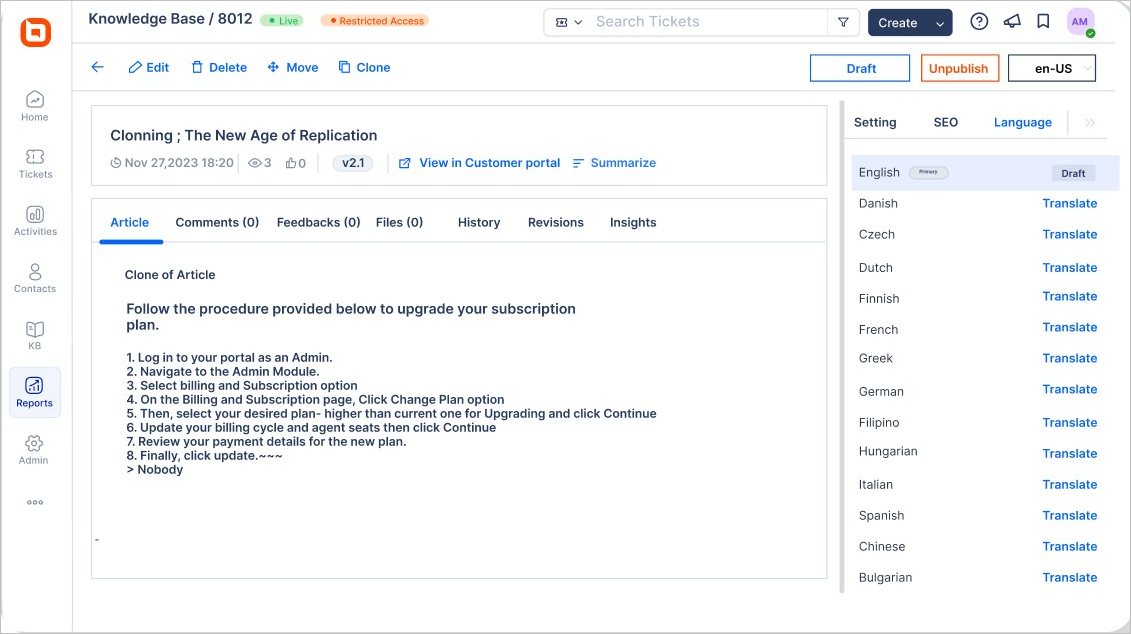
Providing multilingual support
Knowledge base AI can provide multilingual support by translating knowledge base (KB) articles into various languages.
By breaking down language barriers, a multilingual knowledge base empowers customer service teams to connect with users across cultures. This makes support more efficient and accessible for a global audience.
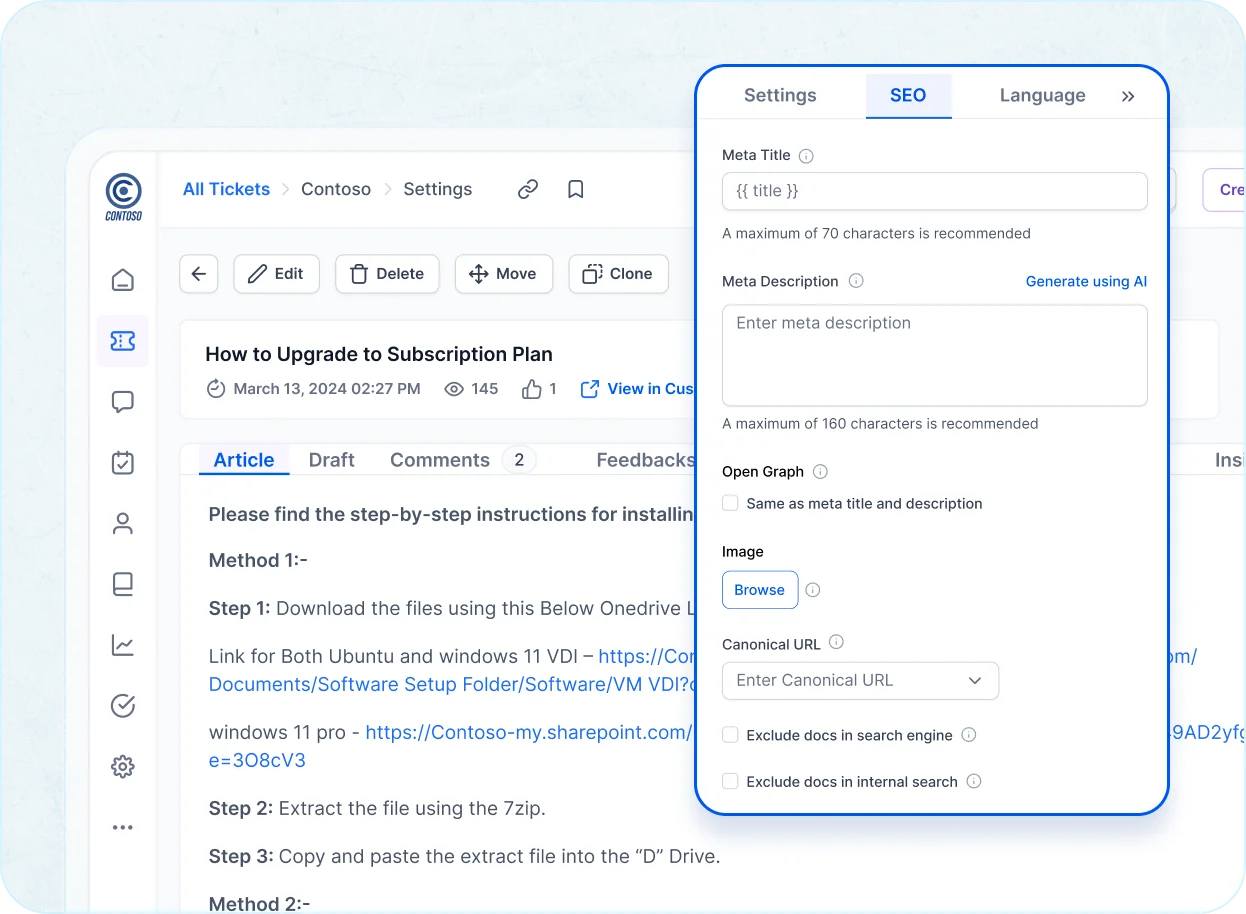
Enhance article SEO rankings
An AI-assisted knowledge base can improve SEO performance by helping teams identify content gaps, optimize titles or meta, and keep articles current. This is because knowledge base AI works by understanding the meaning, context, and intent behind search keywords and customer search queries.
By understanding keywords and search queries, the knowledge base AI:
- Autogenerates sitemaps to improve website navigation.
- Optimizes keywords and predicts what content will attract more traffic.
- Identifies content gaps to provide a more comprehensive and relevant user experience.
- Provides SEO-friendly article titles and meta descriptions to improve website visibility on search engines.
This can increase visibility and organic traffic, improving search impressions over time.
Simplify knowledge base article content
One of the ways to use an AI-enabled knowledge base is to simplify your knowledge base articles. Knowledge base AI can help your customers understand a long KB article using predefined tags and strong algorithms to:
- Summarize a knowledge base article’s content into a short and easy-to-read summary.
- Pinpoint main article concepts and main article intent.
This can greatly reduce the time agents and customers spend manually processing and understanding KB articles, thus making your customer service quicker, more reliable, and effective.
Deliver professional, error-free articles
AI can also help you deliver professional, error-free KB articles that adhere to a brand’s tone and style guidelines. It can refine KB articles using AI techniques like:
- Rephrasing: Professionally rewrites knowledge base content, offering options for different tones such as standard, fluent, or formal.
- Elaborating: Expands selected content with added detail and clarity, allowing users to choose the preferred tone and length.
- Shortening: Condenses text by removing unnecessary words while preserving the original meaning.
- Translating: Converts content into multiple languages for broader accessibility.
- Correcting grammar: Identifies and fixes grammatical errors to ensure polished, error‑free articles.
Encourage self-service
AI knowledge bases increase customer self-service by making it easy to find the right article with semantic search, suggested results, and concise summaries.
Knowledge base AI works in self-service by:
- Analyzing customer query keywords and suggesting the most relevant knowledge base article to help them solve their issue.
- Generating concise summaries of lengthy articles to help customers more quickly understand the main knowledge base concepts.
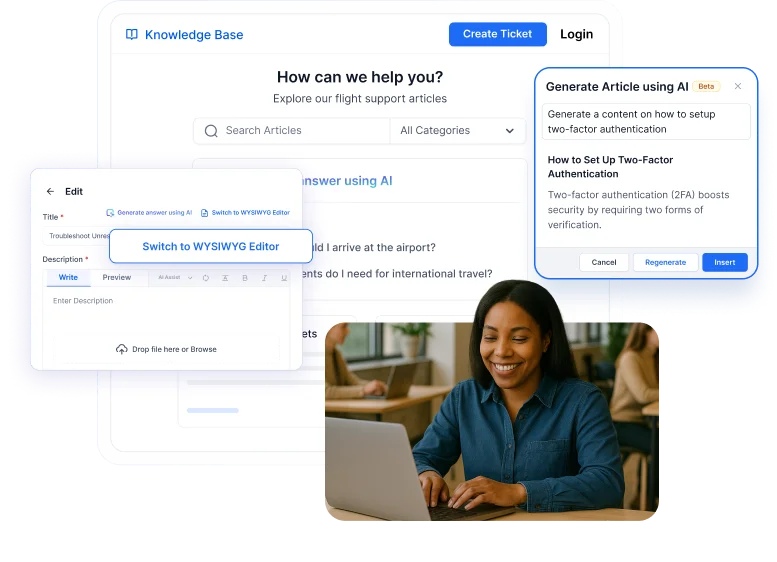
This can increase customer satisfaction, as users are able to resolve their issues quickly without waiting for the support team’s response.
Generate insightful reports and analytics
AI can analyze frequently asked questions and article performance to generate actionable reports and insights. These knowledge base metrics help businesses anticipate customer needs, refine content, and improve product features based on real usage patterns.
Additionally, it helps agents identify customers’ frequently asked questions, thus providing ideas for new articles.
Why should you power your customer service with knowledge base AI?
Integrating an AI-powered knowledge base into your support ecosystem significantly improves customer service experience and scales support without increasing headcount.
An AI knowledge base in customer service can:
- Deliver faster, more consistent resolutions with AI‑powered search and standardized answers.
- Empower users with self‑service, increasing ticket deflection, and reducing support team workload.
- Streamline content management using AI for writing, organizing, tagging, and discovery.
- Accelerate agent onboarding and training by surfacing relevant information quickly and reducing dependency on tribal knowledge.
- Deliver round‑the‑clock support by providing instant answers anytime, without relying on agent availability.
- Scale support effortlessly by handling large volumes of inquiries without hiring additional staff.
How to create an AI knowledge base
Ready to build an AI knowledge base? Here are some vital pointers to help you craft one that’s not just effective, but also engaging and user-friendly.
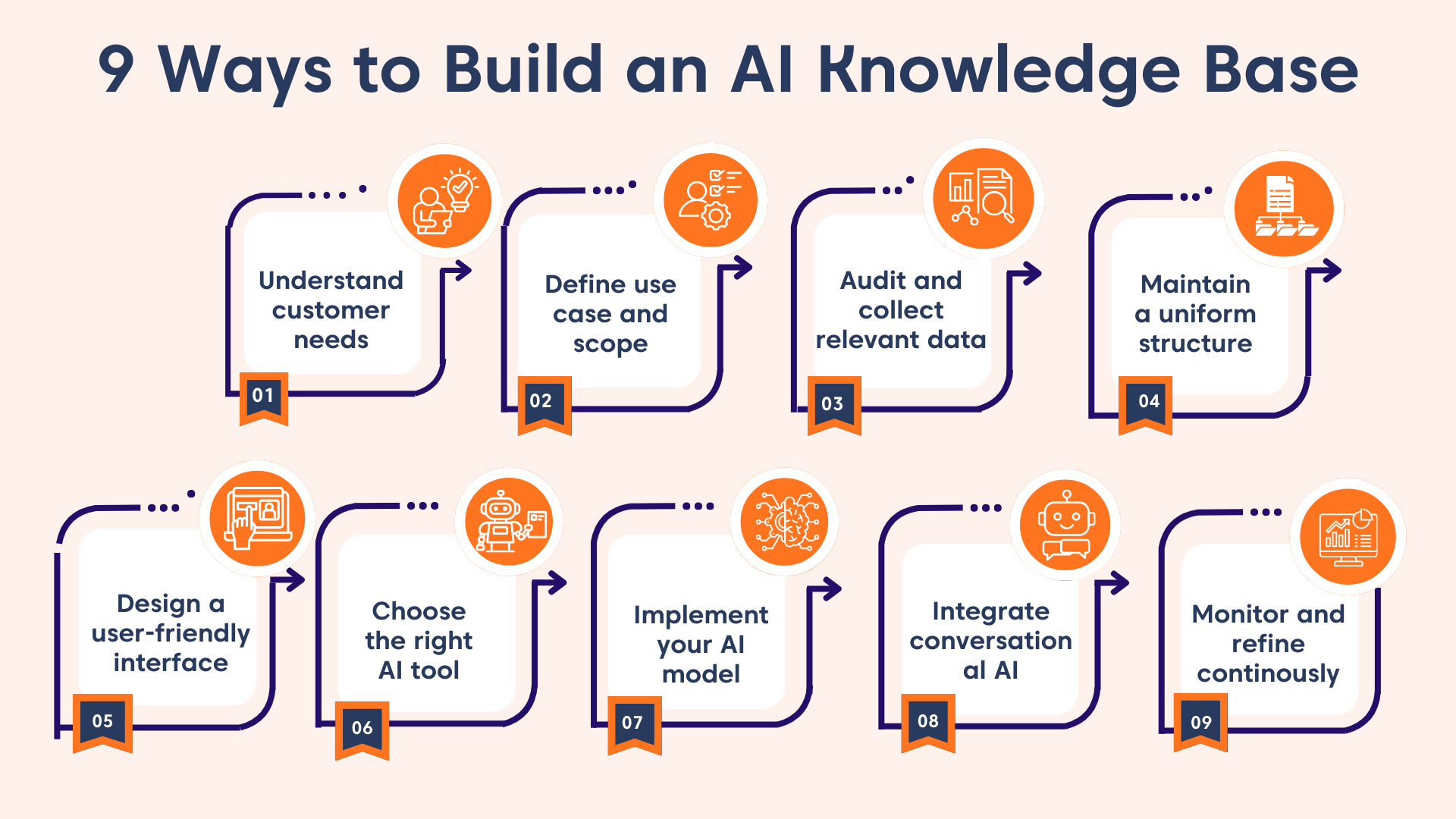
The initial and most critical step before creating a knowledge base in AI is to decode your customers’ needs. You can implement strategies such as:
- Conducting surveys
- Analyzing customer behavior
- Incorporating customer feedback
This ensures that your knowledge base AI is tailored to your customers’ needs, providing them with valuable information.
Having information on customer needs, it’s time to set the boundaries for your knowledge base AI. Clarify whether your AI knowledge base will support:
- Customers, internal teams, or both
- Self‑service, agent assist, or a hybrid model
This clarity helps determine what content belongs in the system and how the AI should be trained.
Compile accurate, up‑to‑date materials such as FAQs, user manuals, troubleshooting guides, and tutorials. This creates a high‑quality foundation for the AI to reference, generate accurate answers, and learn.
Give your AI-powered knowledge base a clean, predictable structure so users and the AI can easily retrieve and interpret information. Use consistent formatting, well‑defined categories, and a clear hierarchy across all articles. A structured layout not only improves search accuracy but also helps customers find what they need quickly and confidently.
Create an intuitive interface that makes it easy for users and AI agents to find, read, and interact with knowledge. A clean layout, clear navigation, and accessible article structure help the AI interpret content more accurately and ensure customers can self‑serve without friction.
There are several AI-powered knowledge base tools on the market. Therefore, you need to choose one that meets your company’s requirements and budget. Select a proper tool with features such as AI capabilities, ease of use, integration options, scalability, and cost effectiveness.
Use AI analytics to track search gaps, unanswered questions, low‑performing articles, and emerging topics. Regularly refine your training data and article content to keep the AI knowledge base accurate, helpful, and aligned with evolving customer needs.
7 Top AI knowledge base tools for customer support
The right customer service tools help you resolve issues efficiently and keep customers satisfied. As customer expectations continue to rise, businesses need platforms that deliver fast, personalized support powered by knowledge base artificial intelligence.
For this list, we selected tools that excel in AI capability, ease of use, scalability, real‑world impact, and their ability to turn scattered information into accurate, instant answers.
Here are the top-rated AI knowledge base software solutions designed to streamline service operations and elevate customer experience.
1. BoldDesk
Best for: AI‑enhanced knowledge base with summarization, rephrasing, translation, and SEO‑friendly article tools.
BoldDesk’s AI knowledge base software leverages artificial intelligence within its user-friendly self-service portal, using AI Agents that are trained directly on your knowledge base content to instantly surface accurate answers from existing articles.
Its AI-powered platform also includes an AI Copilot for both internal and external knowledge bases, to ensure all users get instant answers to all their inquiries.
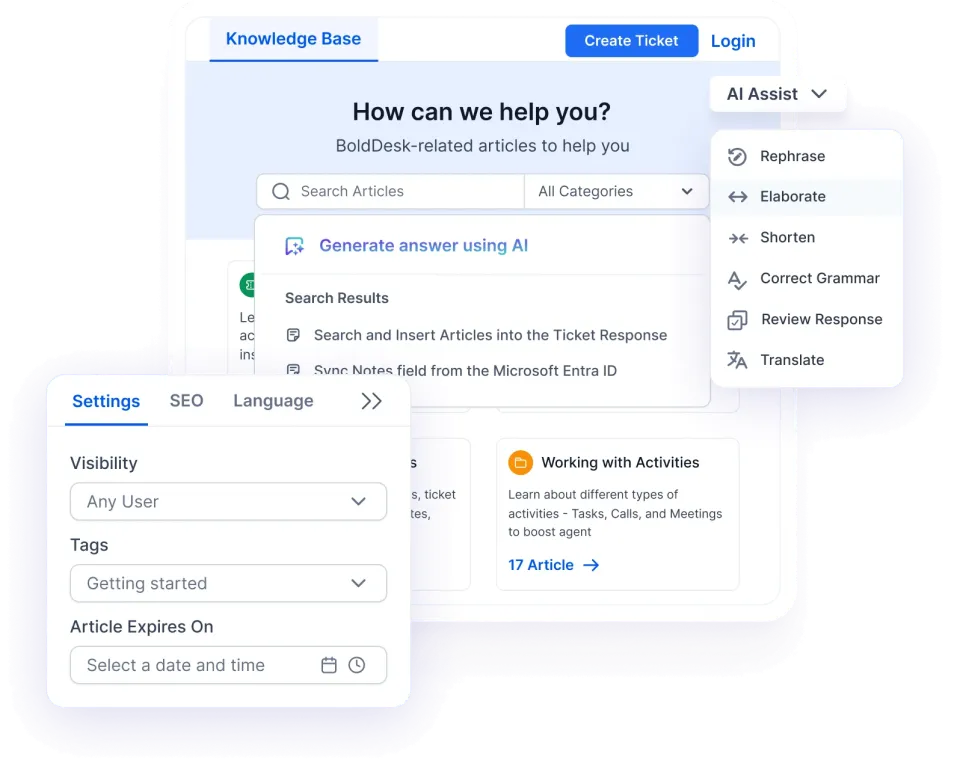
With BoldDesk’s generative AI assistant, support teams can easily get automated responses to help them accurately and quickly answer common questions.
Its AI-assisted knowledge base has capabilities such as:
- AI article summarization to make it easy for users to understand the gist of an article quickly.
- Article rephrasing tools to rewrite the content more clearly and simply to suit the target audience.
- AI-translation to convert articles into multiple languages.
- An AI-powered search that suggests relevant articles based on user queries.
- SEO-friendly article titles and meta descriptions suggestions.
Pricing
BoldDesk delivers transparent, scalable pricing designed for modern support teams. Every plan includes the complete feature set, allowing you to scale confidently without paying extra for essential capabilities.
| No. of agents | Monthly price (USD) | Free AI credits/month |
| 5 | $99 | 500 |
| 10 | $199 | 1,000 |
| 25 | $349 | 1,500 |
| 50 | $499 | 2,000 |
| 75 | $749 | 2,500 |
| 100 | $999 | 3,000 |
AI add-on pricing
BoldDesk uses a flexible, credit‑based AI pricing model at only $20 per 1,000 AI credits. Buy credits as needed and pay only for what you use, giving you full control over your AI costs.
Additionally, you can supercharge your human agents with the AI Copilot, available for just $20 per agent/month.
For a complete breakdown of pricing tiers, including features and AI add-ons, explore the full BoldDesk pricing details. You can also start a 15-day free trial or arrange a live demo.
2. Guru
Best for: Accessible internal knowledge with AI-powered enterprise search.
Guru is an AI-powered knowledge management platform designed to help teams capture, organize, and share information seamlessly across their workflows.
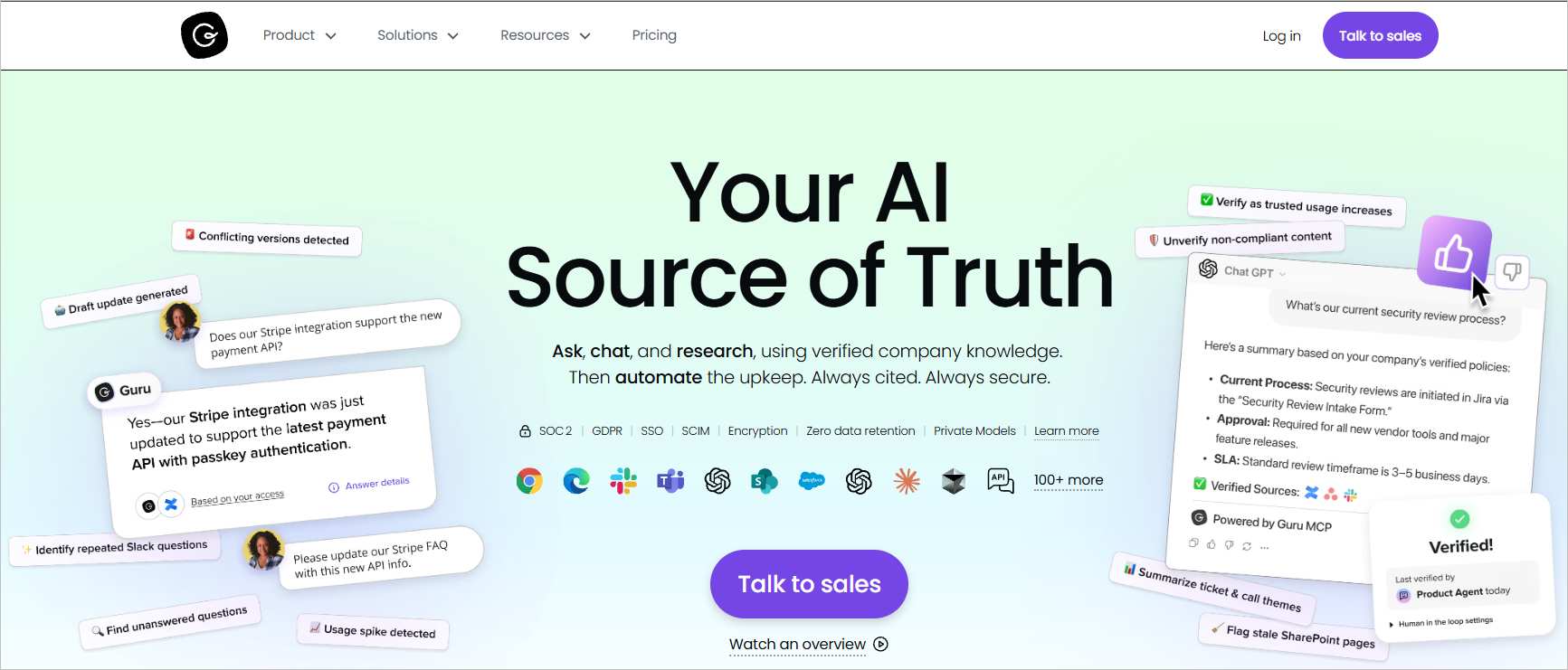
Guru has features that enable end-users to get answers instantly to all sorts of inquiries using an AI search tool. Cross-functional teams can create, manage, and share AI-generated information in real-time.
Pricing: Starts at $25/month
Free trial: 30 days
3. Korra
Best for: Simple, accurate AI answers from complex documents.
Korra is a knowledge management platform that supports all types of content and provides AI answers from different sources of information.
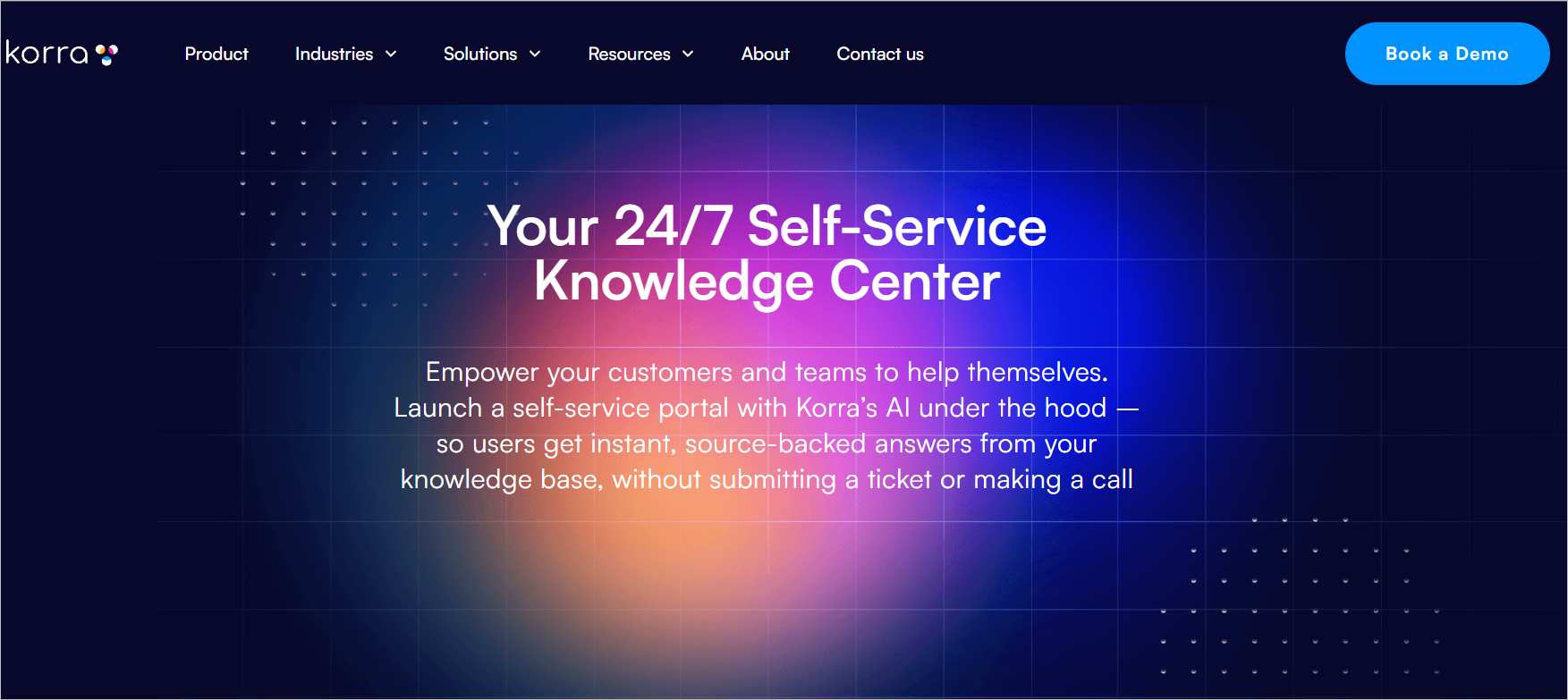
This solution enables organizations to centralize diverse data formats, ensuring seamless access. Korra can also be customized or rebranded to provide AI chat support for a self-service solution.
Pricing: Contact sales
Free trial: Not available
4. Slite
Best for: A simple, collaborative knowledge base with AI search.
Slite is a collaborative, AI-powered knowledge base that runs on autopilot to ensure end-users can find company information with ease.
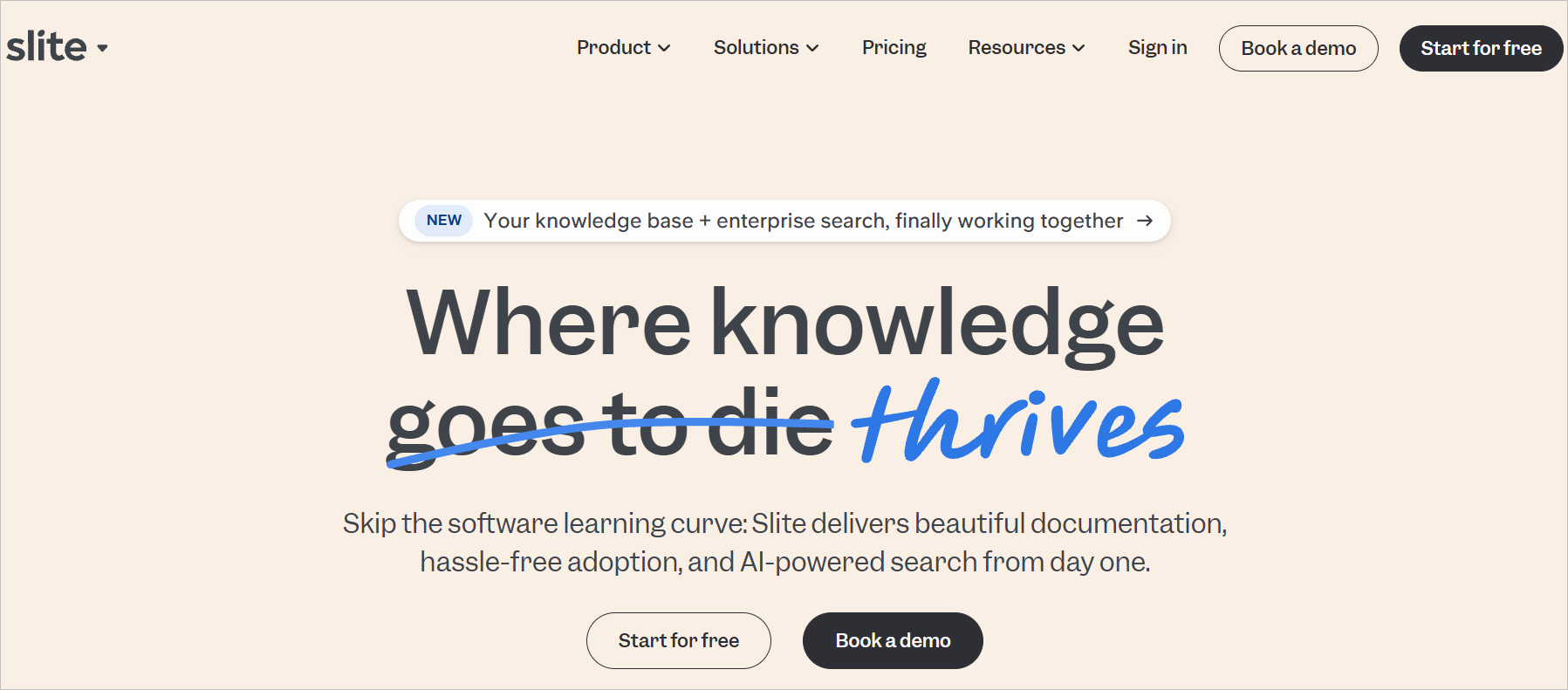
This platform streamlines knowledge management by enabling teams to create, organize, and access critical information efficiently.
It also uses an AI assistant to generate instant answers, has knowledge management tools, and supports documentation of all knowledge types.
Pricing: Starts at $8/month
Free trial: 14 days
5. Document360
Best for: A structured documentation platform with search, multilingual support, and editorial workflows.
Document360 is a dedicated knowledge base platform that helps teams create, organize, and manage both internal and external documentation using a rich editor, category management, multilingual support, search, and analytics for optimization.

It enables teams to maintain structured documentation with version control, collaboration tools, and integrations for seamless workflows.
Pricing: Contact sales
Free trial: 14 days
6. Capacity
Best for: Unified knowledge, AI virtual agents, and workflow automation.
An AI-powered support automation and knowledge management platform that centralizes company knowledge, automates workflows, and provides instant answers across chat, email, voice, and SMS.
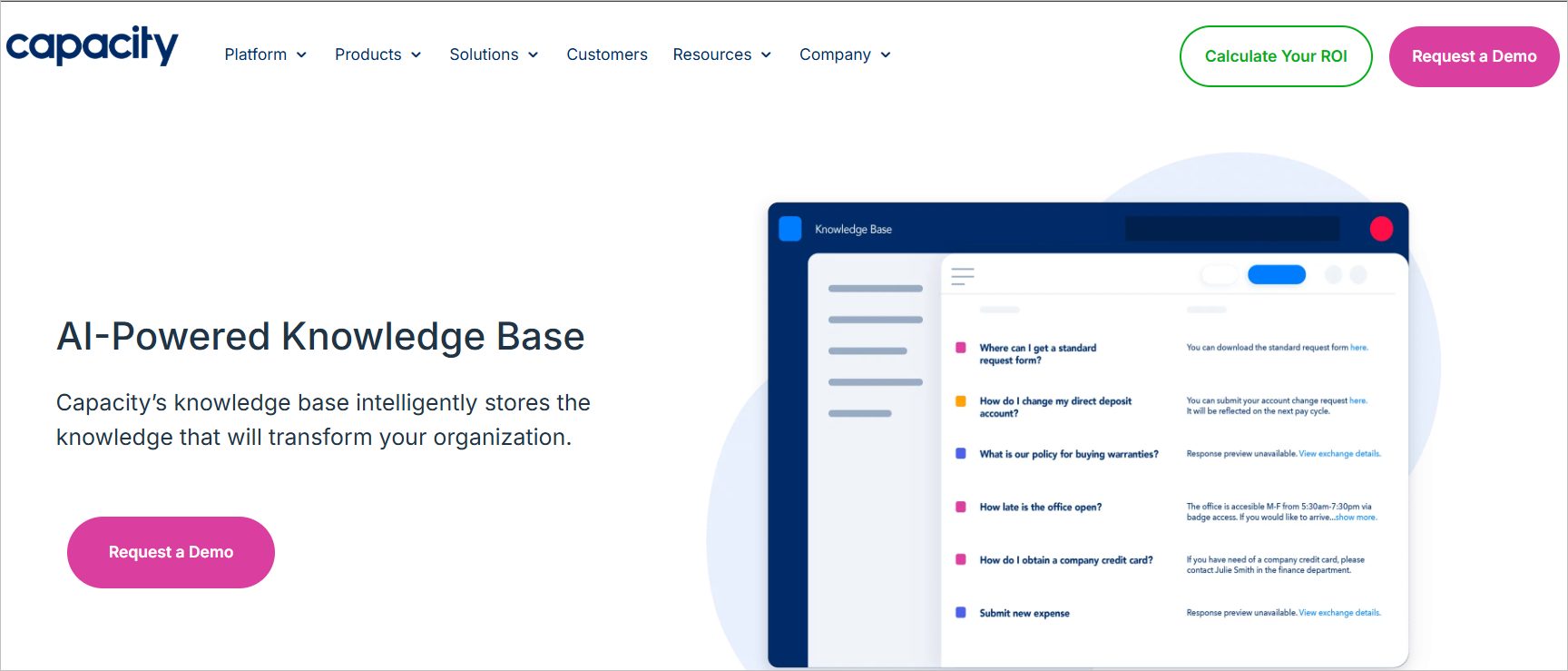
Capacity unifies documents, FAQs, SOPs, and tacit knowledge into one searchable system while offering virtual agents, automated ticket routing, conversational AI, and deep integrations.
Pricing: Contact sales
Free trial: Not available
7. ClickUp
Best for: Unified workspace combining project management, wikis, and AI-powered answers.
A work management platform that includes AI-powered knowledge management features to store, search, and manage company information using Docs, wikis, and ClickUp Brain.
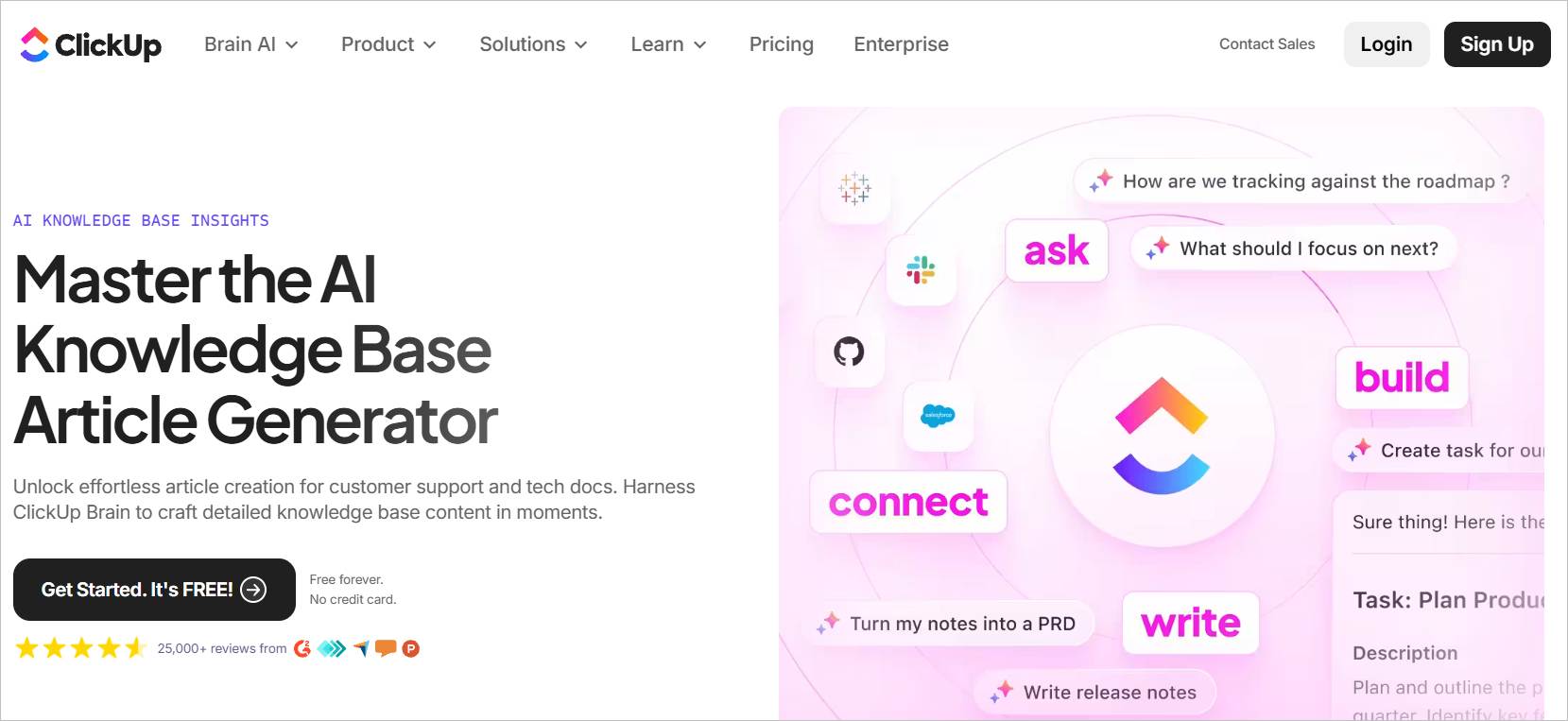
It delivers instant AI-generated answers from tasks, documents, and comments across the workspace, offering wiki templates, real-time collaboration, advanced permissions, and versioning for a unified knowledge hub.
Pricing: Starts at $7/month
Free trial: 14 days
Elevate your support with an AI knowledge base
AI knowledge bases are making customer service faster, smarter, and more personalized than ever.
With BoldDesk’s cutting-edge solutions, you’re not just automating responses; you’re unlocking streamlined workflows, customer service efficiency, and client experiences that truly stand out.
Curious to learn more? Request a free trial or book a live demo to discover how BoldDesk’s knowledge base AI can transform your customer service today! Contact us and create your AI knowledge base with ease.
We hope this article was insightful. Feel free to leave a comment below!
Related articles
- Tips to Create a Knowledge Base Effectively
- Knowledge Management System: Examples and Effective Guidelines
- The Best Knowledge Management Software & Tools (2024)
Frequently Asked Questions
Yes, an AI knowledge base can serve both external users and internal teams. Customer‑facing knowledge bases focus on self‑service, while internal knowledge bases help agents, onboarding teams, and employees quickly find accurate information.
An AI knowledge base improves answer accuracy by learning from user interactions, search behavior, and feedback. As queries are processed, the system refines relevance, adjusts ranking signals, and surfaces more precise answers based on real usage patterns.
Yes, an AI knowledge base can be integrated across chatbots, help centers, live chat, ticketing systems, and customer portals. This ensures consistent answers regardless of whether users search, chat, or contact support through different channels.
AI search enables semantic and intent‑based discovery instead of relying only on exact keywords. It helps users find the most relevant answers faster, even when queries are conversational or phrased differently.
Artificial intelligence and knowledge management work together by organizing, analyzing, and delivering relevant information efficiently. AI enhances knowledge management systems by automating content categorization, identifying gaps, and recommending updates based on user behavior and feedback.