Knowledge Management System

Create, Share & Scale Your Knowledge Easily

  • Easily manage knowledge with a modern editor.
  • Help teams work smarter with AI-assisted guidance.
  • Offer seamless self-service through customizable portals.
  • Track usage, feedback, and real-time performance.
  • No credit card required
  • Cancel anytime
  • No credit card required
  • Cancel anytime
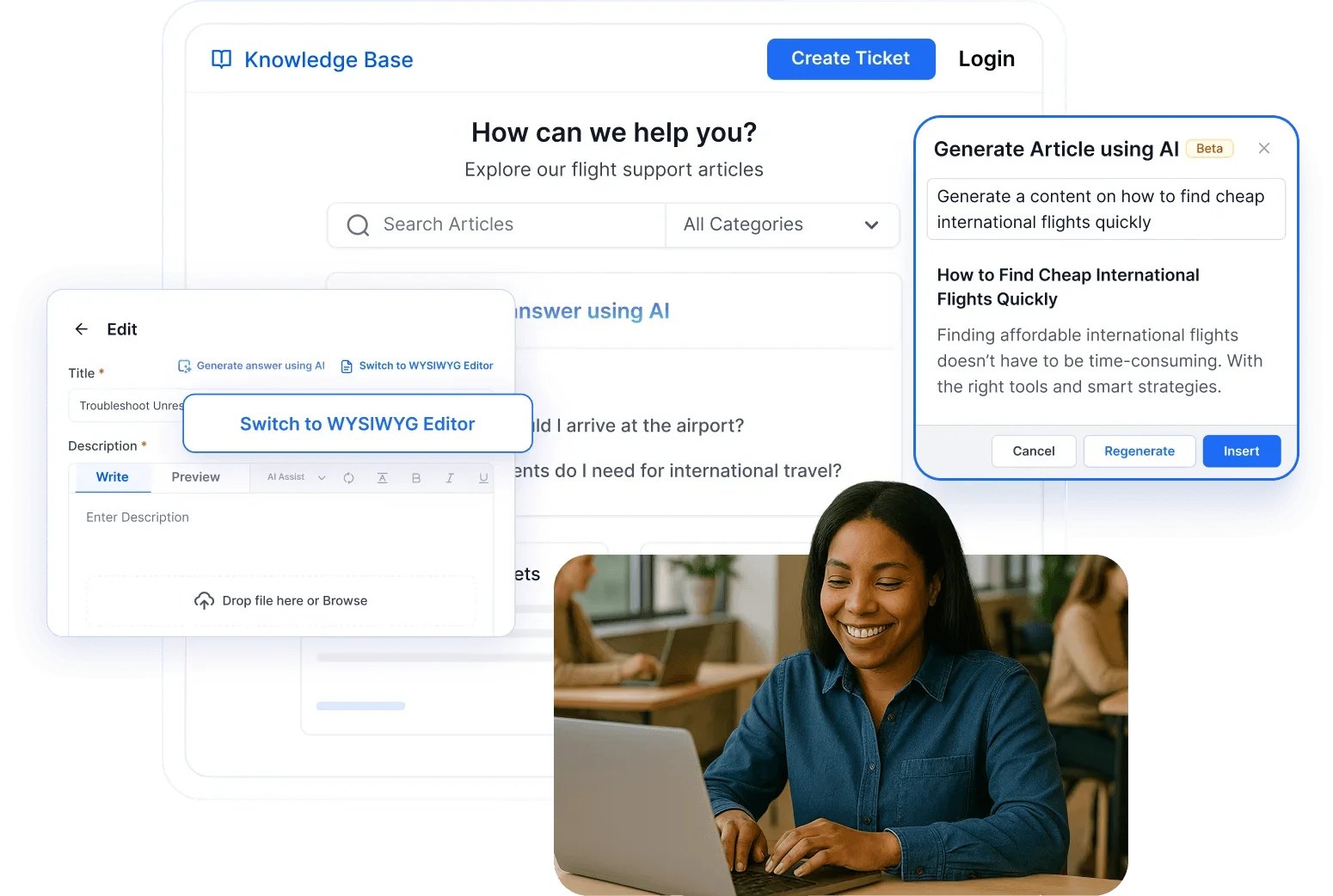
A woman uses a knowledge management system with AI writing tools, reviewing knowledge base content and support ideas.

Trusted by companies of all sizes

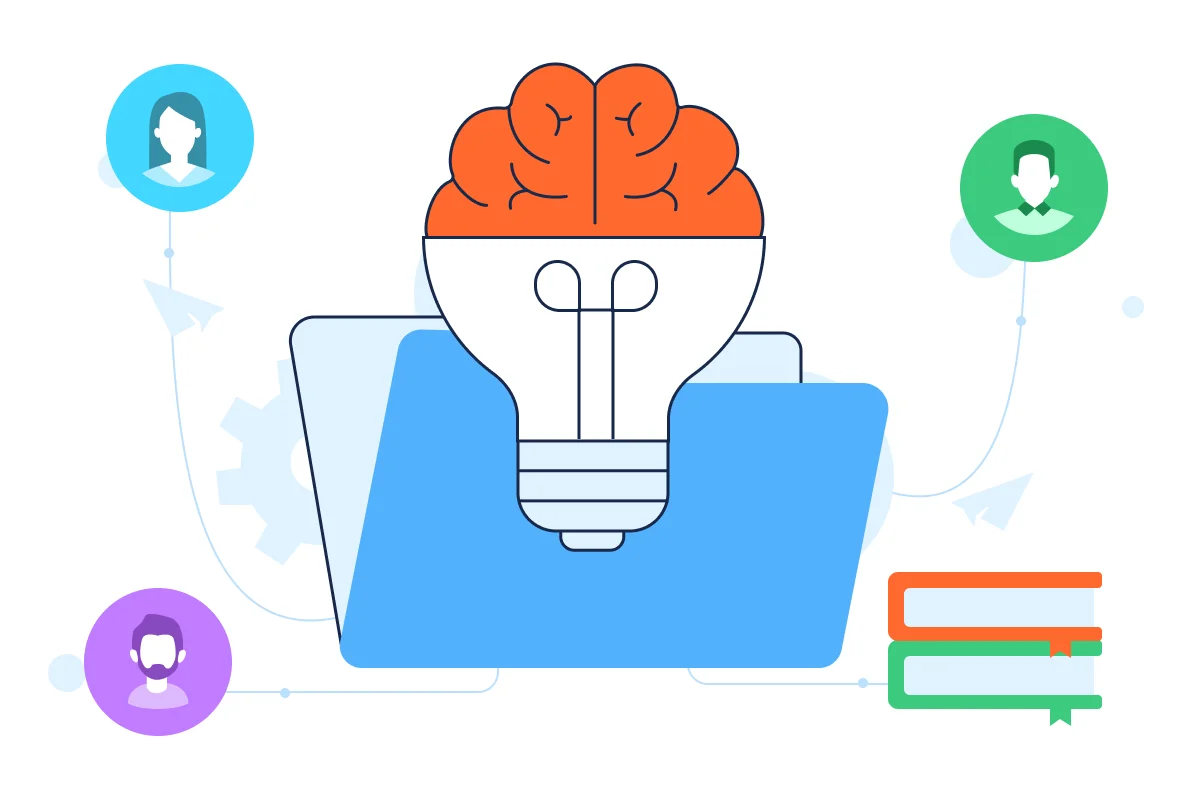
An illustration of a knowledge management system shown as a brain-shaped light bulb in a folder, highlighting organizational knowledge sharing.

What is a Knowledge Management System?

  • A knowledge management system is software that captures, organizes, and retrieves company knowledge, so people can access accurate answers quickly.
  • It combines a knowledge base, role-based access, version control, workflows, and analytics to reduce repeat questions and improve team productivity.

When Knowledge Gaps Hurt Productivity and CX

Facing Rising Ticket Volumes and Repeated Queries?

A smart knowledge system reduces workload and improves customer experience. Without one:

Agents spend time answering the same questions.

Customers struggle to find answers on their own.

Knowledge can become outdated or scattered.

Onboarding new agents takes too long.

You'll lack visibility into what content performs well.

Poor SEO limits content discoverability.

  • No credit card required

Why Choose BoldDesk Knowledge Management System?

Empower, Support, and Educate Your Users

Deliver consistent answers, improve agent productivity, and boost customer satisfaction with an AI-Enhanced knowledge base.

AI-Enabled Search

Let customers and agents instantly find relevant articles through intelligent, context-aware search suggestions.

Content Management Workflows

Keep articles up to date with approval flows, version history, and collaborative editing tools for your internal teams.

Faster Agent Onboarding

Cut training time by giving new agents instant access to centralized product knowledge and support documentation.

Access From Anywhere

Ensure consistent knowledge access for field agents and remote teams via mobile-friendly portals.

Reports & Analytics

Track article views, helpfulness ratings, and feedback to identify gaps and continuously improve your knowledge base.

  • No credit card required

Must-Have Features in a Powerful Knowledge Management Software

Deliver reliable self-service with features that streamline content creation, access, and management.

Edit Content

Faster Answers with AI‑Ready Search

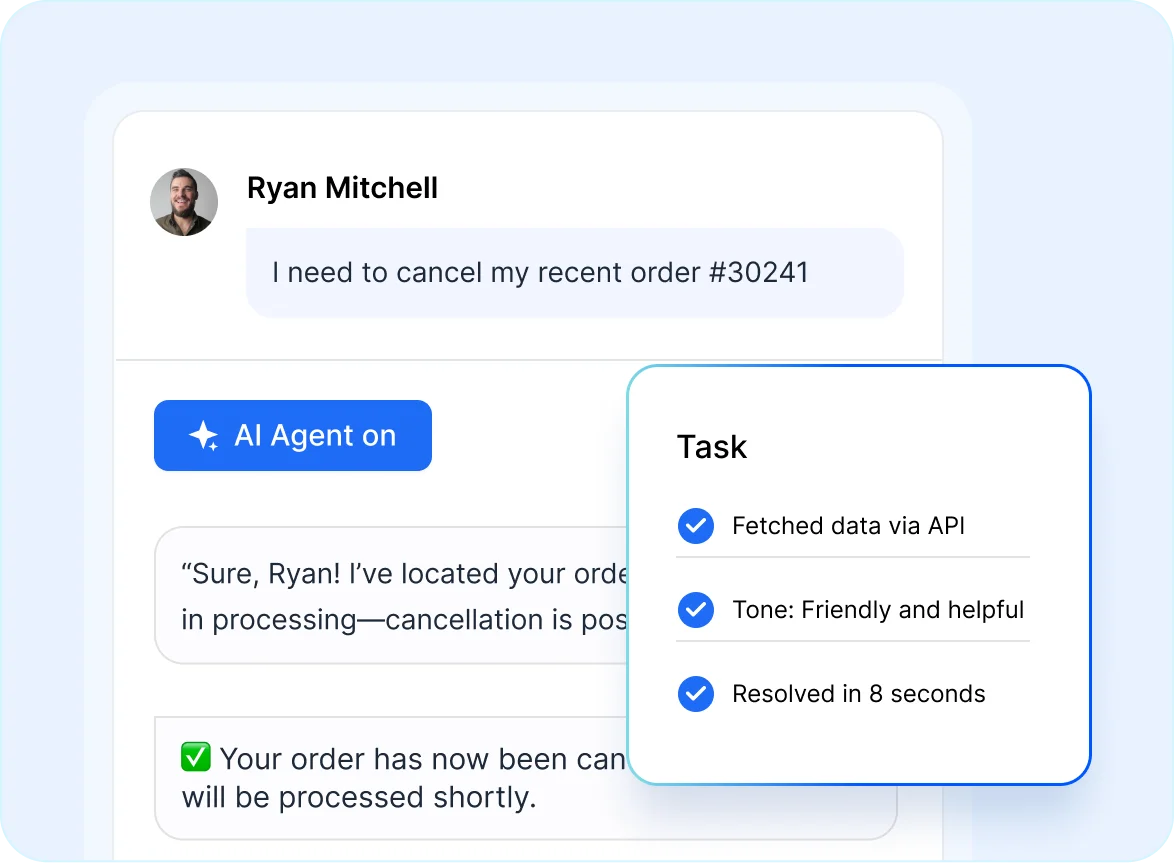
Deliver relevant results through an intelligent AI search that understands context and intent. Integrated with BoldDesk AI Agent and AI Copilot for smarter resolution paths.

  • Surfaces precise answers instantly.
  • Expands queries to interpret meaning.
  • Improves relevance through feedback.
AI agent interface showing automated order cancellation steps supported by a Knowledge Management System workflow.
Edit Content

Organized Articles with Clear Structure

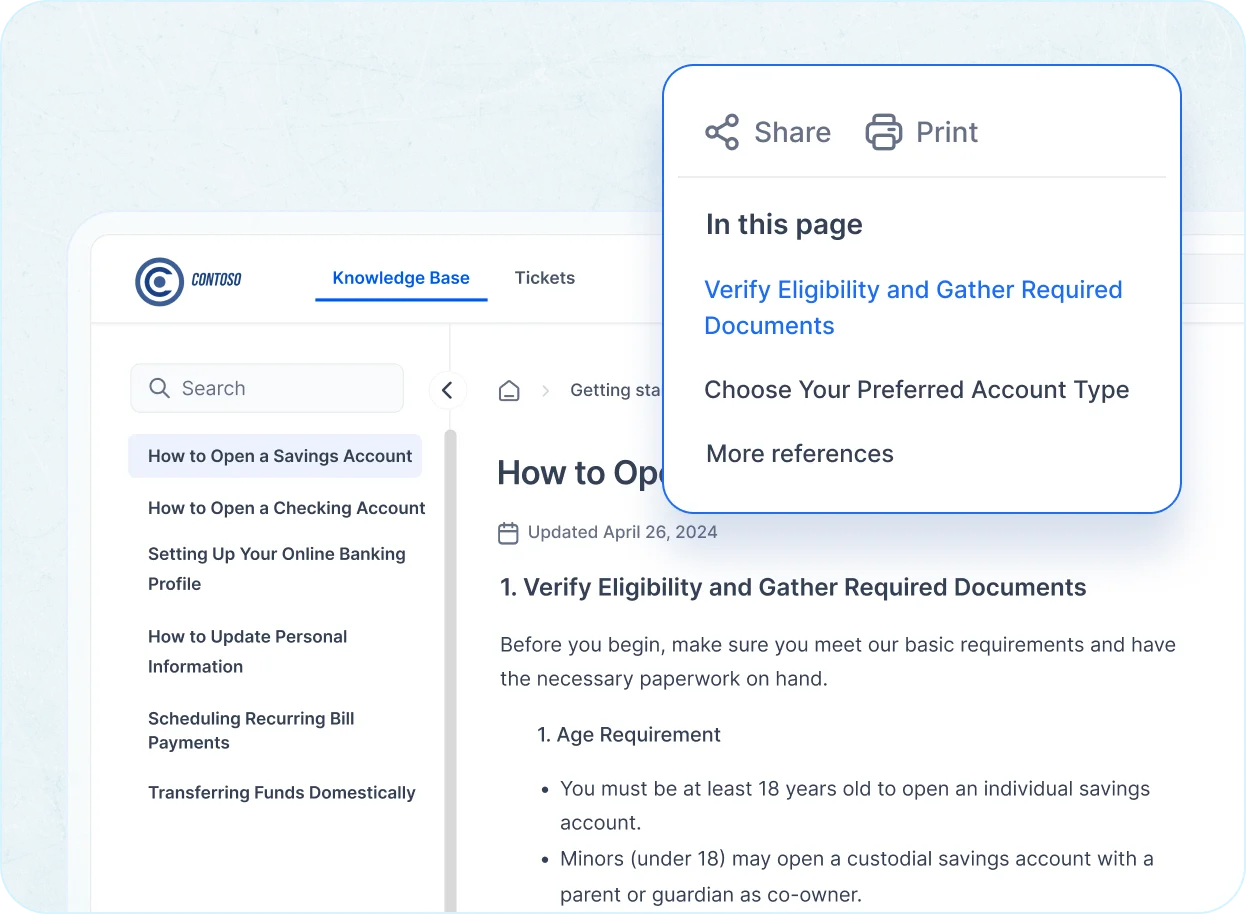
Publish and maintain content in a structured knowledge base software built for clarity, consistency, and scalable team documentation.

  • Editor supports media elements.
  • Templates ensure article uniformity.
  • Taxonomy organizes large libraries.
Knowledge Management System interface showing a banking guide with a menu, search panel, and share options visible.
Edit Content

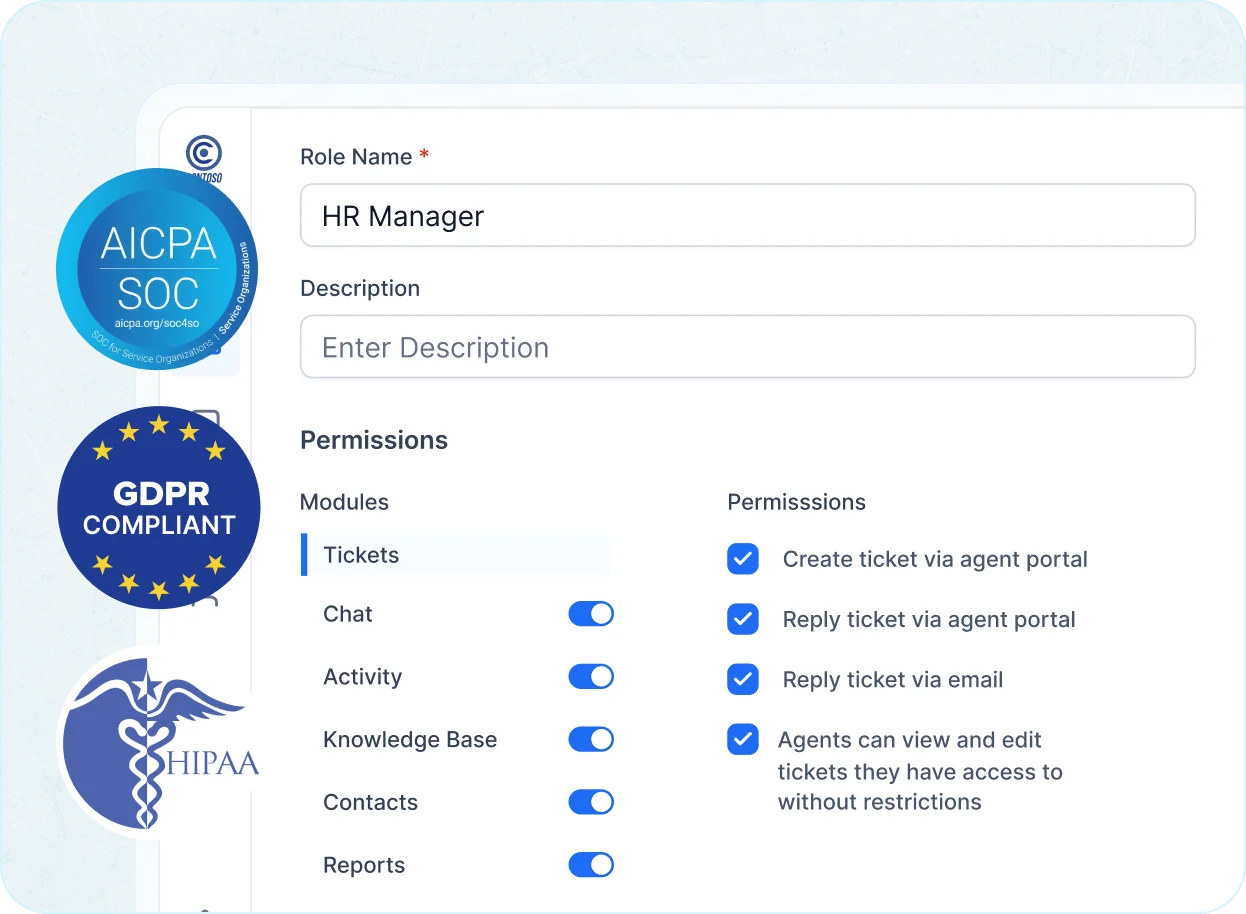
Controlled Access with Role Based Governance

Protect sensitive information with role-based access, SSO integration, and compliance‑ready auditability for enterprise‑level control.

  • Assign granular viewing rights.
  • Enforce secure authentication.
  • Track activity for compliance.
An HR Manager role setup in a knowledge management system shows role-based permissions with toggles and compliance badges for SOC, GDPR, and HIPAA.
Edit Content

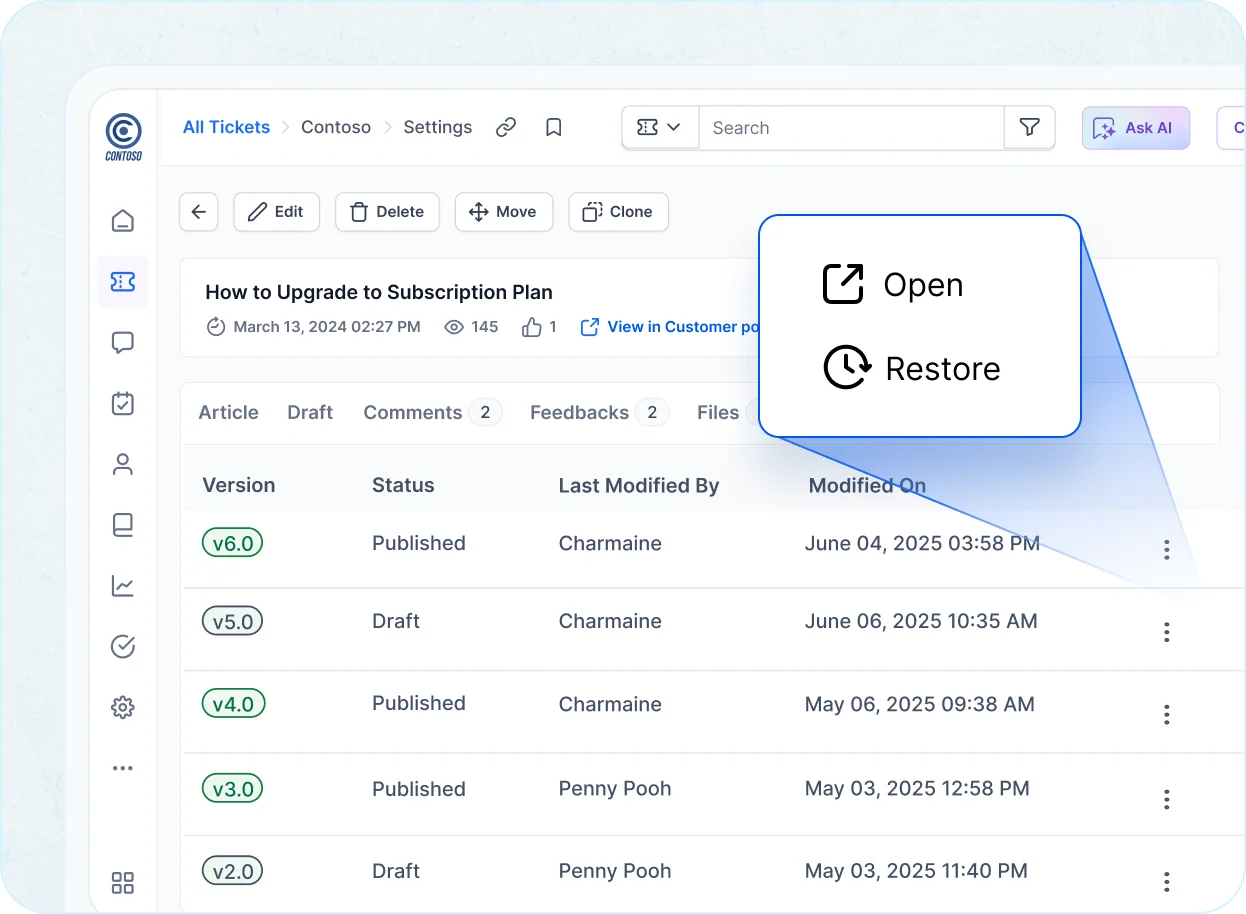
Accurate Content with Review and History

Maintain up‑to‑date knowledge using version control that tracks edits, highlights changes, and schedules periodic verification.

  • Restore any previous version.
  • Review changes side‑by‑side.
  • Automate content verification cycles.
Knowledge Management System screen showing article version history with options to open or restore previous versions.
Edit Content

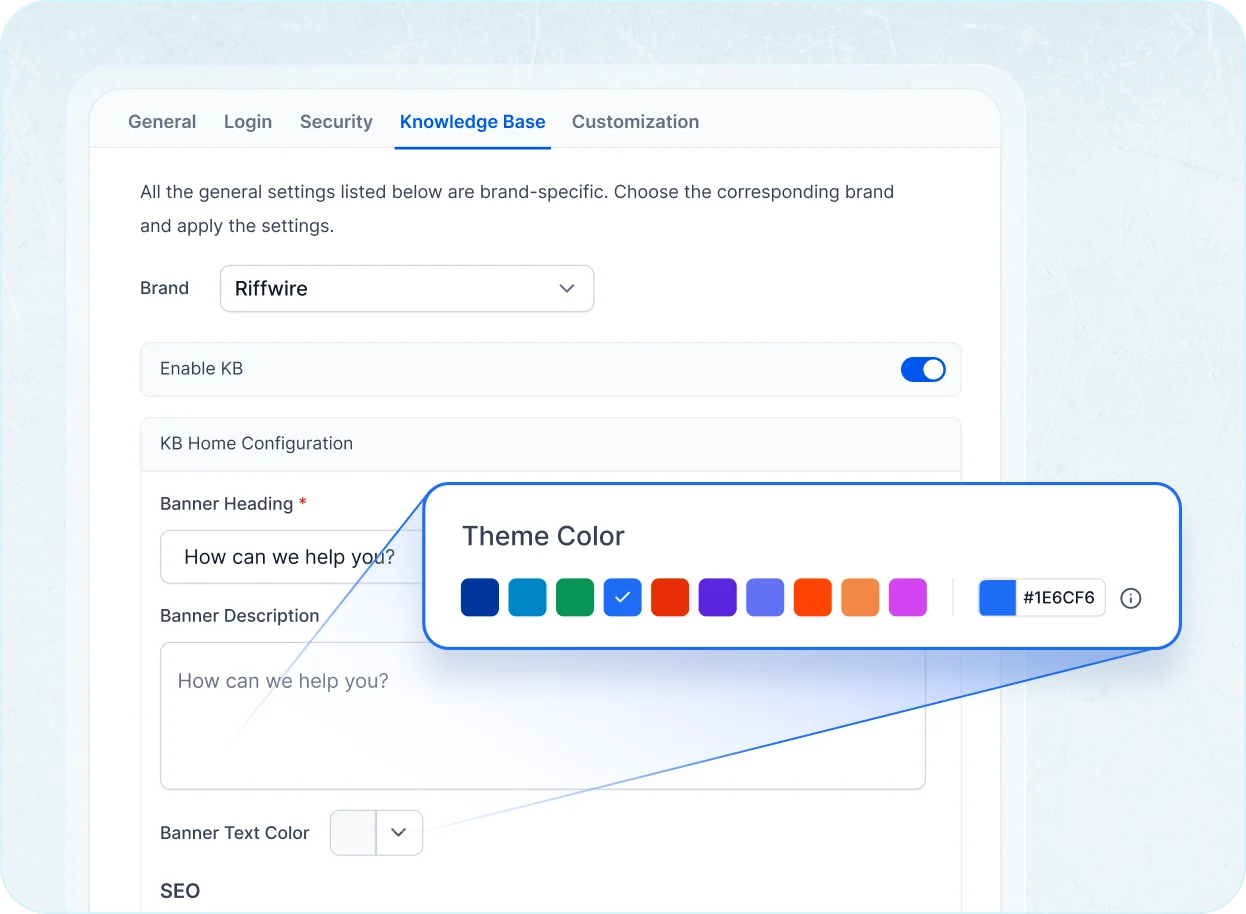
Branded Help Centers Customers Trust

Create multilingual, mobile‑optimized portals with custom branding that deliver intuitive, consistent self‑service experiences worldwide.

  • Customize themes and layouts.
  • Configure navigation components.
  • Localize content by region and language.
A knowledge management system settings screen shows the Knowledge Base tab open with brand customization and color selection tools.
Edit Content

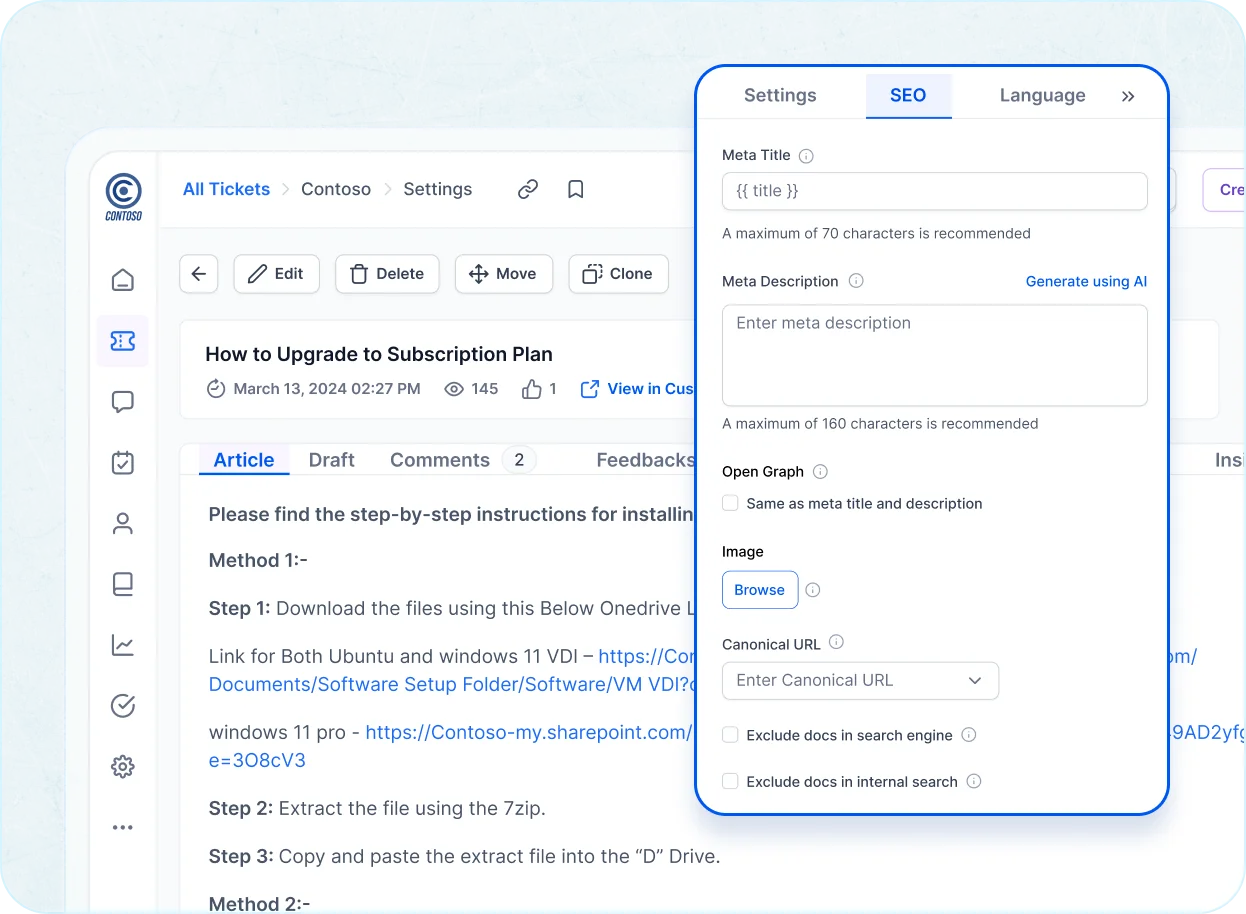
Help Content That Ranks and Converts

Publish SEO friendly knowledge articles with structured metadata, clean URLs, and automatic sitemap updates for strong organic visibility.

  • Optimize titles and descriptions.
  • Maintain canonical clarity.
  • Improve crawlability at scale.
Knowledge Management System screen displaying an article editor with an SEO settings panel for titles and metadata.

Why Your Business Needs a Knowledge Management System

BoldDesk simplifies support by giving customers instant answers, reducing agent workload, and helping businesses scale without increasing costs.

Edit Content

Reduce repetitive workload and streamline
issue resolutions with centralized knowledge access.


Fewer Repetitive Tickets:

Empower agents by deflecting repetitive queries with self-service articles. Focus more on critical issues instead of answering the same question twice.

Centralized Knowledge, Zero Redundancy:

Let agents create, update, and refer to shared content in one place. No more toggling between docs, chats, and past tickets.

Faster Resolution, Happier Agents:

With AI-enhanced suggestions and internal notes, agents resolve complex issues faster, resulting in higher efficiency and lower burnout.

Edit Content

Empower users with instant, self-serve solutions anytime, anywhere.

24/7 Self-Service Access

Give users instant access to help articles, how-tos, and troubleshooting guides whenever they need it.

Consistent and Accurate Answers

Ensure every customer sees the same reliable solution, reducing confusion and boosting trust in your support.

Seamless Escalation When Needed

Let customers raise tickets directly from articles if their query isn't solved, keeping the experience smooth from self-service to agent support.

Edit Content

Lower support costs and boost operational efficiency with scalable knowledge management.

Lower Support Costs at Scale

Deflect high-volume tickets without expanding your team. A well-maintained knowledge base reduces the need for live support.

Data-Driven Content Optimization

Use CSAT scores, views, and article feedback to continuously improve your team's knowledge base on what works and what doesn’t.

Accelerated Onboarding and Training

Help new employees ramp up faster by giving them access to documented processes, FAQs, and internal help docs in one place.

AI-First Customer Support. Simple, Transparent Pricing

  • Free trial
  • No card required
  • No lock-ins
  • No hidden costs
  • Free trial
  • No card required
  • No lock-ins
  • No hidden costs
Edit Content
Edit Content

No of Agents

Pricing

AI Credits

Info

5

$99 /month $1,188 billed yearly
500 credits /month

10

$199 /month $2,388 billed yearly
1000 credits /month

25

$349 /month $4,188 billed yearly
1500 credits /month

50

$499 /month $5,988 billed yearly
2000 credits /month

75

$749 /month $8,988 billed yearly
2500 credits /month

100

$999 /month $11,988 billed yearly
3000 credits /month

* All prices are shown in USD($).

Edit Content

No of Agents

Pricing

AI Credits

Info

5

$124 per month
500 credits /month

10

$249 per month
1000 credits /month

25

$436 per month
1500 credits /month

50

$624 per month
2000 credits /month

75

$936 per month
2500 credits /month

100

$1249 per month
3000 credits /month

* All prices are shown in USD($).

Edit Content
Edit Content

No of Agents

Pricing

AI Credits

Info

200

$1998 /month $23,976 billed yearly
4000 credits /month

300

$2999 /month $35,988 billed yearly
5000 credits /month

400

$3999 /month $47,988 billed yearly
6000 credits /month

500

$4999 /month $59,988 billed yearly
7000 credits /month

* All prices are shown in USD($).

Edit Content

No of Agents

Pricing

AI Credits

Info

200

$2498 per month
4000 credits /month

300

$3749 per month
5000 credits /month

400

$4999 per month
6000 credits /month

500

$6249 per month
7000 credits /month

* All prices are shown in USD($).

Edit Content
Edit Content

No of Agents

Pricing

AI Credits

Info

600

$5999 /month $71,988 billed yearly
8000 credits /month

700

$6999 /month $83,988 billed yearly
9000 credits /month

800

$7999 /month $95,988 billed yearly
10000 credits /month

900

$8999 /month $1,07,988 billed yearly
11000 credits /month

1000

$9999 /month $1,19,988 billed yearly
12000 credits /month

For more than 1000 agents, you can contact our team

* All prices are shown in USD($).

Edit Content

No of Agents

Pricing

AI Credits

Info

600

$7499 per month
8000 credits /month

700

$8749 per month
9000 credits /month

800

$9999 per month
10000 credits /month

900

$11249 per month
11000 credits /month

1000

$12499 per month
12000 credits /month

For more than 1000 agents, you can contact our team

* All prices are shown in USD($).

Features and Benefits

  • Ticketing System
  • Email Ticketing
  • Workflow Automation
  • WhatsApp & SMS
  • Custom Dashboard
  • Role-Based Access Control
  • Multibrand Help Desk
  • Integration Marketplace
  • SSO / SAML Authentication
  • Free Migration
  • Live Chat
  • Omnichannel Inbox
  • Ticket Auto Assignment
  • Instagram & Facebook
  • Live Chat
  • Omnichannel Inbox
  • Ticket Auto Assignment
  • Instagram & Facebook
  • Scheduled Reports
  • Custom Email Templates
  • Multiple SLAs & Business Hours
  • API & Developer Platform
  • Audit Logs
  • Professional Onboarding
  • Scheduled Reports
  • Custom Email Templates
  • Multiple SLAs & Business Hours
  • API & Developer Platform
  • Audit Logs
  • Professional Onboarding
  • AI Agents
  • AI Copilot
  • CSAT Surveys
  • Knowledge Base
  • Recurring Tickets
  • Custom Fields
  • Ticket Approval
  • 40+ Global Languages Including RTL
  • HIPAA Compliance
  • 24×7 Support

Think Switching is Hard? We’ll Migrate You for Free!

Switch to BoldDesk for an intuitive, AI-driven Knowledge Management System that empowers your team to organize, access, and share information effortlessly, boosting productivity and accelerating decision-making!

  • Easy Setup
  • Safe & Secure
  • Easy Setup
  • Safe & Secure
An abstract graphic shows a green folder, cost‑saving icons, tickets, gears, and a digital interface representing process optimization in a knowledge management system.

Frequently Asked Questions

A Knowledge Management Software is a centralized system that helps businesses collect, organize, store, and share internal or customer-facing information. It enables teams to access the right information at the right time, improves collaboration, supports faster decision-making, and reduces repetitive queries by making knowledge easily discoverable.

It offers a simple e WYSIWYG editor, version tracking, and approval workflows that help teams create and manage content with ease. Everything stays organized and up to date with minimal effort.
It combines a user-friendly interface with smart features like access control, internal collaboration, and feedback collection. Teams can work faster and reduce time spent answering repeat questions.

Yes. With a searchable help center and AI-driven article suggestions, customers can find answers on their own, leading to fewer support tickets and more efficient teams.

BoldDesk’s Knowledge Management System works seamlessly with ticketing by letting agents access and share articles directly inside tickets, use AI‑assisted content for faster replies, and reduce repeat inquiries through a searchable self‑service portal—all within one unified help desk platform.

Absolutely, It lets teams document and securely share internal guides, policies, and processes, while role-based access ensures the right people see the right information.

AI improves the search experience and recommends helpful articles based on what users are looking for, making content easier to discover without manual browsing.

Yes. You can match the portal to your brand by adjusting layout, colors, and structure, creating a seamless experience for your users.

It suits startups, growing teams, and large organizations alike. Whether you're supporting customers or managing internal documentation, it adapts to your needs.

Recent Activities in Knowledge Management System Tutorials and Blogs

Get the latest on knowledge Management System tools with expert articles and tutorials. Explore best practices, highlighted features, and industry trends to improve your self-service support.

Test out all the features of BoldDesk

Start your 15-day free trial with instant access

  • 80% AI Agent Automation
  • 100+ Rich Features
  • Supports 30+ Languages
  • No credit card required
  • 80% AI Agent Automation
  • 100+ Rich Features
  • Supports 30+ Languages
  • No credit card required
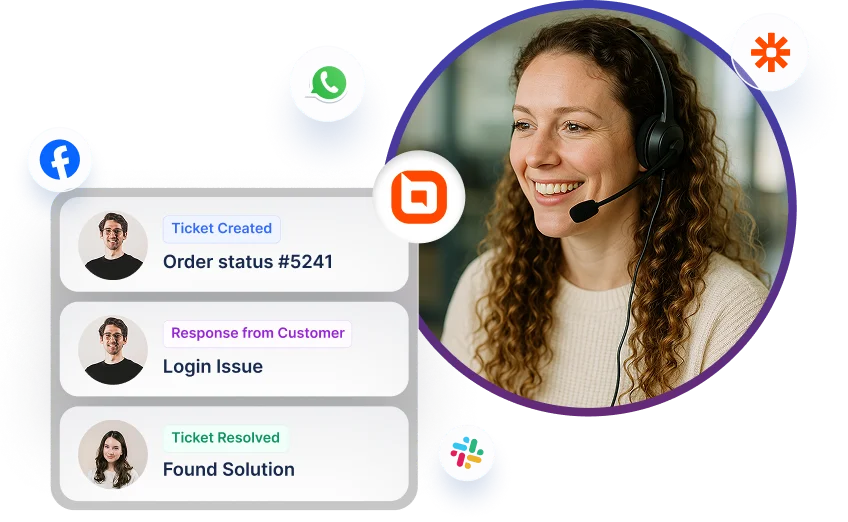
Help desk software interface showing ticket updates with multi-channel icons for Facebook, WhatsApp, and Slack.