





TL;DR: These 22 knowledge base examples show how leading companies use navigation, search, content organization, and design to improve self-service support. For each example, we highlight what works, what you can copy, and the practical lessons you can apply to your own knowledge base.
We have all been there. An app suddenly stops working, or you’re unsure how to configure software you just downloaded.
When this happens, you either call for support or rush to look up the issue. A knowledge base could save you from this trouble by enabling you to quickly find the information without contacting customer support.
In this blog, we will discuss different knowledge base examples, share their benefits, and provide the key elements to consider when creating one.
What is a knowledge base?
A knowledge base is a centralized repository that stores information to help users resolve issues efficiently.
It includes a collection of self-help articles, frequently asked questions, guides, and tutorial videos on a brand’s products or services.
This knowledge hub helps users to quickly find solutions to common queries independently, troubleshoot problems, and learn more about a company’s product or service.
Key elements of good knowledge base examples
What makes a good knowledge base example? You need to consider the following elements when creating a knowledge base.
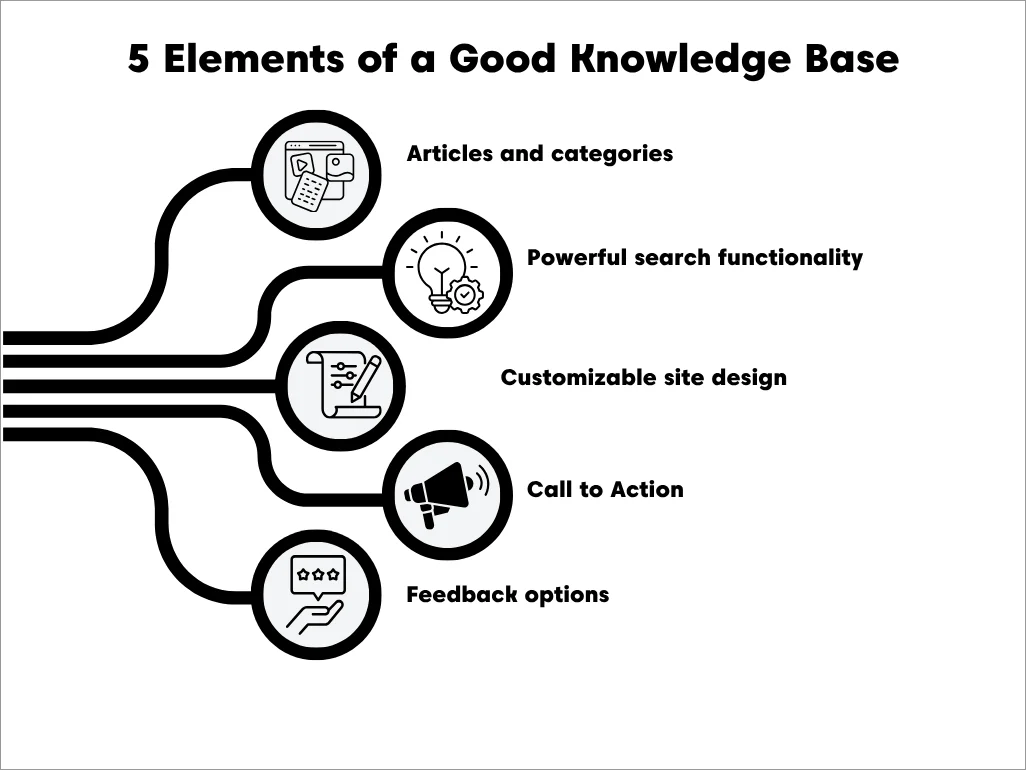
Articles and categories
Related content in a knowledge base can be grouped into categories, allowing users to navigate the system easily and find relevant articles.
This reduces the effort required for classification.
Powerful search functionality
A knowledge base system has an AI-powered search engine that analyzes key words as you type to provide relevant article suggestions.
This allows users to find information without going through lengthy articles, which, in turn, enhances efficiency.

Customizable site design
Users can customize the appearance of the knowledge base, so it becomes visually appealing and matches the brand needs.
It can let you tailor the following elements:
- Adding your company logo and brand colors for consistency
- Setting up intuitive menus and categories
- Adjusting font size and switching between dark and light modes
- Including images and videos to make the content more interesting
- Adding and removing categories
Call-to-action
A call-to-action acts as a guide that directs users to the next step when they have not found the information they are looking for. It might suggest checking out more related articles, using advanced tools, or reaching out for more assistance.
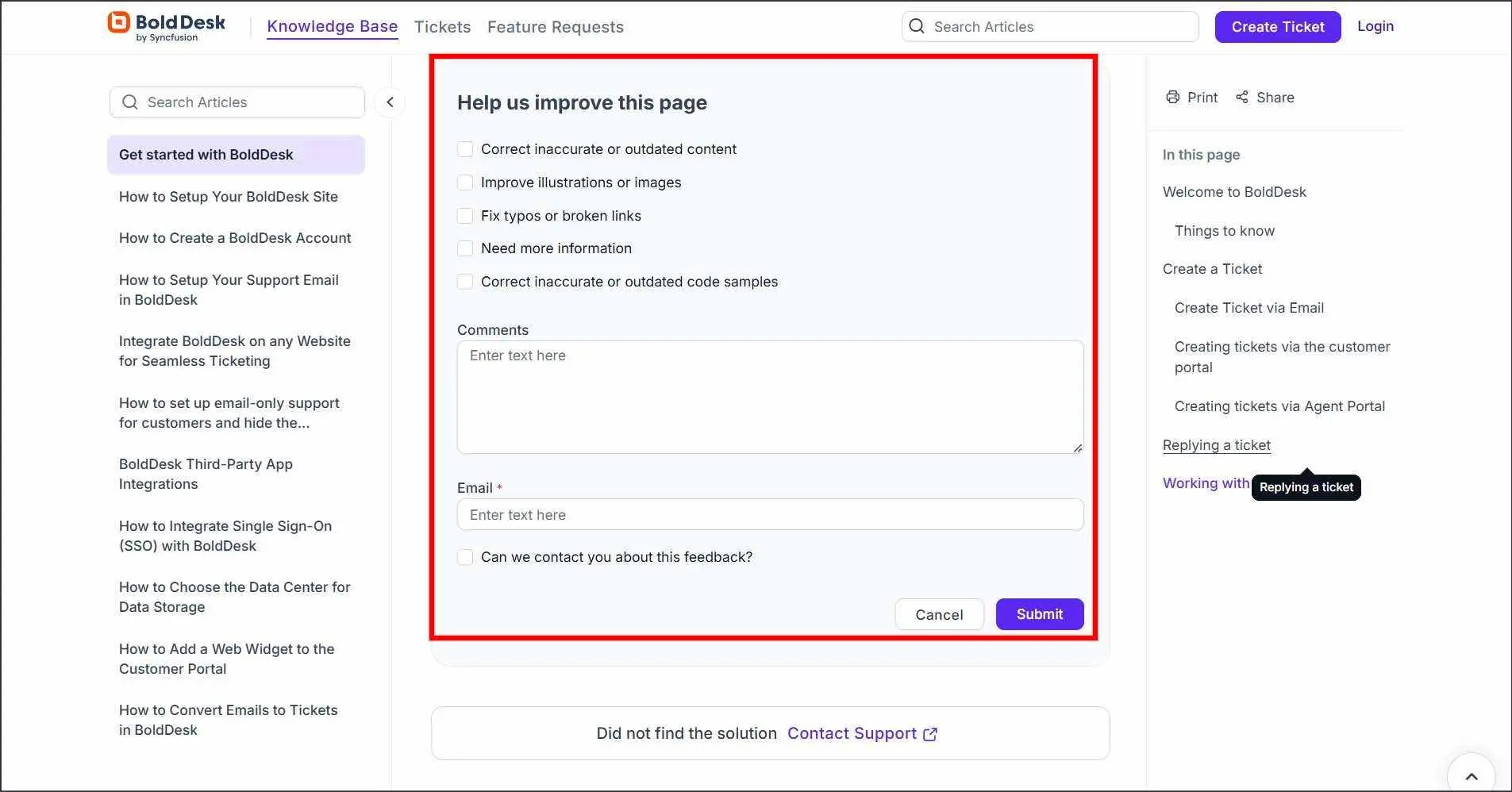
Feedback options
Knowledge base tools allow users to provide feedback on the usefulness of the articles.
Users are able to comment on specific articles, giving suggestions that can help improve the tool.
The importance of a well-designed knowledge base
With 81% of customers seeking self-service options in brands they engage with (NICE), having a knowledge base is proving to be efficient more than ever.
A comprehensive knowledge base gives you the following benefits:
Helps in quick issue resolution
Centralizing information in one place allows users to find answers to common problems, saving time compared to other support channels like phone calls, where users often have to wait on hold for long.
Also, support agents spend less time handling queries as they can quickly access all the information required to address customer issues from the internal knowledge base.
Enhances 24/7 support
Offering users self-service resources around the clock allows customers to resolve issues at their own convenience without reaching out to support agents.
Boosts SEO
Increases efficiency
Support agents can find information quickly from the internal knowledge base, reducing resolution times and increasing productivity.
This boosts your reputation as a source of reliable customer support.
Preserves the knowledge of the organization
Businesses retain valuable information in cases where experienced employees leave or in the event of natural disasters such as fire outbreaks and floods.
New employees are able to access training materials and learn without the need to consult senior employees.
Note: All knowledge base examples and observations in this article were reviewed in September 2026.
The best knowledge base examples for your business
Effective knowledge management begins with choosing the right knowledge base software that fits the user’s needs.
Here are some of the top external and internal knowledge base examples to help you get started.
Branded knowledge base examples
These knowledge bases stand out for maintaining a consistent visual identity and extending the brand experience into customer support.
BoldDesk
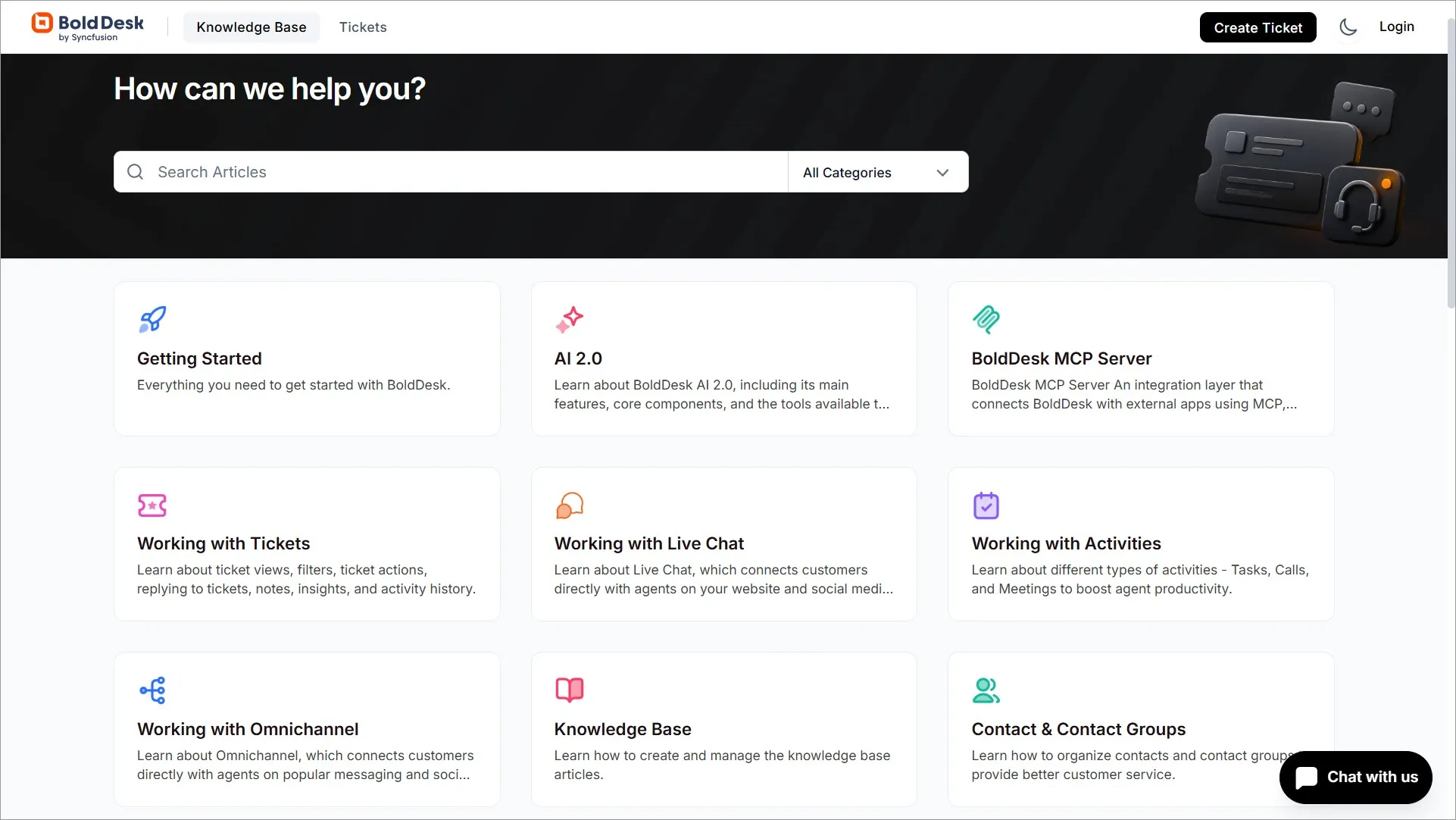
BoldDesk’s Knowledge Base is a practical example of how a support portal can help users find answers quickly through clear navigation, organized categories, and search-driven self-service.
It contains product documentation, setup guides, FAQs, and troubleshooting articles designed to reduce support effort and improve information discovery.
Explore the live knowledge base in the BoldDesk Help Center.
Key takeaways:
- Why it works: Clear content organization and search-first navigation make information easy to find.
- What to copy: Structure content around common user questions and support journeys.
Asana
Asana‘s knowledge base is consistent with its brand colors and design, with large, easily readable fonts.
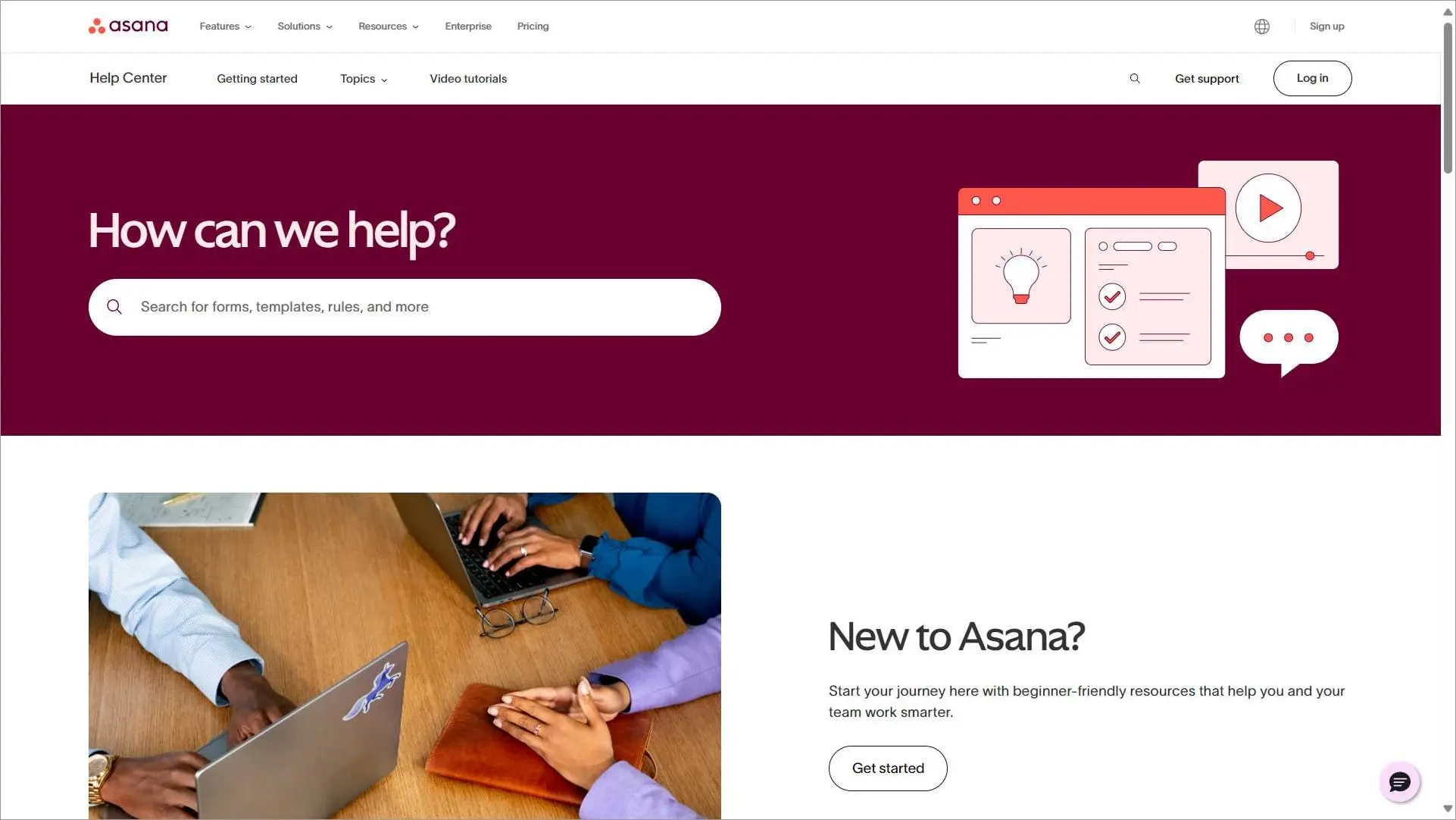
Their page features a large search bar where customers can search for articles, guides, and tutorials on related topics.
Key takeaways:
- Why it works: The help center feels like a natural extension of the brand.
- What to copy: Keep support experiences visually consistent.
- BoldDesk equivalent: Custom branding.
Starbucks
Starbucks has a good knowledge base example that reflects its brand in terms of colors and design. The help center has topics organized into tiles that you can click on to read more information.
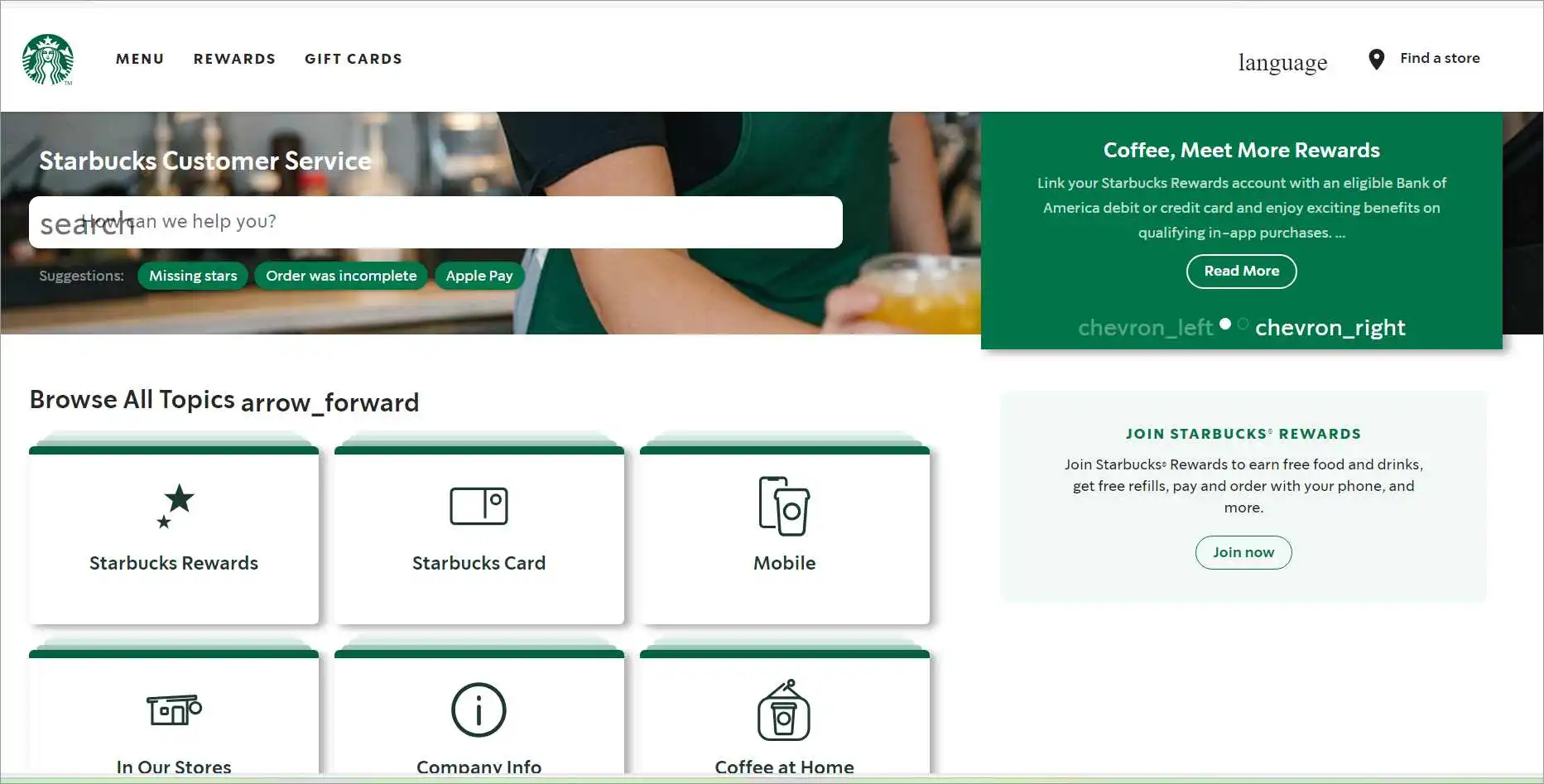
A simple search bar with suggestions is included on the page. Additional contact details are included at the end of the knowledge base.
Key takeaways:
- Why it works: Visual topic tiles improve discoverability.
- What to copy: Highlight major topics on the homepage.
- BoldDesk equivalent: Custom portal layout.
Best designed knowledge base examples
These knowledge bases stand out for navigation, usability, information architecture, discoverability, and overall user experience.
Dropbox
Dropbox is a popular cloud storage service. Dropbox’s knowledge base consists of a detailed help center that manages common questions.
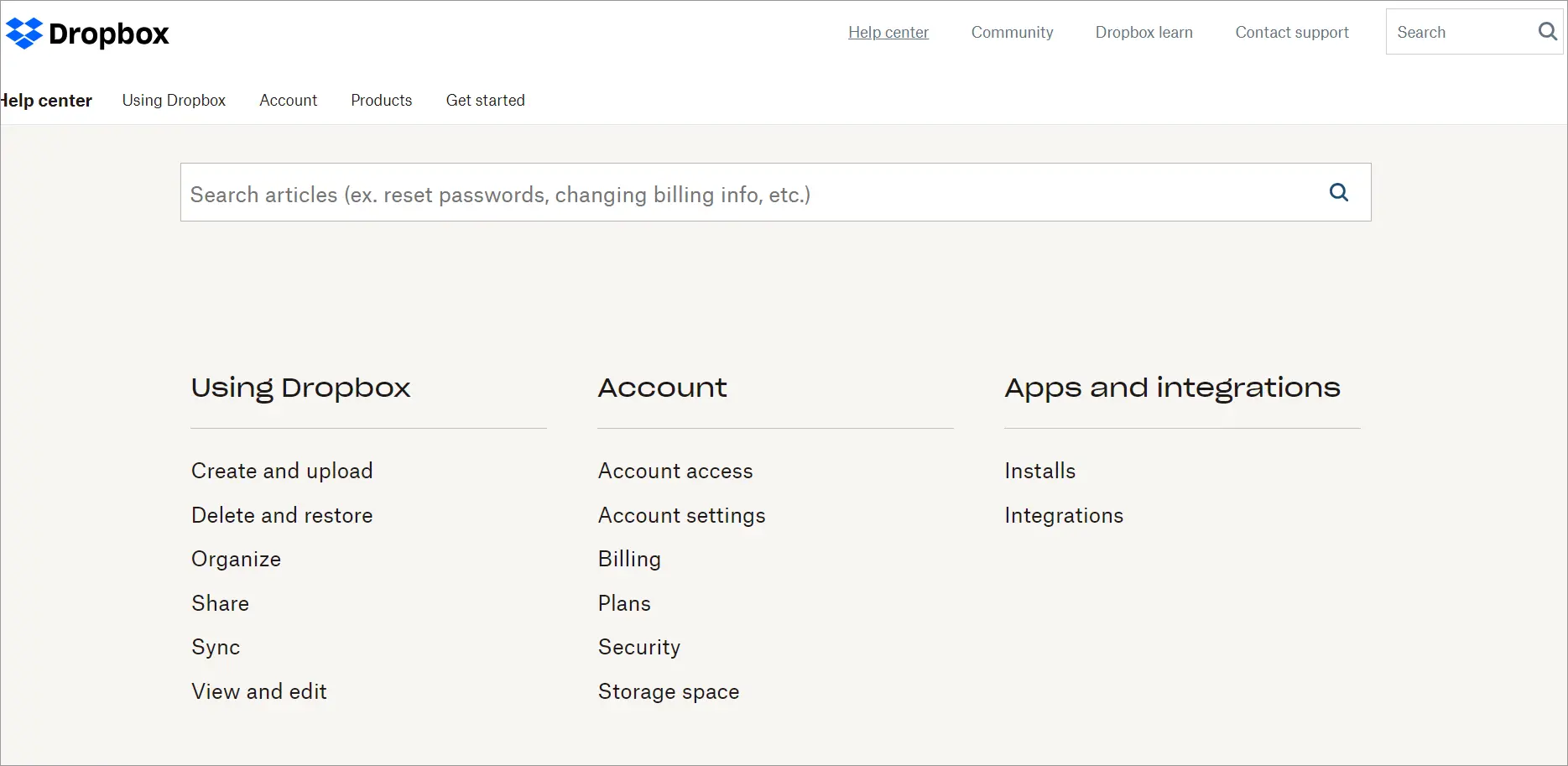
Dropbox’s design uses a large font and well-spaced categories. As users scroll from the top down, they are welcomed with a search bar and FAQs organized into categories.
Key takeaways:
- Why it works: Clean spacing and strong visual hierarchy improve readability.
- What to copy: Make important content easy to scan.
- BoldDesk equivalent: Customizable knowledge base design.
Airbnb
Airbnb has a simple yet effective knowledge base design. It has a large search bar at the center of the page that welcomes any site visitor.
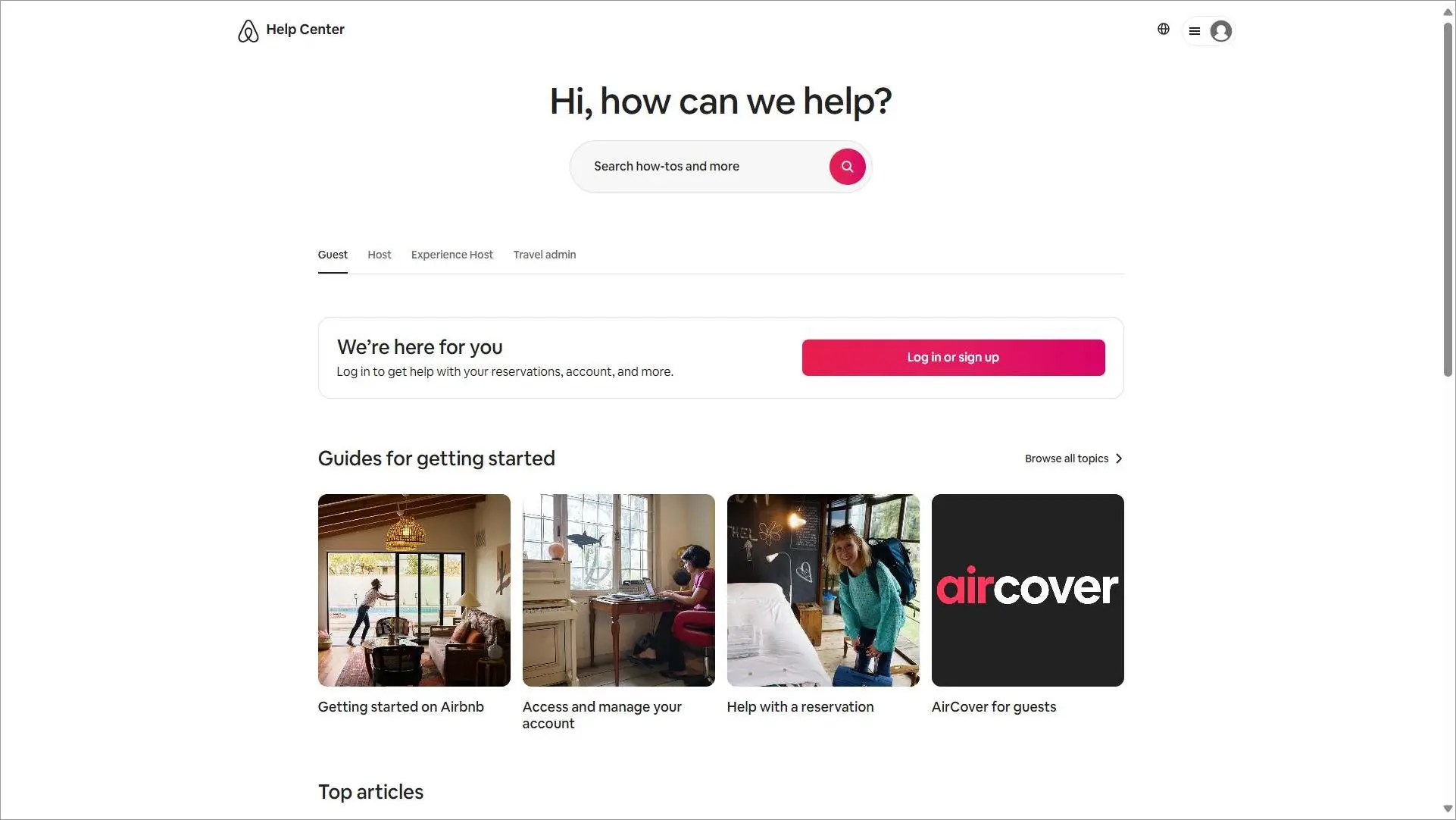
It also has sections for both guests and hosts in its help center. The welcoming question near the search bar is a clever way for Airbnb to grab users’ attention.
Key takeaways:
- Why it works: Separates content for guests and hosts.
- What to copy: Structure content around user needs.
- BoldDesk equivalent: Category organization.
Mailchimp
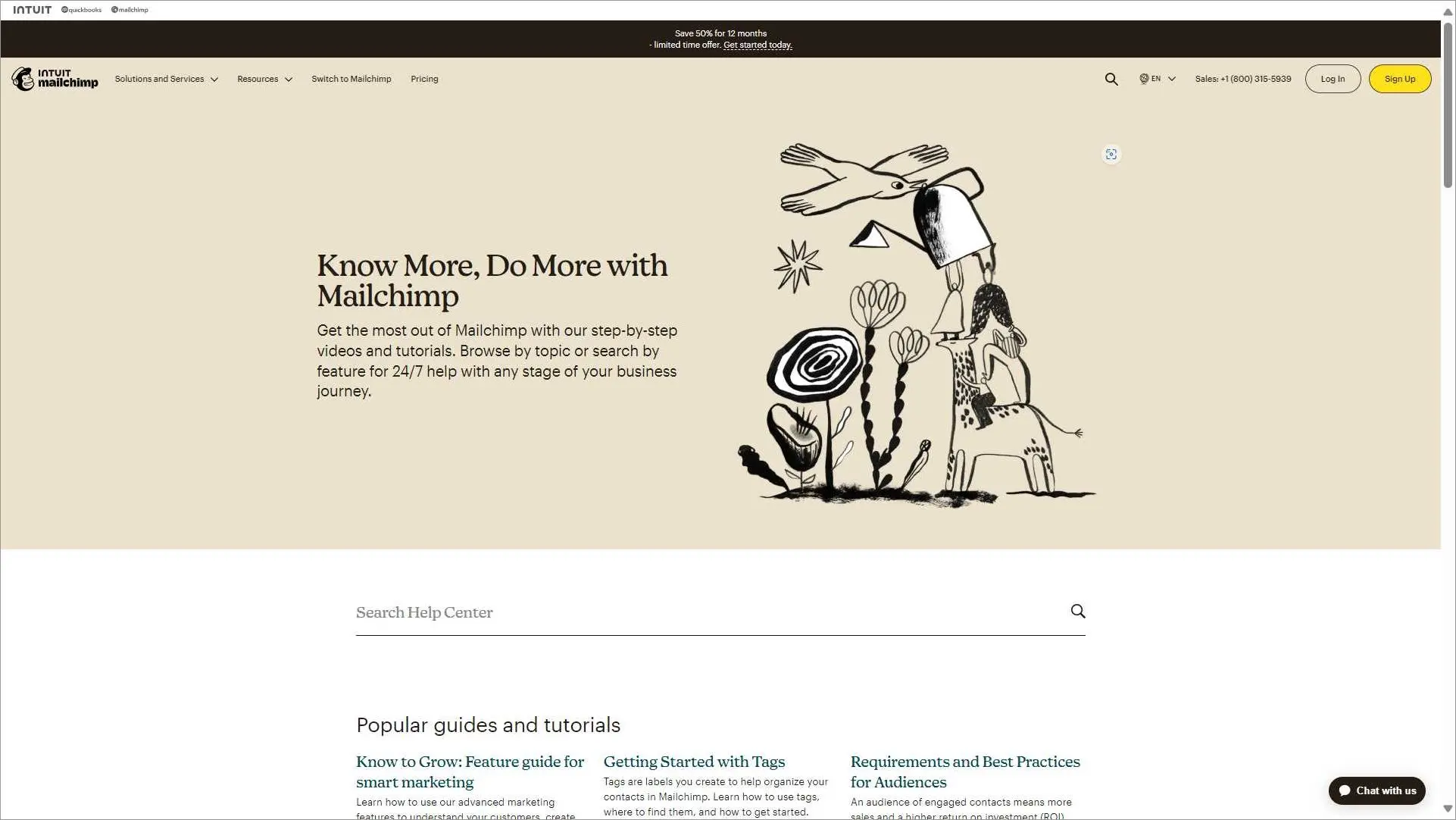
Mailchimp‘s knowledge base example has a simple and organized design.
Whether a user is using the platform for the first time or has used it previously, the content is arranged into categories and sub-categories to make it simple for them to access the information they need.
Key takeaways:
- Why it works: Clear category hierarchy keeps content organized.
- What to copy: Make content structure predictable.
- BoldDesk equivalent: Multi-level categories.
Slack
Slack‘s knowledge base is well-structured into categories and subcategories allowing for easy navigation.
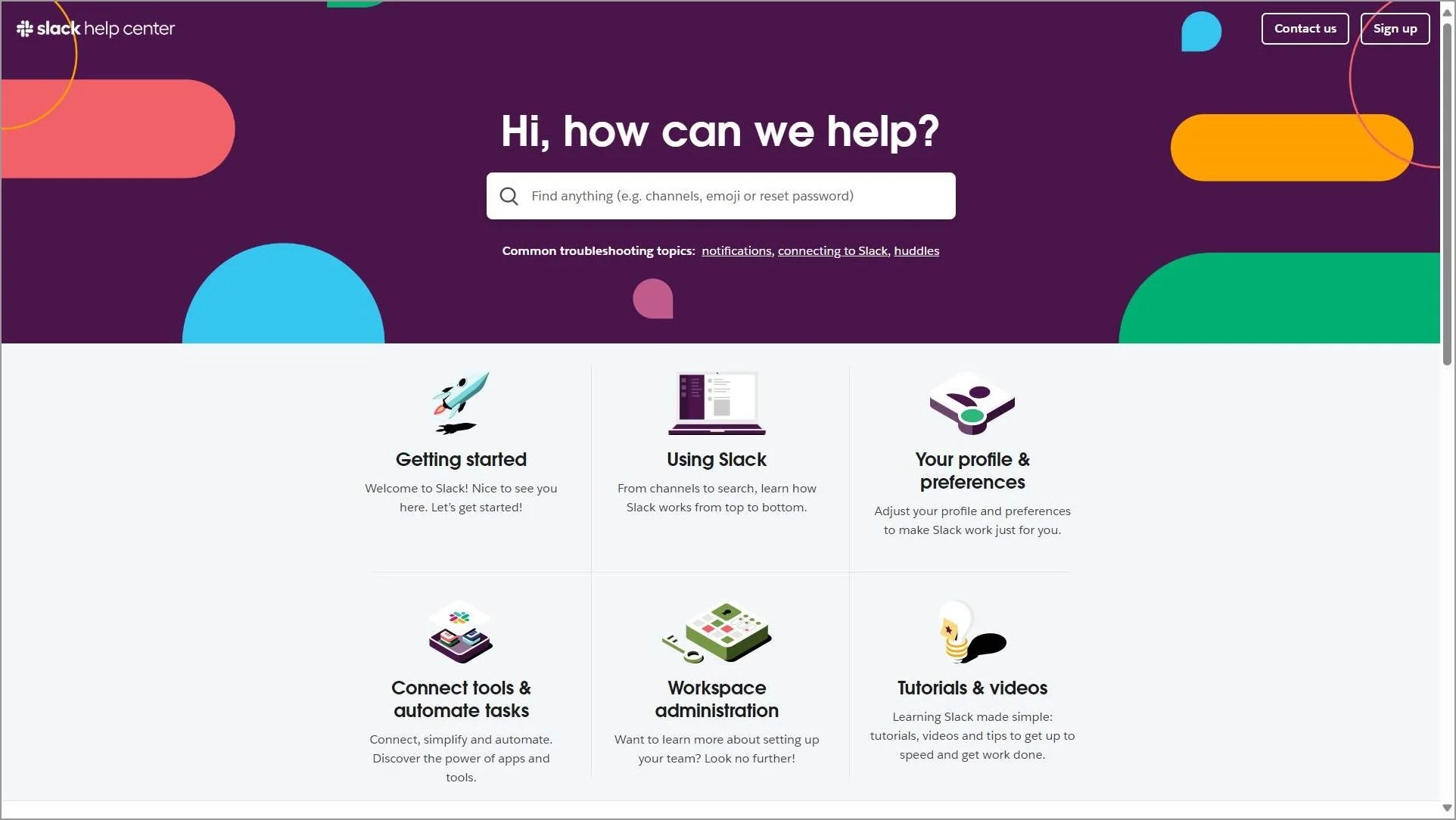
You can find what you need in the right category, regardless of whether you’re a learner searching for simple lessons or an experienced user looking for comprehensive technical guidance.
Key takeaways:
- Why it works: Category structure mirrors how users think about tasks.
- What to copy: Organize around goals, not product features.
- BoldDesk equivalent: Category management.
Microsoft 365
Microsoft 365‘s knowledge base is divided into sections based on use, so customers easily find information.
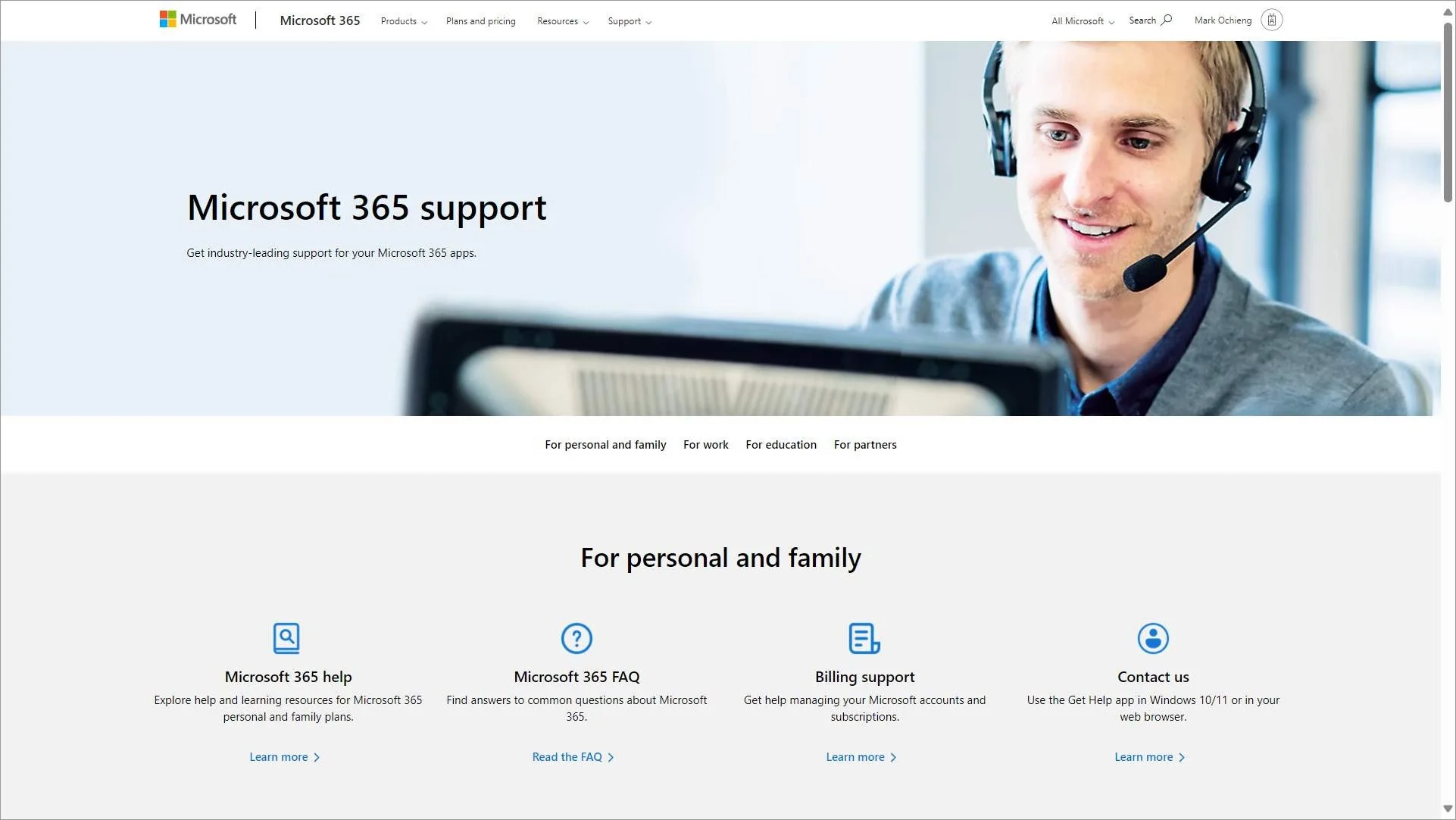
There are sections for work, education, partners, and personal and family. Each section has an area for popular articles, making this knowledge base quite detailed and comprehensive.
Key takeaways:
- Why it works: Segments information by audience.
- What to copy: Tailor support content to different user groups.
- BoldDesk equivalent: Knowledge base segmentation.
Zoom
Zoom offers a sticky banner on its knowledge base with a quick access menu featuring dropdowns for different sections such as product support and contact support.
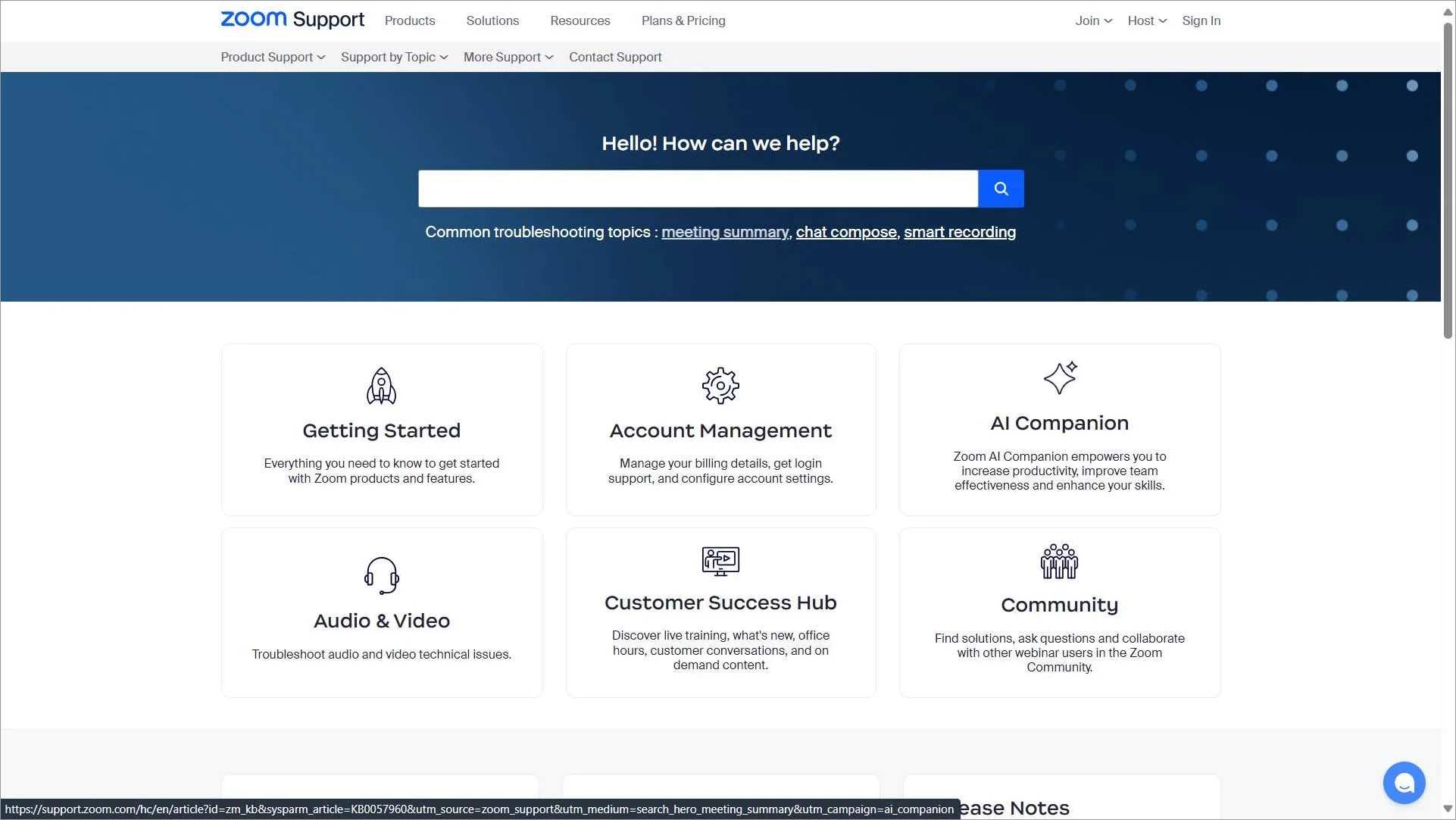
These are complemented by a search bar beneath the banner for users to quickly search for information. Common troubleshooting topics are also suggested beneath the search bar for quick access to resources.
Key takeaways:
- Why it works: Frequently needed topics are promoted up front.
- What to copy: Surface troubleshooting content prominently.
- BoldDesk equivalent: Featured articles.
Instagram is among the biggest websites and apps in the world with the most straightforward and uncluttered designs.
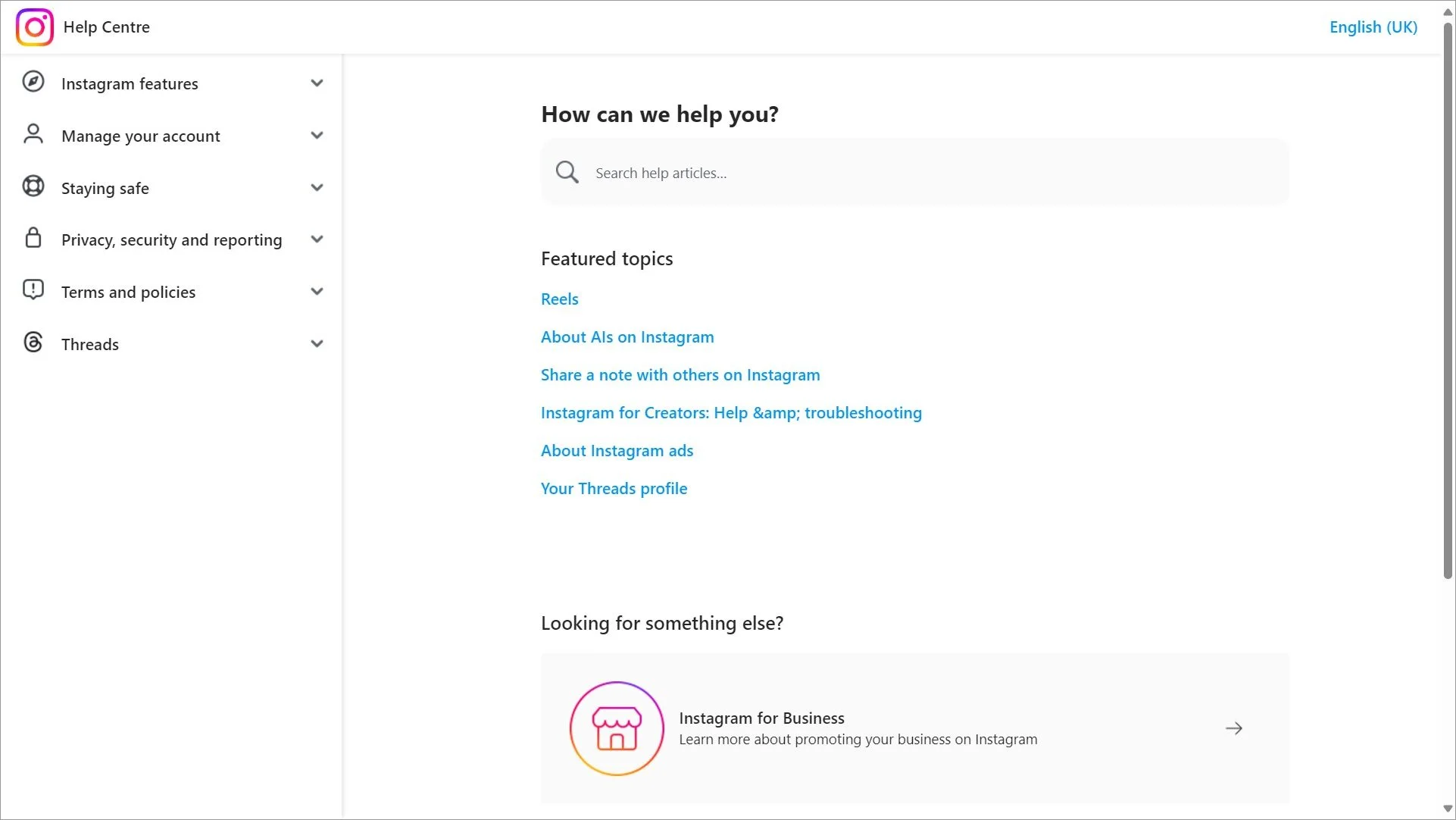
There is a featured topics section with direct links and a search box (with suggestions) at the center of the page. Users can also use the sidebar drop-down menu to browse helpful articles.
Key takeaways:
- Why it works: Minimalist design removes distractions.
- What to copy: Simplicity often improves usability.
- BoldDesk equivalent: Custom portal design.
Apple
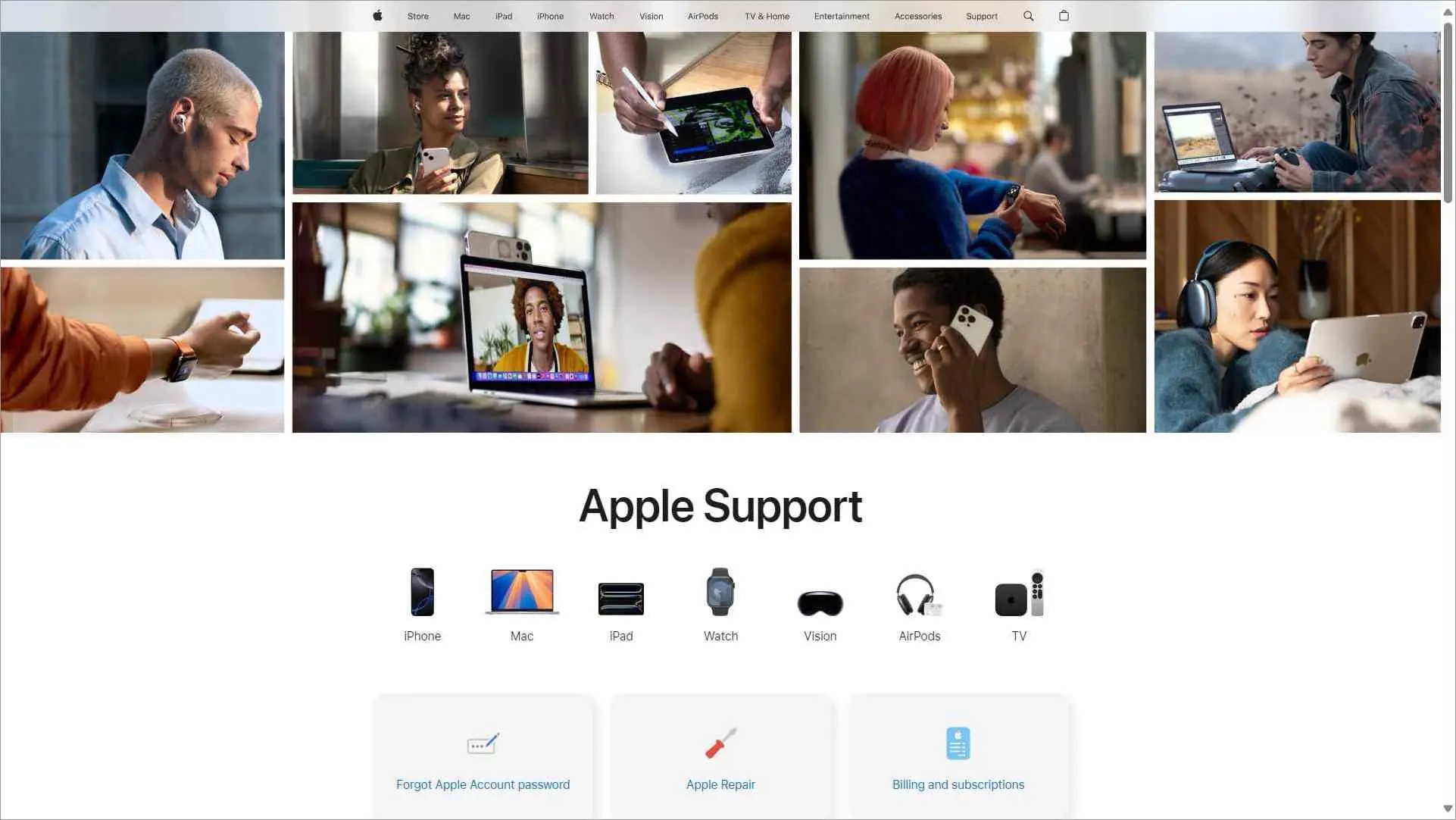
Apple‘s help page is sleek and modern, with articles organized into clear sections. You can click on the icons of the devices to get more information.
Key takeaways:
- Why it works: Visual product-based navigation feels intuitive.
- What to copy: Let users start with the product they need help with.
- BoldDesk equivalent: Categories and custom design.
Other knowledge base examples
These knowledge base examples demonstrate how search, content organization, help workflows, learning resources, and self-service functionality can improve the support experience and help users find answers more efficiently.
Nike
Nike is a global sportswear brand headquartered in Oregon, USA. Its help center has a resourceful knowledge base with FAQs organized by topic in the “Quick Assists” section.
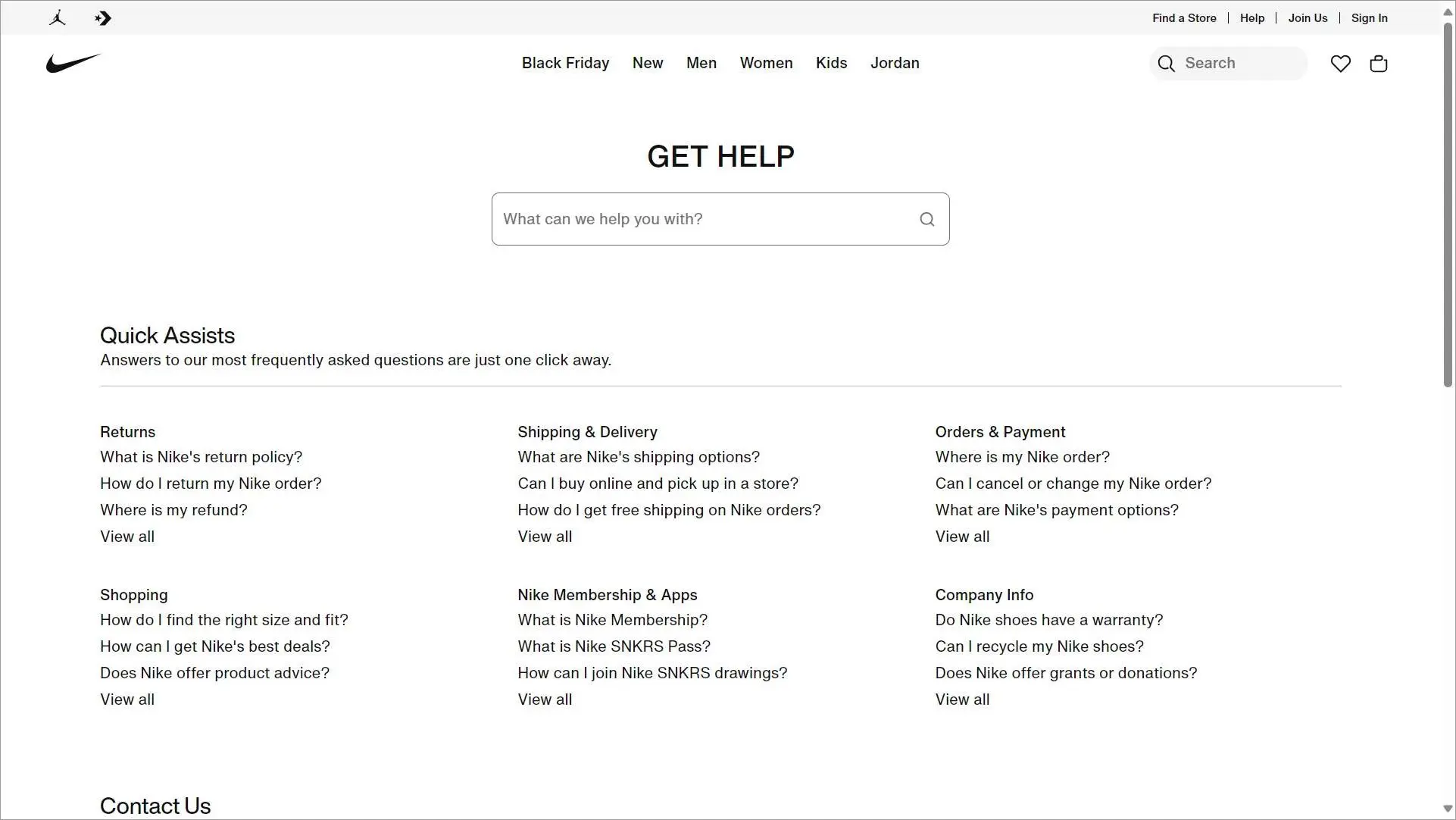
It keeps things simple by providing a search bar, and an additional Contact Us section with phone numbers, chat options, and other ways to get support.
Key takeaways:
- Why it works: Topic-based FAQs make common questions easy to find.
- What to copy: Surface high-demand questions before users need to search.
- BoldDesk equivalent: Categories and featured articles.
Spotify
Spotify is an online music streaming site. Its knowledge base is organized into categories where each category addresses a particular topic.
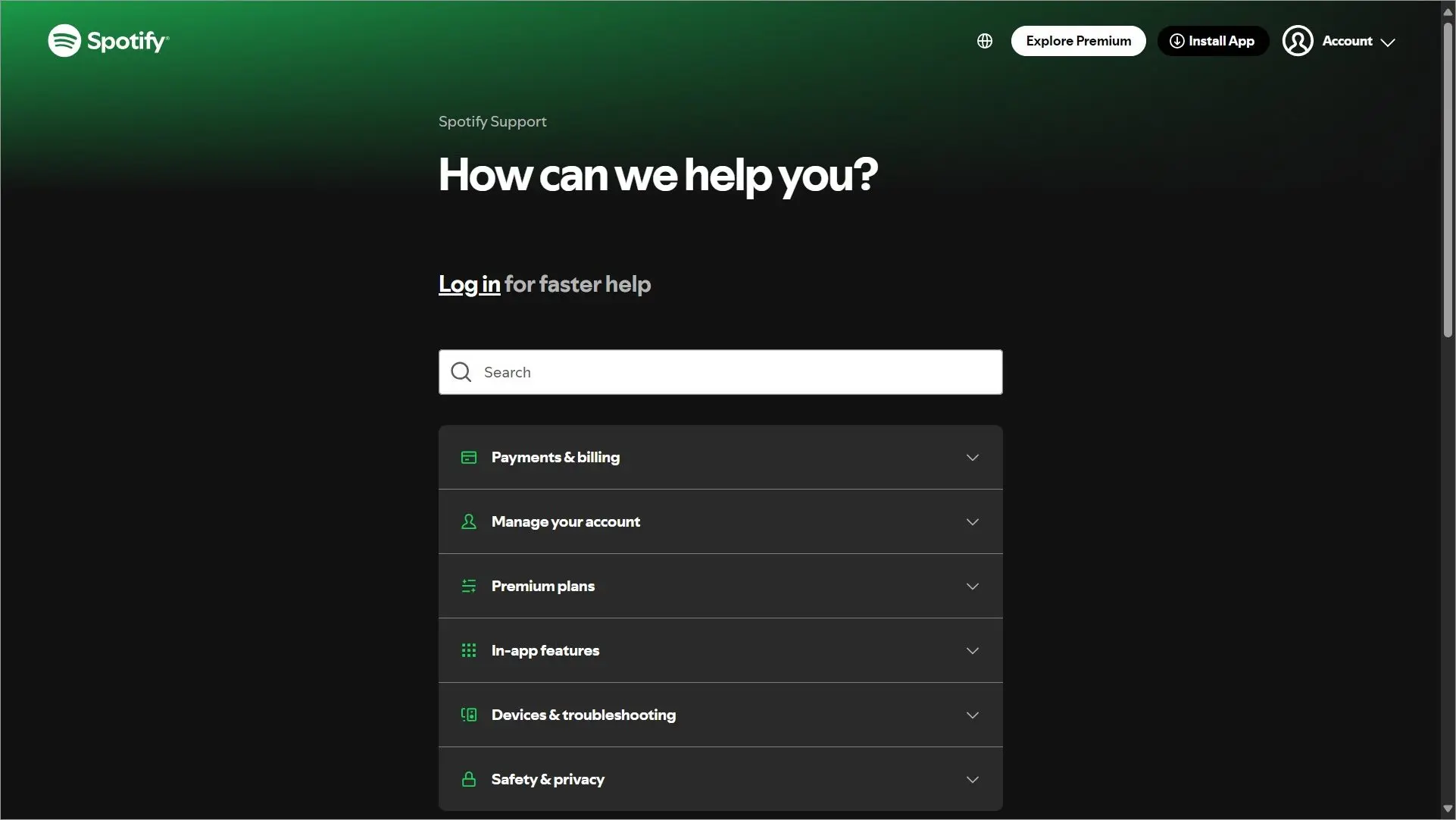
The knowledge base has auto-suggestions enabled, such that suggestions with direct links appear beneath the search field as soon as you begin typing in your question.
Key takeaways:
- Why it works: Search suggestions appear instantly as users type.
- What to copy: Reduce clicks between the question and the answer.
- BoldDesk equivalent: AI search.
Google Workspace
Google Workspace has one of the best knowledge base examples. It is available through its help center and provides detailed support resources.
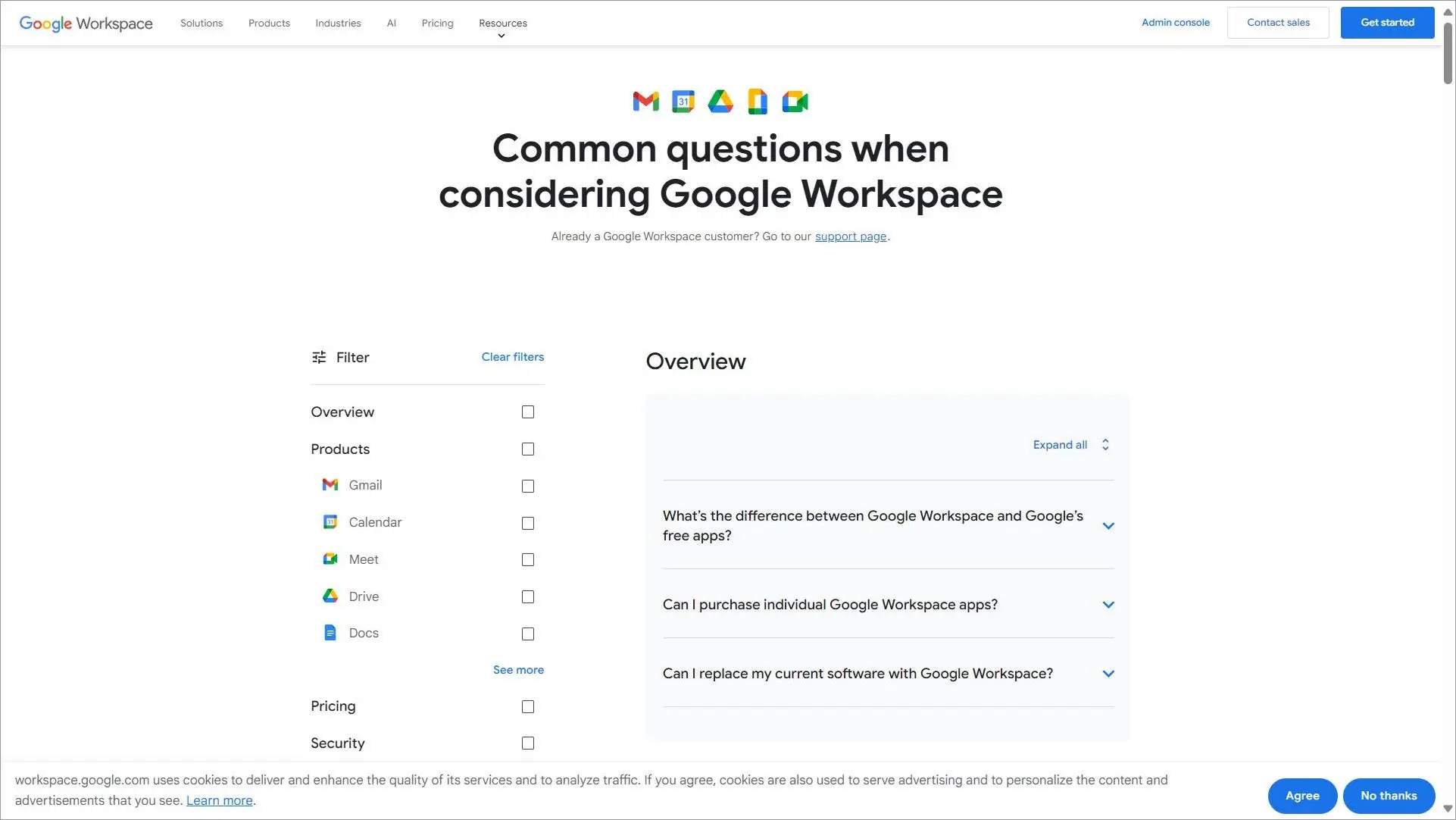
It includes FAQs, video tutorials, and interactive guides covering various Workspace apps like Gmail, Google Drive, and Google Meet.
The knowledge base has an overview section where customers can view common questions.
Key takeaways:
- Why it works: Uses articles, videos, and guides to support different learning styles.
- What to copy: Mix content formats instead of relying only on text.
- BoldDesk equivalent: Rich content editor.
Amazon Web Services
Amazon Web Services has a well-organized knowledge center comprising articles, FAQs, and community groups.
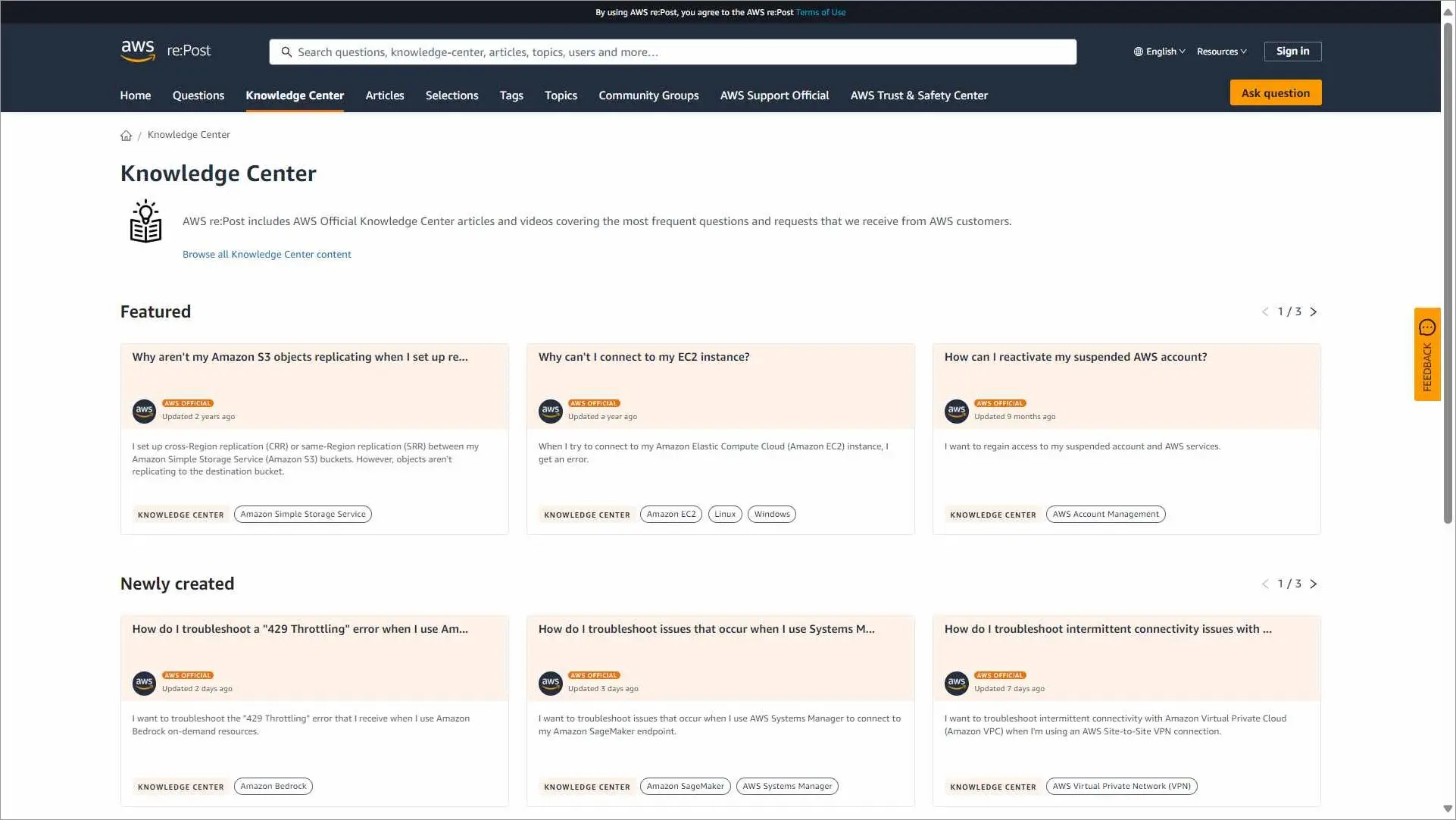
It employs sidebar navigation and a sticky banner with a search bar and an ask-question button. There is a mega menu below the search bar where users can select questions, articles, tags, topics and community groups.
Key takeaways:
- Why it works: Multiple navigation paths help users reach answers faster.
- What to copy: Offer search, categories, and related resources together.
- BoldDesk equivalent: AI search and categories.
Notion academy
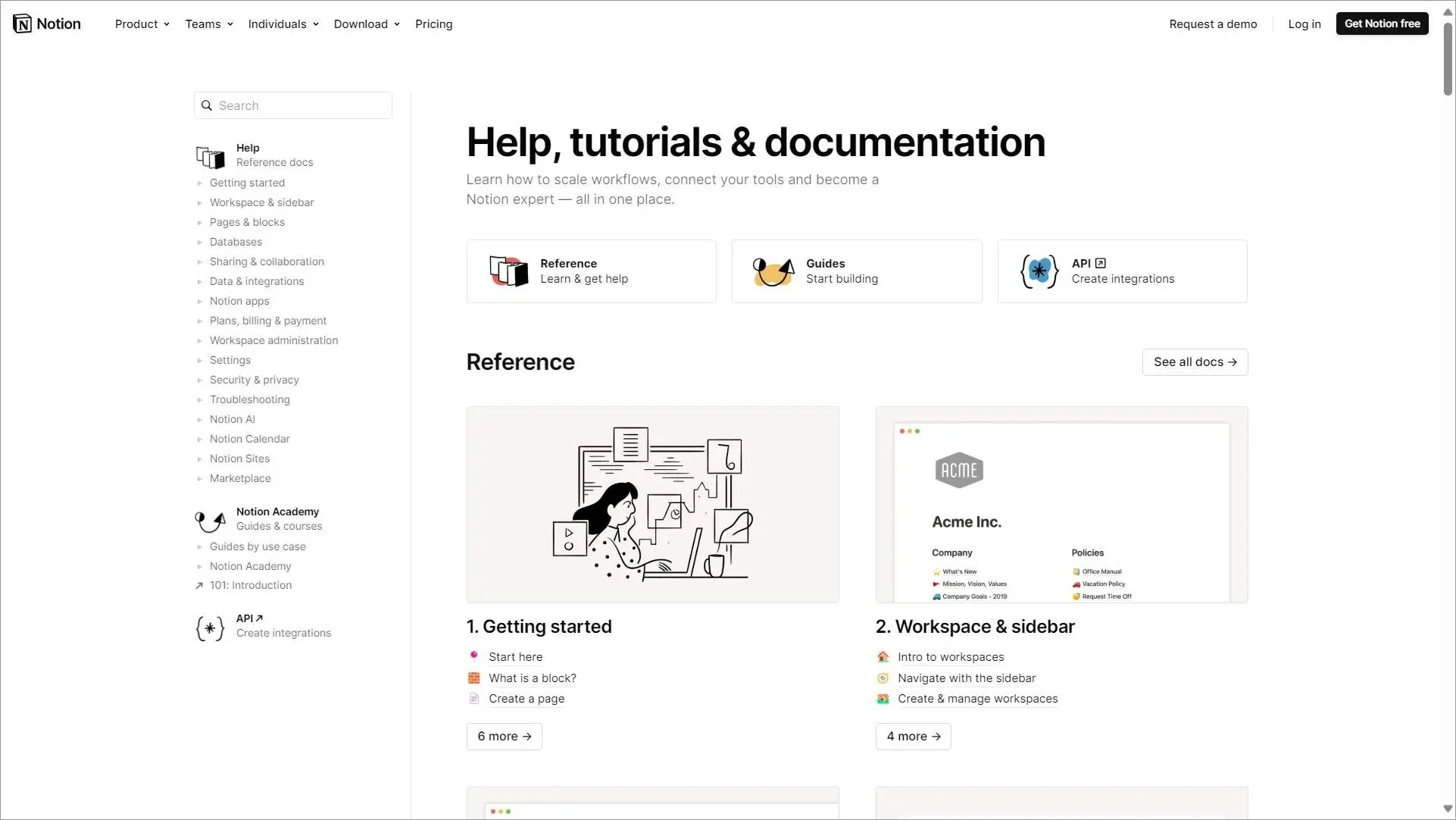
The support section at Notion is a detailed resource created to enable users get the most relevant data from the platform.
Its knowledge base has titles grouped into categories and sections.
Key takeaways:
- Why it works: Large knowledge library remains easy to navigate.
- What to copy: Build a logical content hierarchy as documentation grows.
- BoldDesk equivalent: Categories and subcategories.
Confluence
Confluence‘s knowledge base page is basic, featuring a search bar, newly published articles, and links to more resources.
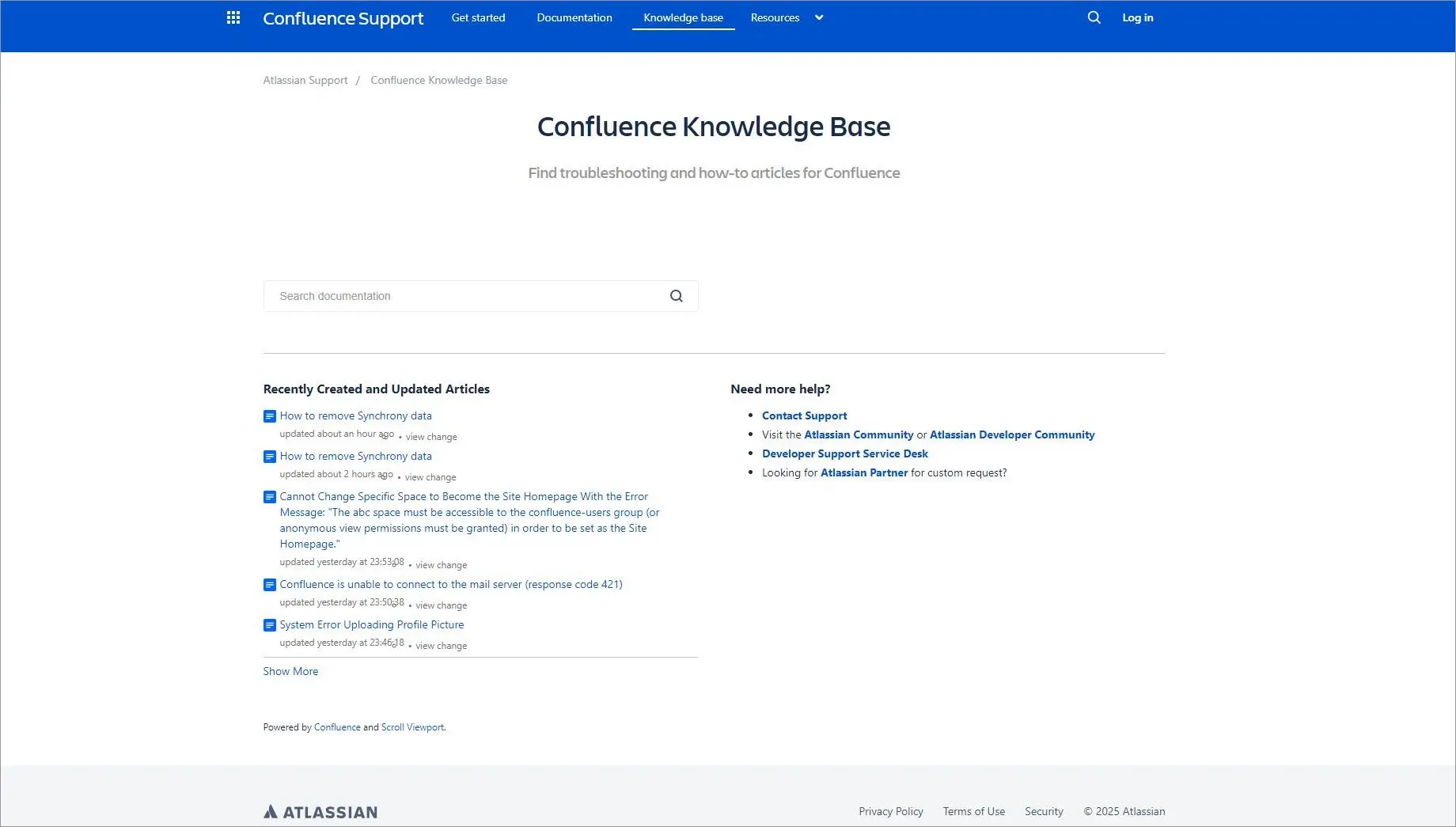
It also has a sticky widget for a “Need more help?” section, which you can click on to access the community forum and other CTA actions with related content.
Key takeaways:
- Why it works: Clear paths to additional help.
- What to copy: Every article should provide a next step.
- BoldDesk equivalent: Article CTAs.
Shopify
Shopify‘s success as a top e-commerce platform can be attributed to its dedication to providing information, resources, and support on its knowledge base.
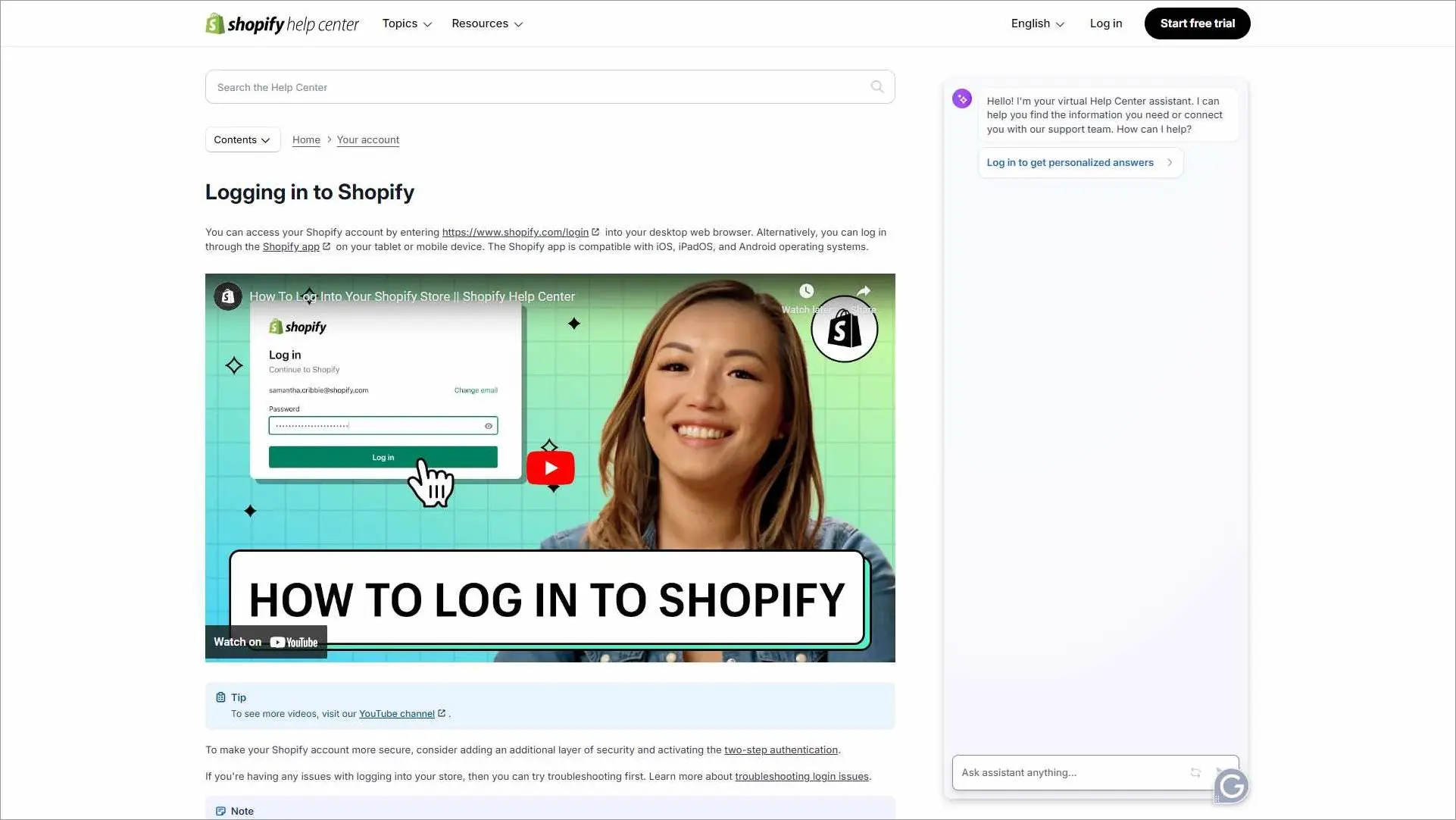
Its knowledge base covers a lot of ground, such as best practices, troubleshooting manuals, and tutorials.
Key takeaways:
- Why it works: Supports users from onboarding through advanced usage.
- What to copy: Create content for every stage of the customer journey.
- BoldDesk equivalent: Knowledge base management.
Jira
Jira is a tool developed by Atlassian and used by teams to manage projects. It has a simple yet very detailed knowledge base with a search bar where customers can quickly search for articles.
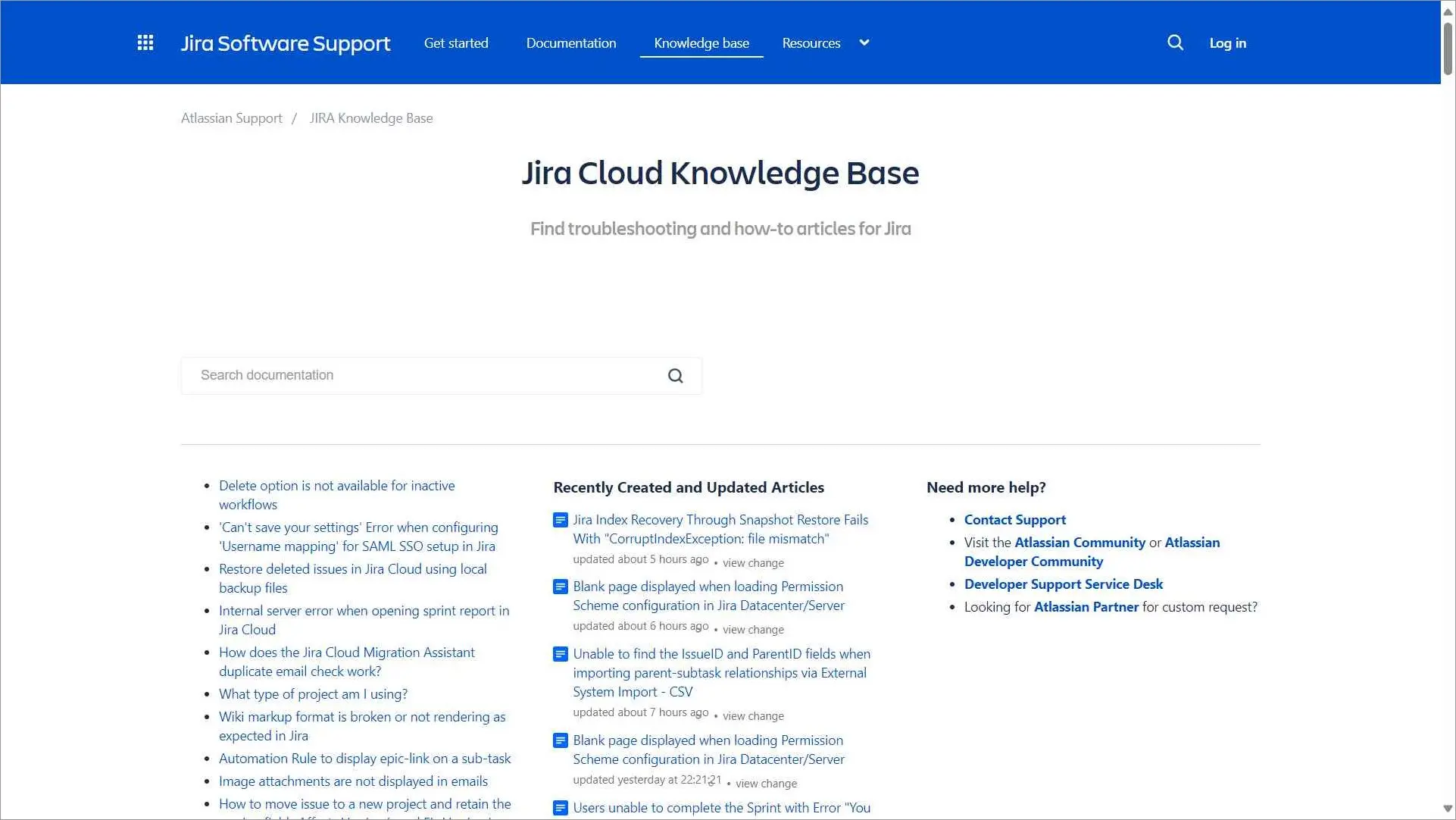
Under the search bar is a list of articles, and another column showing recently created and updated articles.
Key takeaways:
- Why it works: Recent content updates are highly visible.
- What to copy: Make fresh content easy to discover.
- BoldDesk equivalent: Article publishing.
Trello
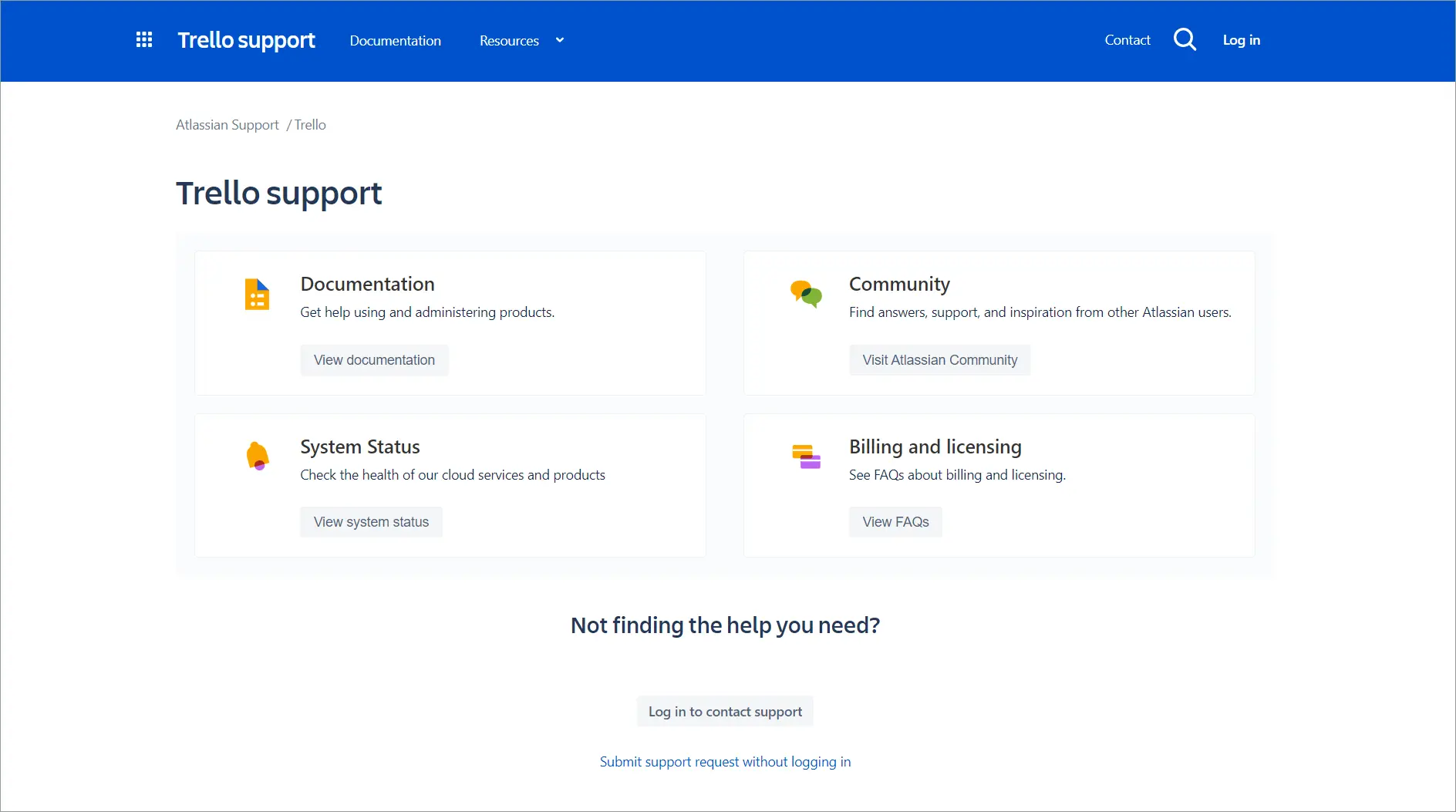
Trello has a comprehensive knowledge base example with detailed tutorials, instructions, and FAQs. It also integrates a community forum where customers can seek assistance and exchange information.
Key takeaways:
- Why it works: Combines documentation with community support.
- What to copy: Give users multiple ways to find help.
- BoldDesk equivalent: Support portal integration.
Adobe
Adobe‘s knowledge center has an extensive amount of information that covers every facet of its wide range of products.
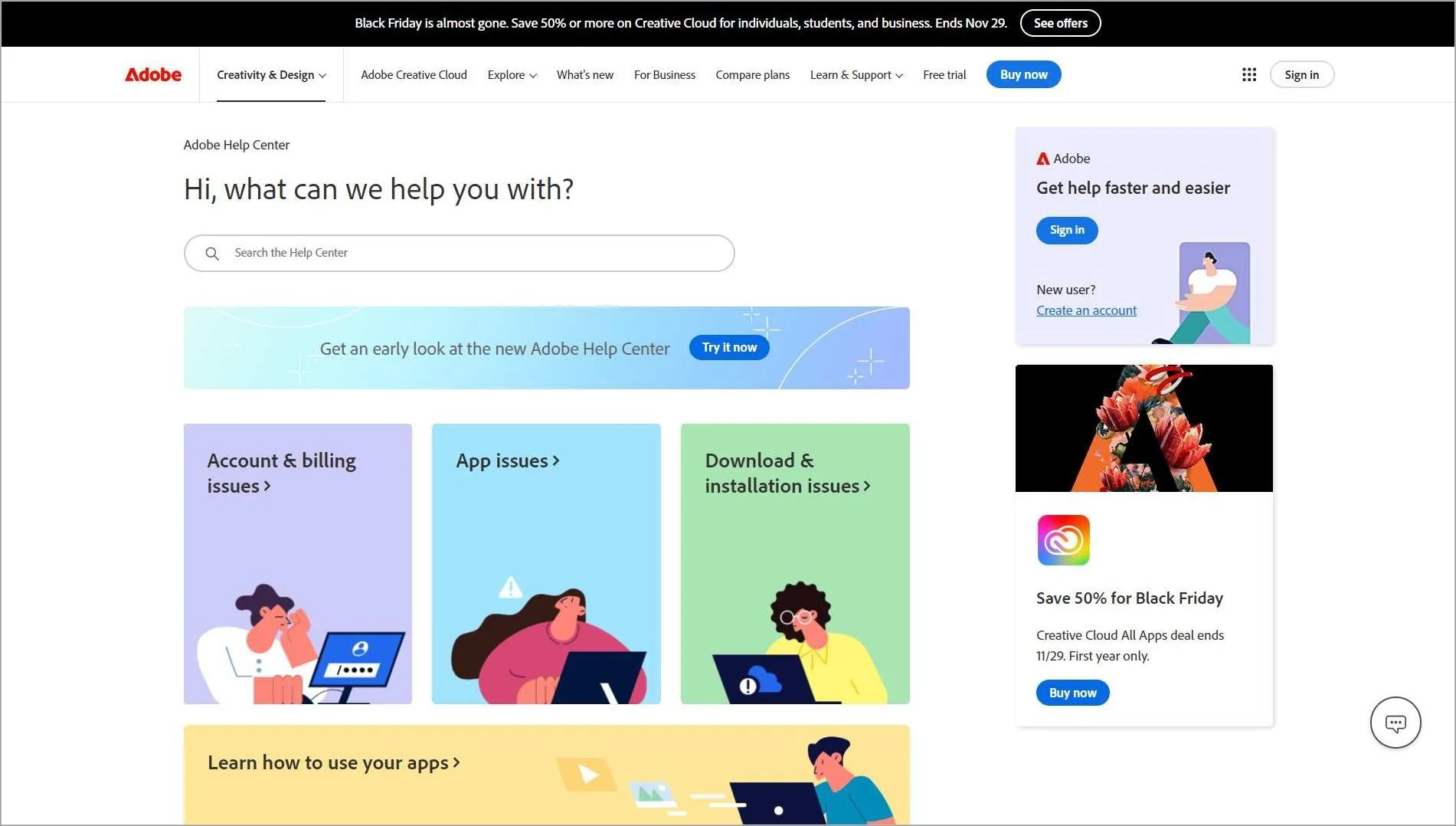
It also consists of interactive tools, including step-by-step walkthroughs and video lessons making it simple for users to apply the information by accommodating a variety of learning styles.
Key takeaways:
- Why it works: Extensive tutorials and visual learning resources.
- What to copy: Support visual learners with videos and walkthroughs.
- BoldDesk equivalent: Rich media support.
Wix
Wix‘s knowledge base covers an extensive collection of articles, manuals, and simple tutorials.
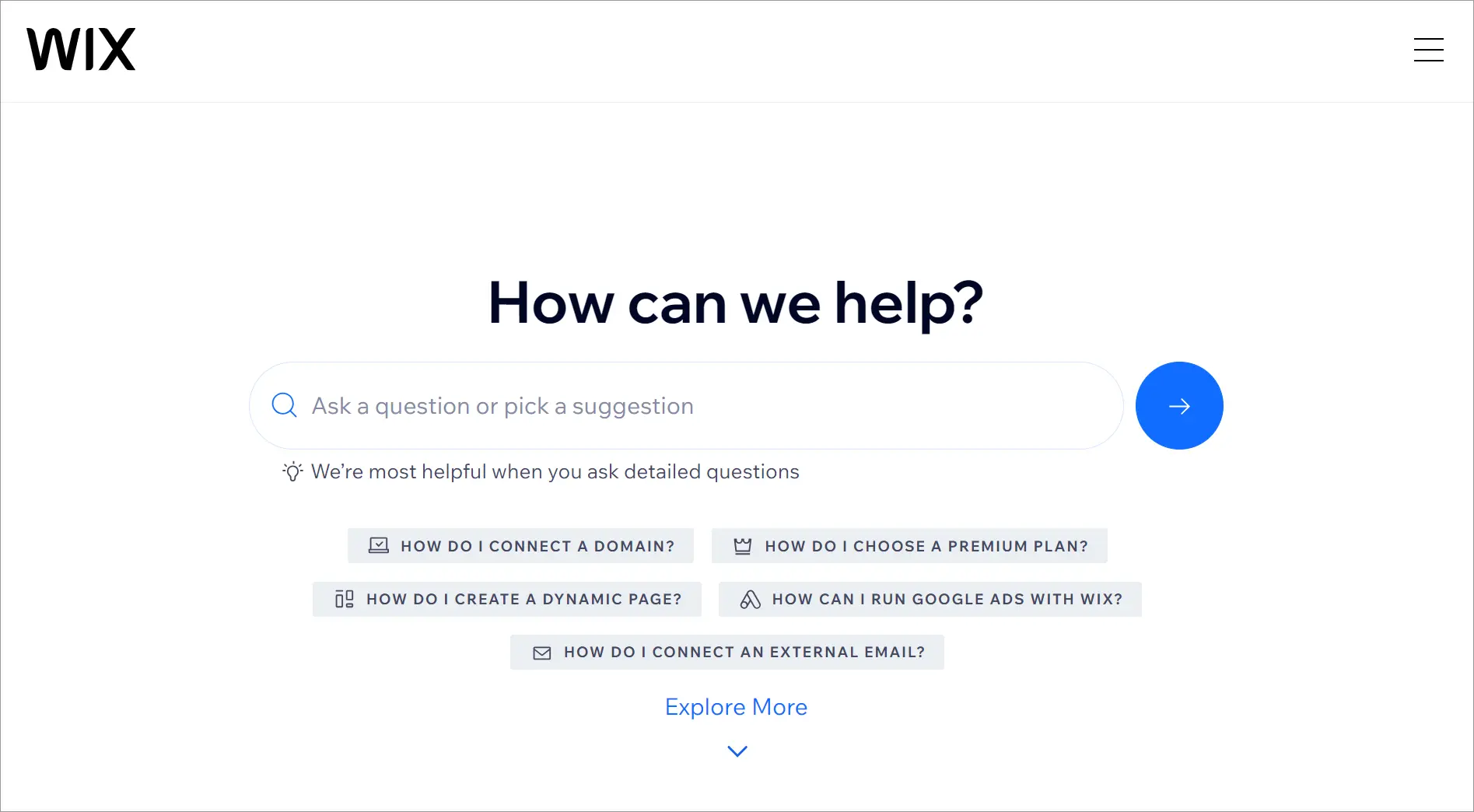
It has a search button at the center of the page with suggestions underneath. It features trending articles and a section where users can find answers by topic.
Key takeaways:
- Why it works: Trending content receives prominent placement.
- What to copy: Use customer behavior to highlight useful resources.
- BoldDesk equivalent: Featured knowledge base articles.
For additional best practices on navigation, branding, readability, and user experience, see our knowledge base design guide.
Adopt effective strategies from these knowledge base examples
A well-organized knowledge base example can significantly improve customer satisfaction by providing timely, 24/7 service and accurate information for your customers.
Good knowledge bases go a step further. They are interactive, intuitive, and designed to exceed the expectations of customers. These knowledge base examples will no doubt inspire you to create the best knowledge base for your company.
To see how these best practices can be applied in your own support environment, start a free trial or book a live demo of BoldDesk and explore how AI-powered search, automation, analytics, and self-service tools can help improve the support experience.
We hope this article is insightful. Do you have any additional knowledge base examples? Please share them in the comment section below.
Related articles
FAQs on knowledge base examples
A knowledge base should be reviewed regularly to remove outdated information, update product changes, and address new customer questions. Frequent updates help keep content accurate and trustworthy.
Companies such as Google Workspace, Shopify, Slack, Apple, and Dropbox are often cited as strong knowledge base examples because they combine effective search, clear navigation, and well-organized content.
A good knowledge base makes information easy to find, understand, and use. The best examples combine intuitive navigation, effective search, clear content organization, helpful visual elements, and regularly updated information that helps users resolve issues on their own.
There is no ideal number. Focus on covering the questions users ask most frequently, then expand the knowledge base as new support needs emerge.
One of the most common mistakes is organizing content around internal product structures instead of user needs. Effective knowledge bases make information easy to find through clear navigation and search.


